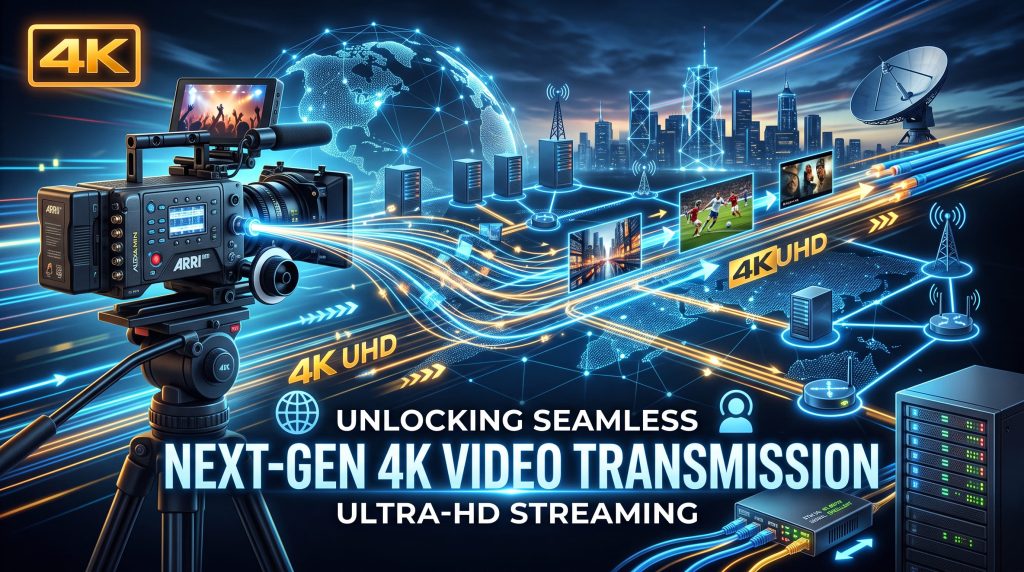
Here is a slightly ridiculous/absurd fact about modern event production: we can send an incredibly detailed 4K video signal hundreds of metres through a strand of glass thinner than your finger — and somehow the difficult part is still not breaking the cable.
Well… not just the cable.
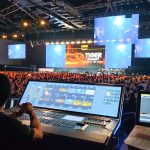
At a live event, a camera might be positioned at the back of a ballroom, a control room might be somewhere completely different, and the LED screen you need to feed could be 200 metres away. Somewhere in between, that 4K video has to travel reliably, at the right speed, with the right timing and without suddenly deciding that tonight is a good night to become a black screen.
This is where fiber optic video transmission becomes one of the most useful pieces of technology in professional event production.
Fiber allows high-bandwidth video signals to travel long distances using pulses of light rather than electrical signals travelling through copper. And 200 metres? For professional fiber systems, that is not an especially dramatic distance. For example, AJA’s current 12G-SDI fiber systems support 4K/60p transmission over single-mode fiber for distances up to 10 km.
So why do event production teams still have to think carefully about a 200-metre video run? Because “4K” tells you the picture resolution. It does not tell you how the signal is being transported. And that distinction is where things get interesting
Why 4K Video Is a Serious Data Problem
A 4K image contains roughly four times as many pixels as Full HD. That sounds simple enough. But live video isn’t one still photograph being sent every few seconds. It is a continuous stream of images, potentially at 50, 60 or even higher frame rates, with colour information, timing information and other data travelling alongside the picture.
For professional production, this can create a substantial bandwidth requirement. One example is 12G-SDI, a professional serial digital interface designed to carry high-bandwidth uncompressed video. SMPTE ST 2082-10 defines the mapping of 2160-line image formats and associated data into a single-link 12 Gb/s nominal SDI interface.
That is why a 4K event-video workflow cannot simply be treated as:
Camera → really long HDMI cable → screen.
Well, you can try. Your video engineer may just stop speaking to you. The real solution depends on the source, resolution, frame rate, colour format, display requirements and the infrastructure available at the venue.
So, How Do You Actually Send 4K Video 200 Metres?
There are several approaches used in professional AV and live-event environments. The most important thing to understand is that fiber is the physical transport medium, while HDMI, SDI and IP are different ways of handling the video signal.
A typical professional workflow might look something like:
Camera → SDI → Fiber Transmitter → Fiber → Fiber Receiver → SDI → Video Processor → LED Screen
Or:
Camera → HDMI → Fiber Extender → Fiber → Receiver → HDMI → Display
Or, in a more networked production:
Camera / Video Source → IP Encoder → Fiber Network → IP Decoder → Video Processor → Display
The correct architecture depends on the event.
SDI Over Fiber: The Traditional Professional Approach
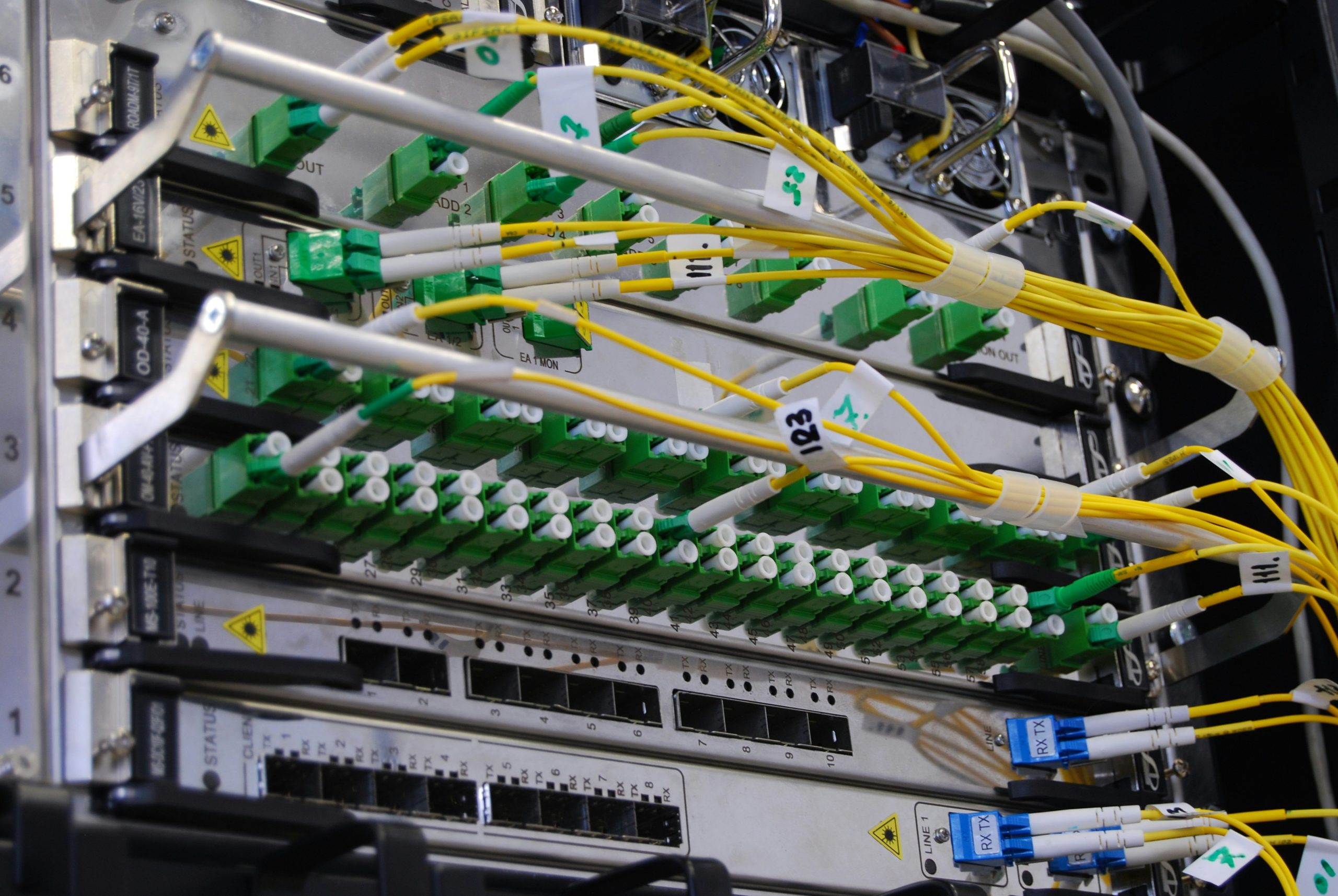
For many professional live-production environments, SDI remains an important part of the signal chain. SDI stands for Serial Digital Interface and has been used extensively in broadcast, studio and live production environments.
There are different SDI bandwidth levels.
For example:
- 3G-SDI can carry up to 1080p60 in a single link under the relevant format.
- 6G-SDI provides a higher-bandwidth option.
- 12G-SDI can support single-link 4K workflows.
Sony’s current technical explanation of 3G-SDI notes that it supports 3 Gbps transmission and can carry up to 1080/60p using a single BNC connection. For 4K production, 12G-SDI is particularly useful because it can transport a 4K signal over a single SDI connection instead of requiring multiple lower-bandwidth SDI links.
And this is where fiber enters the picture. Rather than trying to send that high-bandwidth signal hundreds of metres through copper coaxial cable, a production team can convert the electrical SDI signal into an optical signal.
The basic chain becomes:
12G-SDI → Optical Fiber → 12G-SDI
At the receiving end, the optical signal is converted back into SDI. AJA’s current FiDO ST 12G systems, for example, are designed for 12G-SDI transmission over single-mode fiber and support video formats up to 4K 60p.
The important thing here is that the fiber is not magically making the 4K signal smaller. It is providing a different physical path for transporting it.
Why Not Just Use a 200-Metre Copper Cable?
This is where things get practical. Copper has been extremely useful for professional video for decades. But as bandwidth increases and distances become longer, the limitations of the physical medium become more significant. Signal attenuation, cable quality, connector quality and electromagnetic interference can all become considerations. At 200 metres, a production team should not simply assume that any cable carrying the correct connector will work.
The cable may physically reach. That does not mean the signal will. Fiber has a major advantage here because it can transport high-bandwidth signals over much greater distances than many conventional copper video connections.
AJA states that its 12G-SDI fiber systems can extend 4K 60p signals up to 10 km over standard single-mode fiber. That makes 200 metres relatively modest from the perspective of the optical link.
And this is important that the entire system still has to be compatible. The fiber itself is only one piece of the puzzle.
HDMI Over Fiber Is Another Option
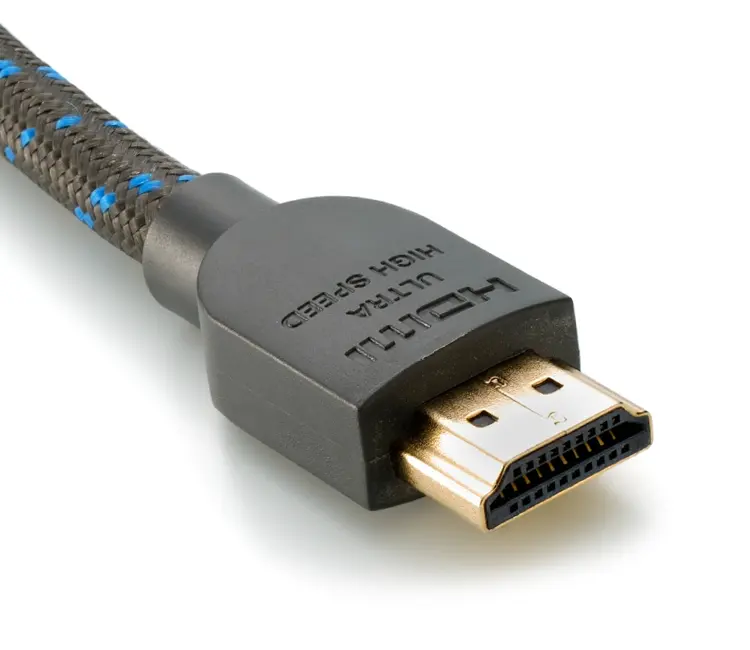
HDMI is extremely common in event environments because laptops, playback systems, cameras, processors and consumer displays frequently use it. The problem? HDMI was not designed with the same long-distance event-production workflow in mind as professional fiber infrastructure.
This is where HDMI over fiber extenders come in. A transmitter converts the HDMI signal into an optical format suitable for transmission through fiber. At the other end, a receiver converts it back into HDMI.
So the system might look like:
Laptop → HDMI → Fiber Transmitter → Fiber → Fiber Receiver → HDMI → LED Processor
For a professional event, this can be a practical way of connecting a source that only provides HDMI to equipment located hundreds of metres away. The exact capabilities vary considerably between products. Some systems support 4K/60, different chroma formats, HDR, HDCP, audio, USB, Ethernet or control signals. Others are much simpler.
For example, Extron’s current FOX3 fiber platform includes professional fiber extenders capable of transporting 4K/60 4:4:4 video, alongside additional signals and monitoring features. So when somebody says, “It’s a 4K fiber extender,” that still isn’t enough information.
You need to ask:
4K at what frame rate??
At what chroma sampling?
With what color depth?
At what distance?
With compression or without?
What happens to the audio?
What happens if the source changes resolution?
Those details matter.
Fiber Does Not Automatically Mean “Zero Latency”
This is another common misconception. Fiber itself can provide extremely fast transmission, but the complete signal path determines the overall latency. A simple point-to-point optical conversion can introduce very little additional delay.
But if your signal goes through:
Camera → Converter → Encoder → Network → Decoder → Processor → LED Controller → Screen
there are more stages involved. Some systems compress the signal. Some process it. Some buffer it. That can introduce latency. For a corporate presentation, a small delay may not be particularly noticeable.
For IMAG, it can become a major problem. IMAG—short for Image Magnification—is when a live camera image is displayed on large screens so that the audience can see the presenter, performer or speaker more clearly.
If the camera image appears noticeably later than the person standing on stage, the audience sees the delay immediately. And suddenly the presenter appears to have developed a very strange relationship with time.
That is why live-event video engineers pay close attention to the latency of the entire signal chain.
What About 4K Over IP?
The world of professional video is increasingly moving toward IP-based production. Instead of treating every video source as a dedicated point-to-point cable, IP systems can allow video, audio and data to travel across managed networks.
One of the major professional standards here is SMPTE ST 2110. SMPTE describes ST 2110 as a suite of standards for transporting professional media over managed IP networks. Importantly, it treats video, audio and ancillary data as separate streams that can be transported and synchronised over the network. This is a significant change in how large production systems can be designed.
Instead of thinking:
“Camera 1 needs Cable 1 to Screen 1.”
You can start thinking:
“Camera 1 is a media source on the network.”
That can make routing, scaling and system expansion much more flexible.
However, ST 2110 is not simply “video over the internet.” It requires carefully designed network infrastructure, timing, bandwidth management and compatible equipment. SMPTE’s ST 2110 documentation specifically addresses system timing, uncompressed video transport and traffic shaping because real-time professional media cannot simply be treated like an ordinary file download.
Nobody wants their keynote presentation to buffer.
Why Timing Matters More Than You Think
Imagine you have several cameras covering a live event.
Camera A is pointed at the presenter.
Camera B is showing a close-up.
Camera C is providing a wide shot.
The production switcher needs to move between these sources seamlessly. If the signals are not properly synchronised, switching can become complicated, and timing differences can affect the production. This becomes even more important when audio, video and multiple network streams are involved.
SMPTE ST 2110 uses Precision Time Protocol-based timing to keep media streams aligned to a common reference clock. In other words, professional video infrastructure is not just concerned with getting the picture there. It is concerned with getting the picture there at the right time.
The 200-Metre Run Starts With Planning
Let’s say you’re producing a large corporate event. The camera position is 200 metres from the technical control area. There is an LED wall at the front of the venue. There are confidence monitors backstage.
A presentation laptop is located at the stage. And the production team wants live camera feeds, playback and presentation content available throughout the system. The first thing an experienced video team should do is not start unrolling cable.
It is to map the signal flow.
Step 1: Identify the sources
What needs to enter the system?
For example:
Cameras
Presentation laptops
Playback servers
Graphics systems
Media servers
Remote contribution feeds
Step 2: Identify the destinations
Where does the video need to go?
Main LED wall
Side screens
Confidence monitors
Recording systems
IMAG screens
Broadcast/streaming systems
Preview monitors
Step 3: Identify the required format
Is the event using:
1080p?4K?30 fps?
50 fps?60 fps?HDR?
4:2:2?4:4:4?
The answer changes the bandwidth and equipment requirements.
Step 4: Choose the transport method
This might involve:
- SDI over fiber
- HDMI over fiber
- DisplayPort over fiber
- Video over IP
- Other professional AV-over-IP technologies
Step 5: Build in redundancy
For a high-value live event, a single signal path can become a single point of failure. Depending on the production requirements, engineers may provide backup signal paths, spare converters, redundant network paths or alternative sources. The exact redundancy strategy depends on the event’s criticality and budget.
Fiber Is Tough — But It Is Not Indestructible
There is a funny misconception that because fiber is made from glass, it must be extremely fragile. Modern fiber systems can be rugged and are widely used in professional production. But that does not mean the cable should be treated like a garden hose.
Fiber cables have bending-radius limits and mechanical requirements. Connectors need to be kept clean and protected. Excessive bending, crushing, pulling or poor handling can cause problems. And on a live event site, there are plenty of opportunities for trouble.
A cable might cross a production area. A flight case might be moved across it. Someone might decide that the neatly coiled cable looks like the perfect place to put something heavy.
Someone else might tape it down. And then somebody asks why Camera 4 has disappeared. Professional cable management, proper protection and careful handling therefore matter just as much as selecting the right fiber equipment.
Single-Mode vs Multimode Fiber
Not all fiber is the same. Two terms you will encounter frequently are:
Single-mode fiber (SMF)
Multimode fiber (MMF)
Single-mode fiber generally supports much longer transmission distances and is widely used for long-haul optical communication. Multimode fiber is commonly used for shorter-distance applications. For a 200-metre event run, either may potentially be appropriate depending on the specific equipment, optics and system design.
The important point is:
Do not choose the fiber first and hope the equipment likes it later.
The optical transceivers, wavelength, connector type, fiber type and transmission distance all need to be compatible. This is why professional AV engineers specify the entire optical link rather than simply ordering “some fiber.”
Connectors Matter Too
Fiber systems can use different connector formats, including LC and ST among others. AJA, for example, offers 12G-SDI fiber products with both LC and ST options depending on the model.
This may sound like a tiny technical detail. It is not.
Imagine arriving at a venue with 200 metres of perfectly suitable fiber and discovering that the equipment at one end expects a different optical interface.
Congratulations.
You now have 200 metres of very expensive decoration. Connector compatibility should be confirmed during system planning.
What Happens at the LED Wall?
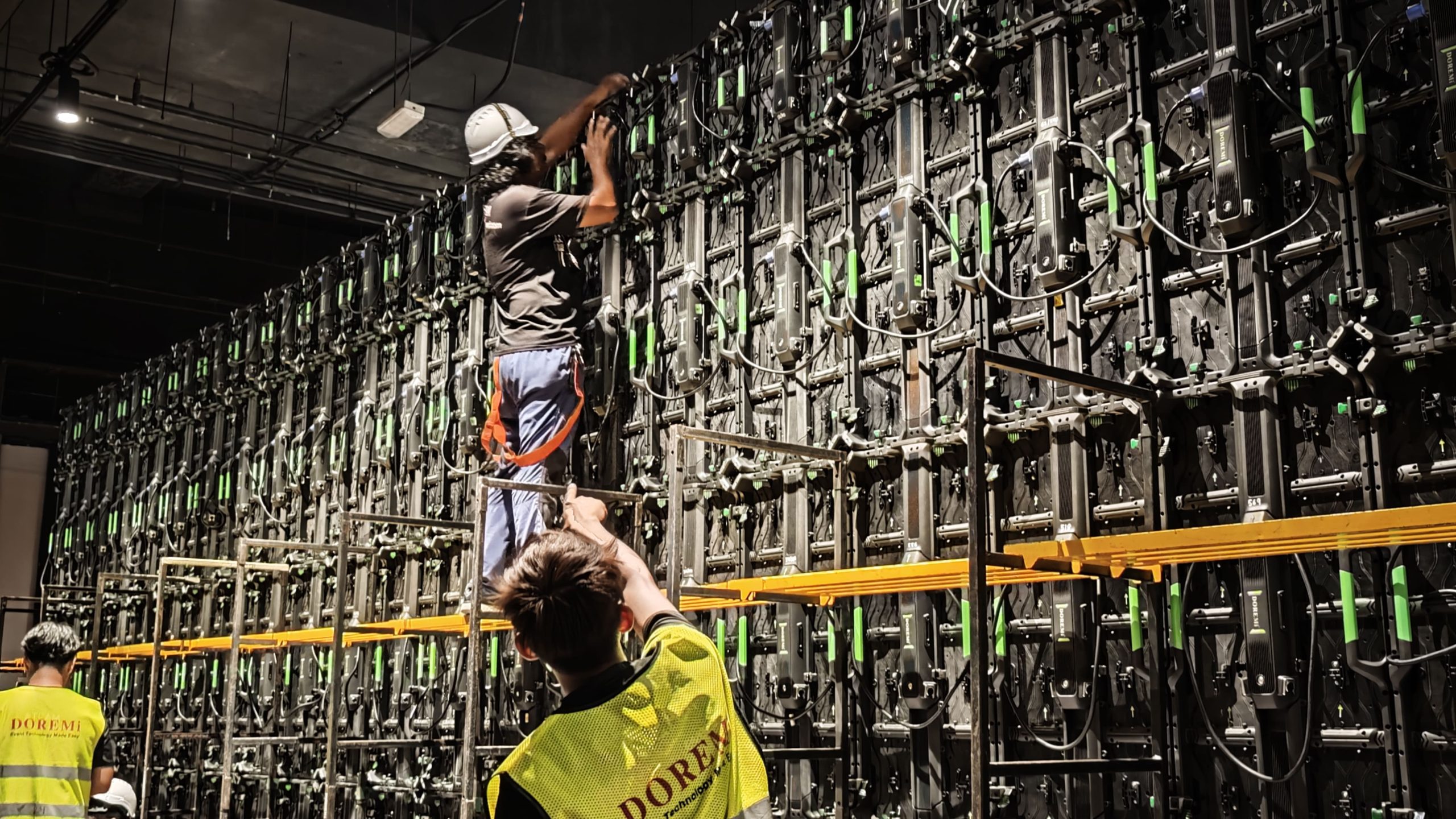
Another important point: the fiber does not usually plug directly into the LED tiles. A typical large LED display system involves a video processor or controller between the incoming video signal and the LED panels.
The chain might look like:
Camera
↓
SDI / HDMI Output
↓
Fiber Transport
↓
Receiver
↓
LED Video Processor
↓
LED Controller / Sending System
↓
LED Panels
The exact architecture depends on the LED system being used. The processor may handle scaling, switching, input conversion, mapping and other functions required to make the source compatible with the LED display.
This is another reason why specifying the video system as a complete signal chain is more useful than simply asking, “Do you have a 4K cable?”
Fiber Also Helps Reduce Electromagnetic Interference
Fiber has another useful characteristic for live events: it is not an electrically conductive medium in the same way copper cable is. That makes optical transmission useful in environments where electromagnetic interference can be a concern.
Large events may contain lighting systems, power distribution, motors, audio equipment, wireless systems and large amounts of electrical infrastructure. A well-designed fiber link can provide electrical isolation between equipment locations.
That does not mean fiber magically eliminates every possible source of interference or technical failure. It means the transmission medium itself is optical rather than electrical.
For demanding productions, that can be a significant advantage.
The Biggest Mistake: Designing Around Distance Alone
If someone tells you:
“We need to send 4K video 200 metres.”
That is only the beginning of the conversation.
The better questions are:
- What is the source?
- What is the destination?
- What 4K format are we using?
- What frame rate?
- What colour sampling?
- What bit of depth?
- Is the signal compressed?
- Is low latency critical?
- How many signals are required?
- Is audio travelling with the video?
- Is control data required?
- Is the system point-to-point or networked?
- What redundancy is required?
The difference between a small presentation and a multi-camera concert production can be enormous, even if both technically involve “4K video.”
Why This Matters for Live Events
For event organisers, all of this technical detail eventually comes down to something very simple:
The audience needs to see the right thing at the right time.
A speaker walks onto the stage. The camera captures them. The vision team switches to the camera. The signal travels through the production infrastructure. The video processor prepares it.
The LED processor sends it to the display. And thousands of people see the presenter on the screen.
Ideally, nobody thinks about the 200-metre fiber run underneath the venue, the optical transceivers in the racks or the signal-format negotiations happening behind the scenes.
That’s actually the point. When the infrastructure works properly, the technology disappears and the event takes centre stage.
The Fiber Backbone Is More Than Just a Long Cable
A 200-metre 4K video run might sound like a simple technical requirement. In reality, it is a small example of how much modern event production depends on infrastructure.
The fiber is the physical backbone, but reliable video delivery depends on everything around it: signal formats, optical equipment, converters, processors, networking, timing, cable management, power, redundancy and experienced technicians. And the technology is continuing to evolve.
Professional production is increasingly combining traditional SDI workflows with IP-based systems. SMPTE ST 2110 is one of the major standards driving this shift, with the standard continuing to develop as professional media workflows become increasingly network-based. SMPTE notes that the ST 2110 suite has been extended since its initial publication and that its core documents have undergone revisions.
At the same time, 12G-SDI remains a practical solution for many live-production workflows, particularly where a straightforward, high-bandwidth point-to-point signal path is required. Current professional equipment can already transport 4K/60p signals over optical fiber for kilometres, far beyond the 200-metre distances commonly encountered at events.
So the next time you look at a giant LED screen at a concert, conference or corporate event, remember: There is a pretty good chance that somewhere behind the scenes, your picture is travelling through light.
And that light may have travelled through hundreds of metres of glass before you ever saw the image.
What Event Organisers Should Look For in a Professional Video Setup
If you are planning an event that requires long-distance video transmission, ask your production partner about:
- 4K compatibility — not just resolution, but frame rate and colour format.
- Transmission distance — confirm the complete system is rated for the required run.
- Fiber type — single-mode or multimode depending on the equipment and distance.
- Signal format — HDMI, SDI, DisplayPort, IP or another workflow.
- Latency — particularly important for IMAG and live performance.
- Redundancy — essential for high-stakes productions.
- Signal conversion — make sure source and destination formats are compatible.
- LED processing — confirm the video processor can accept the required input.
- Cable protection — particularly for temporary installations and public areas.
- Testing — test the complete signal chain before the audience arrives.
The best event video system is not necessarily the one with the most impressive specifications on paper.
It is the one that works reliably when the room is full, the lights are on, the cameras are rolling and there is no second chance to restart the presentation.
Building the Invisible Infrastructure Behind the Show
At DOREMi Events, technology is part of what makes an event feel seamless, even when most guests never notice it.
Whether the requirement is a long-distance camera feed, a 4K LED wall, presentation distribution, live IMAG, multi-screen playback or a larger video production system, the important work happens in the planning of the signal path before the show begins.Because when a 4K image travels 200 metres, the audience should not be thinking about how it got there.They should simply be thinking:
“That looks incredible.”
And honestly, that is exactly how good event technology should work.