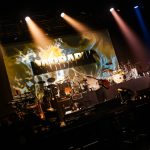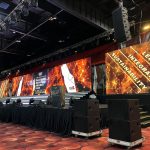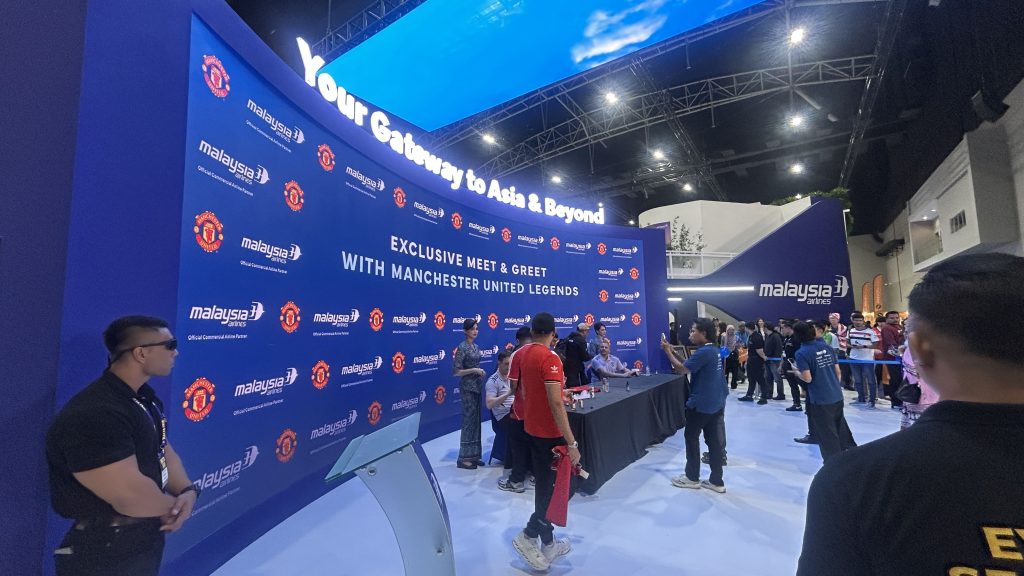
An event’s visual identity influences how guests experience the occasion, recognise the brand and remember the message. From corporate conferences and product launches to annual dinners, award ceremonies and exhibitions, the stage often becomes the main visual focal point. One of the most important elements in this space is the event backdrop.
A well-designed event backdrop does more than fill the space behind a stage. It brings together branding, visual content, lighting and physical structures to create a setting that supports the purpose of the event. When these elements work together, the stage can look more professional, presentations become more engaging, and photographs capture a consistent brand identity.
Today, organisers have more options than traditional printed panels. With LED screen rental, an event backdrop can display animated graphics, product videos, presentation slides, live camera feeds and branded content throughout the programme. Combining digital displays with physical stage elements also gives designers more flexibility to create distinctive environments.
However, an effective design is not simply about using the biggest screen or adding as many visual effects as possible. The most successful results come from understanding the event’s objectives, audience, venue and brand identity before choosing the right combination of elements.
In this guide, we explore practical event backdrop ideas, how LED displays can enhance stage design, and what organisers should consider when planning a visually cohesive event.
Start With a Clear Branding Concept
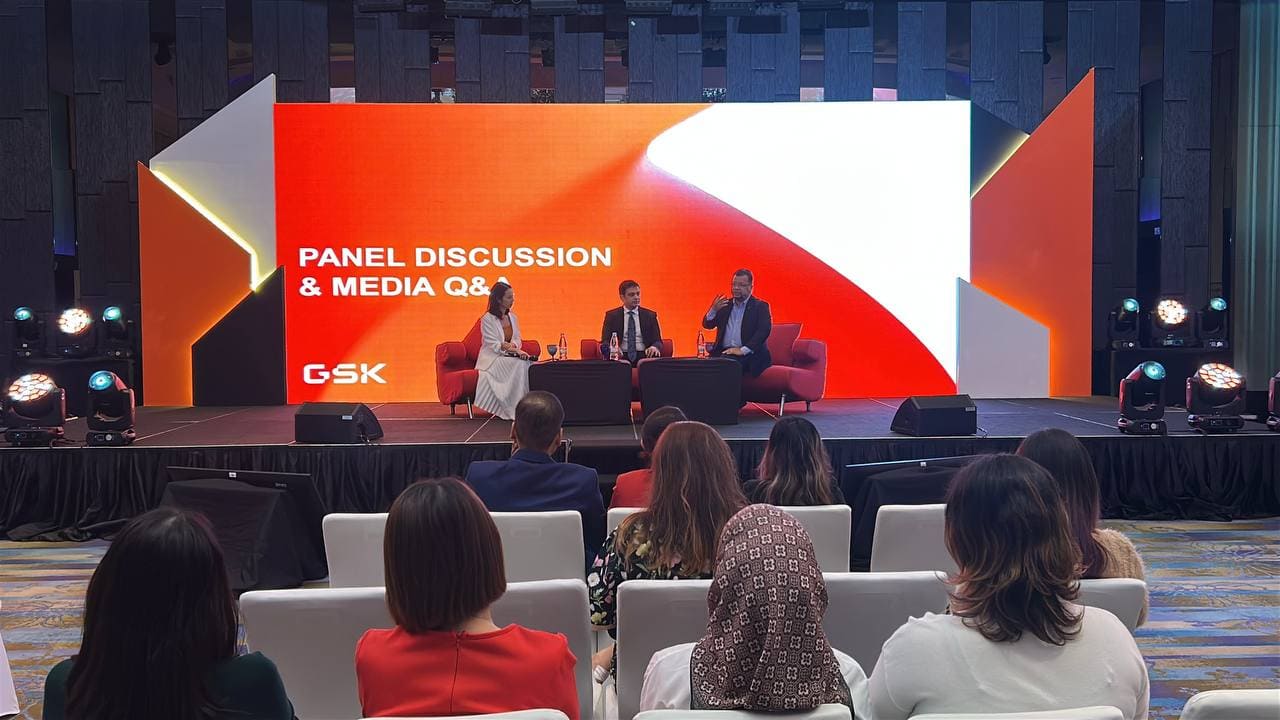 Before selecting materials, screen sizes or lighting effects, establish what the event needs to communicate. The event backdrop should reflect the organisation’s identity and the purpose of the occasion.
A corporate conference may require a clean and professional design, while a product launch might benefit from bold visuals and a dramatic reveal. An annual dinner could use a more celebratory appearance, incorporating decorative structures, lighting and animated graphics.
Make the brand immediately recognisable
A strong event backdrop uses branding deliberately. Company logos, event names, brand colours and key messages should be visible without competing with one another.
Instead of placing a logo randomly in the centre of a design, consider how the entire stage contributes to brand recognition. Printed panels, dimensional lettering, coloured structures and digital displays can reinforce the same identity.
For example, a company launching a new product could use its corporate colours across the physical stage, while the main screen displays product visuals and launch messaging. This creates a consistent appearance without requiring every element to repeat the same information.
Design for the audience and the camera
An event backdrop must work both in the venue and in photographs or video recordings. Guests seated at the back need to see the main content clearly, while photographers need a composition that looks balanced from different angles.
Consider where speakers will stand, where presenters will be positioned and how the stage will appear in wide shots. Keep important branding visible around these positions, and avoid placing key text where speakers or podiums will obstruct it.
A carefully planned event backdrop helps create a recognisable visual setting that carries through to post-event photographs, presentations and marketing content.
Combine LED Screens With Printed Branding
One of the most versatile approaches is to combine physical branding with digital displays. Rather than relying entirely on printed graphics or turning the whole stage into a screen, organisers can use each element for a different purpose.
Use physical panels for permanent branding
Printed panels, custom structures and dimensional logos provide a stable visual identity throughout the event. They are particularly useful when the brand needs to remain visible while the digital content changes.
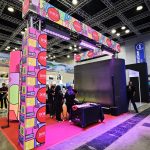
For example, side panels can display the company logo and event identity, while a central screen presents speaker names, videos and presentations. This arrangement keeps the branding consistent without restricting the content that can be shown.
Use digital displays for changing content
With LED screen rental, the central display can transition between different types of content throughout the programme.
During guest arrival, it might show a welcome animation. When a speaker takes the stage, it can display the presentation or speaker’s name. During a product launch, it can reveal product imagery, demonstrations or campaign videos.
The advantage is flexibility. The organiser can change the visual message without replacing physical graphics, provided the content has been prepared and tested beforehand.
Make the combination feel intentional
Physical and digital elements should share a consistent design language. If the printed panels use a particular colour palette and geometric style, the screen content should complement that approach.
A mismatch between the screen graphics and the physical stage can make the overall event backdrop feel disconnected. Planning them together helps create a more polished and cohesive appearance.
Create a Dynamic LED Feature Wall
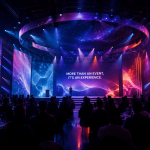
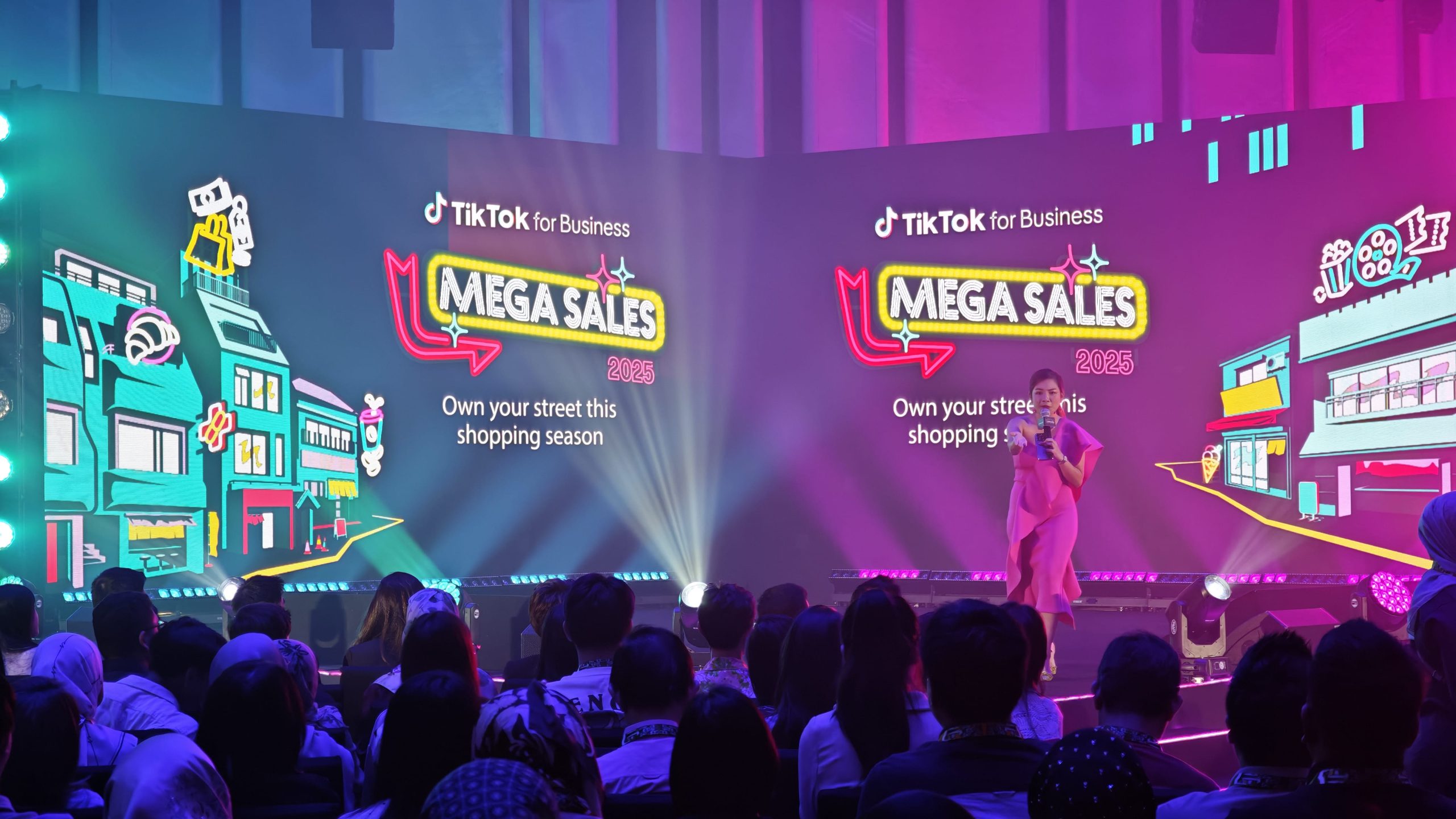 A large LED display can become the centrepiece of an event backdrop, especially when the programme includes videos, presentations, product demonstrations or multiple speakers.
Unlike static graphics, digital content can change throughout the event. This allows one stage design to support several programme segments without requiring a physical rebuild.
Choose content that supports the event
The screen should have a clear purpose. For a corporate conference, it may display presentation slides, event branding and speaker information. For an award ceremony, it could show nominees, winners and supporting visuals. For a product launch, it may display detailed product features or a reveal sequence.
With LED screen rental, organisers can plan different visual treatments for different moments while keeping the overall stage identity consistent.
Consider the shape and size of the display
A wide LED wall can create a panoramic visual effect, while a smaller central screen framed by physical panels may look more appropriate for a compact venue.
The right arrangement depends on the stage dimensions, viewing distance, seating layout and content requirements. A display should be large enough for the audience to see clearly without overwhelming the physical stage or limiting space for performers and presenters.
Keep the screen readable
Large displays are not automatically effective. Small text, excessive animation and complicated layouts can make content difficult to follow.
Use clear typography, strong contrast and simple visual hierarchy. If the display will show detailed information, check whether the content remains legible from the furthest seating positions.
A well-planned LED screen rental arrangement should improve communication and visual impact rather than simply add movement to the stage.
Use Lighting to Add Depth and Dimension
Lighting can transform an event backdrop, helping the stage appear more dimensional and allowing the visual atmosphere to change throughout the programme.
Even a relatively simple arrangement of panels and screens can look distinctive when supported by well-planned lighting.
Highlight physical structures
Uplighting can emphasise the edges of panels, reveal textures and separate the stage from the surrounding venue. Lighting placed along architectural features can add depth without requiring more graphics or decorative materials.
For example, a corporate stage might combine a central LED screen with textured side panels and carefully positioned fixtures that highlight the physical structures.
This creates visual interest while allowing the main screen to remain the focal point.
Coordinate lighting with screen content
Lighting and digital visuals should work together. During a formal presentation, a controlled lighting look can keep attention on the speaker and screen. During an entertainment segment, more dynamic lighting may create energy and atmosphere.
If LED screen rental is part of the stage design, consider how the brightness and colours of the display interact with the stage lighting. Excessive light directed onto the screen or poorly coordinated colour choices may affect the overall visual appearance.
Plan for photography and video
A stage may look impressive in person but appear different through a camera. Lighting that is too bright, uneven or strongly coloured can affect how faces, clothing and brand colours appear in photographs.
Coordinate the event backdrop and lighting with the production team so that speakers remain visible and the overall stage looks balanced in both live viewing and recorded content.
Design an Event Backdrop Around the Product or Theme
For product launches, exhibitions and themed corporate events, the event backdrop can become part of the story being presented to the audience.
Instead of using a generic design, consider how the stage can reflect the product, campaign or event theme.
Product launches
A product launch often builds anticipation before revealing the product. The stage design can support this sequence through carefully timed visuals, lighting transitions and a planned reveal moment.
Physical structures can frame the product display, while the screen introduces the campaign message or highlights key features. The visual sequence should feel connected rather than like several separate effects happening at once.
A well-coordinated LED screen rental setup can help the presentation move from introductory content to the main reveal without changing the entire stage.
Annual dinners and award ceremonies
An annual dinner may need to support speeches, performances, award presentations, group photographs and entertainment. The event backdrop should accommodate these different activities while maintaining a consistent identity.
Digital displays can show award categories and winner names, while permanent branding remains visible on the physical stage.
For award presentations, make sure the screen layout leaves enough space for names and titles to be read clearly. Avoid unnecessarily busy backgrounds behind presenters or recipients.
Conferences and seminars
Conference stages often prioritise clarity, readability and a professional appearance. The event backdrop may include a central presentation screen, side displays and physical branding elements.
If the programme includes panel discussions, multiple speakers or remote presenters, the screen arrangement should support the format. A design that works for a single keynote may not be ideal for a wide panel or several presenters standing together.
Plan the stage according to how it will actually be used, not only how it looks in a design mock-up.
Explore Creative Shapes and Layered Stage Structures
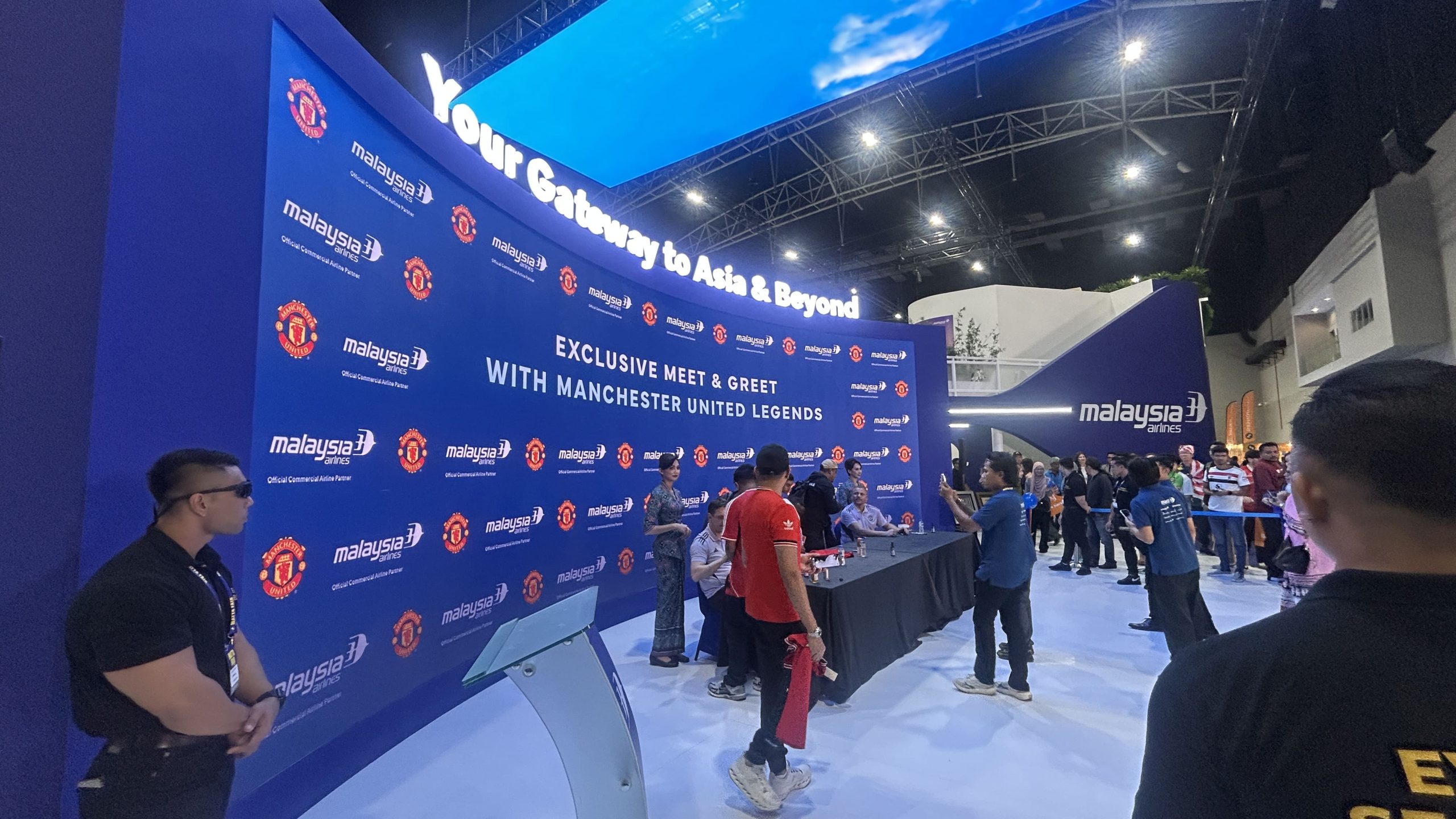 An event backdrop does not have to be a flat rectangular wall. Layered panels, geometric structures and carefully positioned displays can create a distinctive stage without relying entirely on digital effects.
Layered panels and dimensional branding
Using panels at different depths can introduce texture and visual separation. A central display might sit within a larger physical frame, while side structures extend the brand colours and shapes across the stage.
Dimensional lettering or a raised logo can also add a physical focal point that remains visible even when the screen changes content.
The key is to keep the design balanced. Too many competing structures can make the stage feel cluttered and may reduce available space for equipment, presenters and performers.
Curved and segmented displays
Depending on the equipment and production requirements, LED displays can be arranged in different configurations. A wider display may provide a panoramic canvas, while separate screen sections can support different content zones.
Before choosing a more complex design, consider the content format and viewing angles. Unusual screen shapes may require specially prepared graphics and careful testing to avoid awkward cropping or distorted layouts.
Balance creativity with practicality
An event backdrop must be safe, stable and suitable for the venue. Physical structures need appropriate support, while screens and lighting equipment must be integrated into the overall technical plan.
Confirm the available installation time, venue restrictions, access routes and any required approvals early. Creative ideas work best when the technical and logistical requirements are considered from the beginning.
Create a Photo-Friendly Backdrop for Brand Visibility
An event backdrop often appears in photographs taken by attendees, media teams, speakers and corporate representatives. These images may later be shared through social media, internal communications, press coverage or company websites.
Designing for photography can therefore extend the visual impact of the event beyond the venue.
Keep important branding visible
For stage photography, position key branding so that it remains visible when speakers stand in front of the screen or when several people gather on stage.
A repeated brand pattern or permanent side panel can help maintain recognition even when the central screen displays different content.
For dedicated photo areas, a separate branded event backdrop may be more suitable than using the main stage. This gives guests a consistent background for photographs without interfering with the live programme.
Avoid visual distractions
Busy graphics, tiny text and rapidly changing visuals can make photographs look cluttered. During key moments such as award presentations and group photographs, use a clean background that supports the subjects.
With LED screen rental, the display content can be adjusted for these moments. A simple branded visual may be more effective than a detailed animation when the objective is to capture clear photographs.
Think about the entire guest journey
The main stage is only one opportunity for visual branding. Registration areas, media walls, entrance displays and photo points can also reinforce the event identity.
When these elements share a consistent style, the brand experience feels more connected from arrival to the final programme segment.
Choose the Right LED Screen Specifications
The appearance of an LED display depends on more than its physical size. Resolution, pixel pitch, brightness, viewing distance and content quality all influence how well it performs at an event.
Pixel pitch and viewing distance
Pixel pitch refers to the distance between neighbouring pixels in an LED display. A finer pixel pitch is generally beneficial when the audience will view the screen from close range or when the content contains detailed text and graphics.
A display viewed mainly from farther away may have different requirements. The ideal specification depends on the venue, screen dimensions, content and audience arrangement.
Discuss these factors with the provider before confirming LED screen rental. Choosing a specification based only on price or screen size may not produce the best result for your event.
Brightness and venue conditions
The display needs to remain visible under the venue’s lighting conditions. Indoor conference halls, exhibition spaces and outdoor events can have very different requirements.
Consider ambient light, stage lighting and the distance between the display and audience. The objective is to achieve clear, comfortable viewing rather than simply operating the screen at maximum brightness.
Content format and playback
The screen dimensions determine how content should be designed. Standard presentation slides may not fit a wide or unusually shaped display without adjustment.
Prepare the required videos, graphics and presentations in the correct formats. Test them on the intended display or playback system where possible, paying attention to text placement, aspect ratio, colour and transitions.
Good content preparation helps the event backdrop look consistent throughout the programme.
Coordinate the Backdrop With the Stage and AV Setup
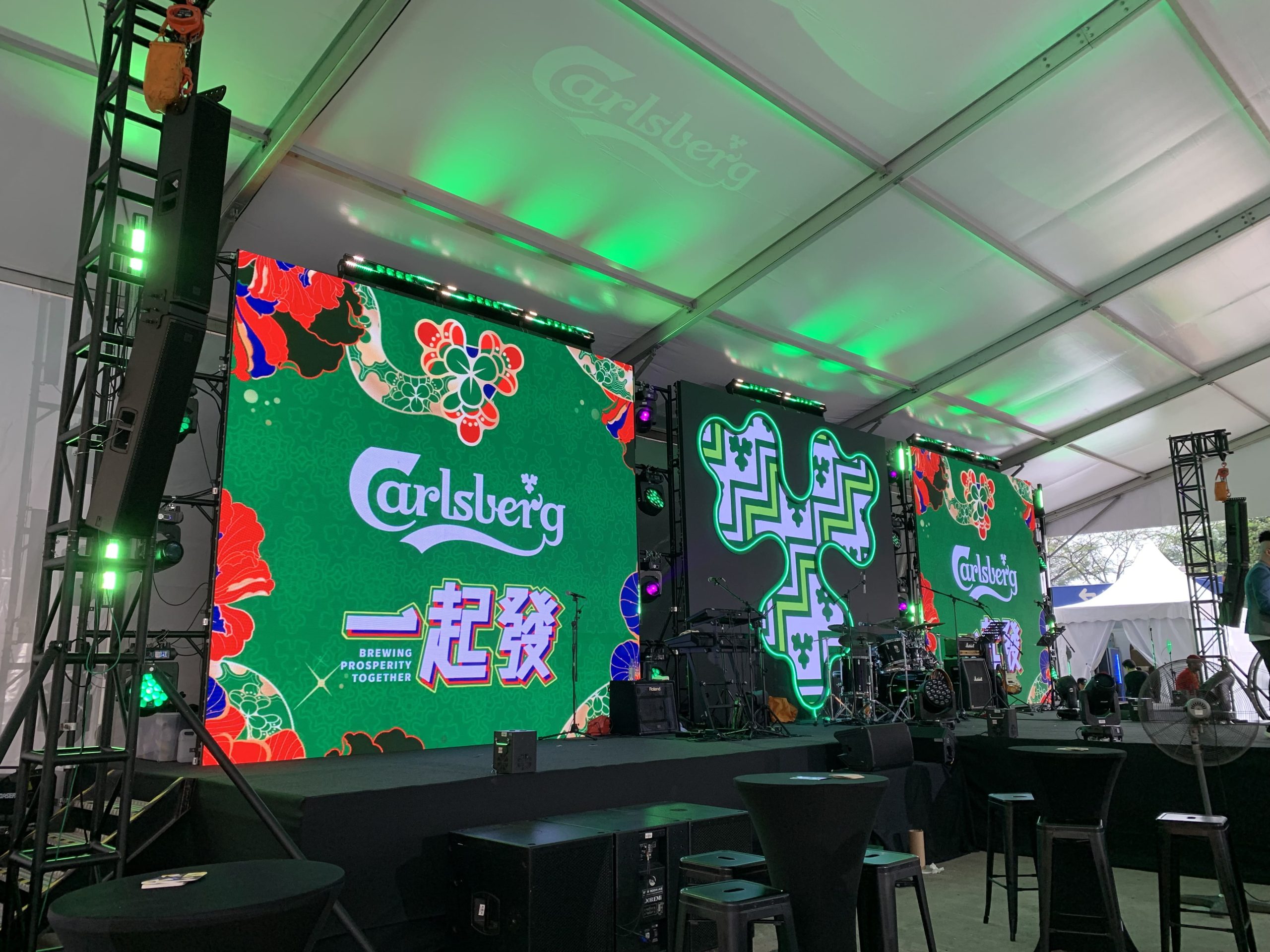 An event backdrop is part of a larger production system. Screens, staging, sound, lighting and presentation equipment need to work together to support the programme.
Plan the stage layout early
The stage layout should account for speakers, podiums, performers, furniture, microphones and other equipment. The screen must remain visible without obstructing the movement of people on stage.
For panel discussions, ensure the display works with the number and arrangement of seats. For product launches, allow enough room for the product to be revealed and viewed by the audience.
Planning these details early helps prevent last-minute adjustments that affect the visual design.
Coordinate content and technical cues
Some programmes require specific visuals to appear at particular moments. A product launch may need a timed reveal, while an awards ceremony may require winner graphics to be displayed in sequence.
Create a content schedule and confirm who will operate the playback system. Test the transitions during rehearsal so the screen content aligns with the stage programme.
Allow enough time for installation and testing
LED screen rental can involve panel installation, control equipment, cabling, signal testing and content checks. Physical stage structures and lighting may need to be completed before the full setup can be tested.
Confirm the installation schedule with the relevant contractors and venue. Where possible, allow time for a technical rehearsal before guests arrive.
A coordinated production plan helps reduce the risk of technical issues disrupting the programme.
Common Event Backdrop Mistakes to Avoid
Even an ambitious design can lose its impact if the basic planning is overlooked.
Overloading the design with logos and text. Branding should be recognisable, but the event backdrop still needs visual breathing room. Prioritise the most important information.
Choosing a screen without considering the venue. A large display may not suit a small stage or a venue with restricted sightlines. Match the configuration to the room and audience.
Ignoring content preparation. Incorrect aspect ratios, small text and low-quality images can undermine the visual result. Test all content before the event.
Using lighting that competes with the screen. Poor coordination can make the display difficult to view or create an inconsistent appearance in photographs.
Forgetting the programme. A stage used for speeches, panels and entertainment needs a design that supports all these activities, not just the opening presentation.
Leaving technical coordination too late. Confirm screen requirements, power arrangements, installation access and operating responsibilities early enough for the team to plan properly.
Avoiding these mistakes helps ensure that the event backdrop is both visually effective and practical to operate.
Frequently Asked Questions
What makes a good event backdrop?
A good event backdrop combines clear branding, suitable visual content and a design that fits the venue and programme. It should support the audience’s experience, remain visible from the relevant viewing positions and look balanced in photographs and video.
Is LED screen rental better than a printed backdrop?
Neither option is automatically better. Printed backdrops are useful for consistent branding and straightforward designs, while LED screens support changing content, video playback and presentations. Many events benefit from combining the two approaches.
How do I choose the right LED screen size for a stage?
Consider the stage dimensions, audience size, viewing distance, content type and seating layout. The screen should be large enough to communicate clearly without overwhelming the stage or interfering with the movement of presenters and performers.
Can an event backdrop be reused for different events?
Yes, depending on its design. Modular physical panels and reusable structures may work across multiple events, while digital displays can show new content for different occasions. Check that the branding, dimensions and technical requirements suit each new venue.
When should I plan the event backdrop?
Ideally, plan it during the early stages of event production, alongside the venue layout, stage design, lighting and audiovisual requirements. Early planning allows time to confirm specifications, prepare content, coordinate suppliers and test the setup.
Further Reading
Creative Ideas for Branding and Decor on Stage Backdrops
Explore creative approaches to stage branding, including dynamic screens, dimensional panels, textured surfaces and decorative elements.
Revitalizing Spaces With LED Backdrop Setup: From Dull to Dazzling
Discover how LED backdrops can transform event spaces and support different event formats, from conferences and product launches to live performances.
Corporate Event Backdrop Ideas
Learn how LED walls, scenic structures, lighting and branded elements can be combined to create a cohesive corporate stage design.
Planning Your Next Event Backdrop?
A well-designed event backdrop brings together branding, LED visuals, lighting and stage structures to create a consistent and engaging environment. Whether you are planning a conference, product launch, annual dinner or award ceremony, the right combination of physical and digital elements can help communicate your message and strengthen your event’s visual identity.
At DOREMi Services & Rental Sdn Bhd, we provide event technology and production solutions, including LED screen rental, audio systems, lighting, staging and event production support. Our team can help you explore how these elements can be coordinated to suit your event, venue and programme.
Planning an event in Malaysia? Explore DOREMi’s event backdrop services or event production solutions to discuss the requirements for your upcoming event.