LED screens have become an important part of modern corporate events. From annual dinners and appreciation nights to business forums, conferences and panel discussions, large-format displays help organisers communicate with audiences while creating a more engaging event environment.
However, not every event requires the same LED screen setup.
An annual dinner may use LED screens to display company branding, event themes, entertainment visuals, award presentations and celebratory videos. A business forum, on the other hand, often depends on screens to present detailed information, speaker slides, discussion topics and live camera feeds.
Although both events may take place in hotel ballrooms or convention halls, their visual requirements can be very different. Choosing the right LED screen configuration means understanding the event’s purpose, audience, programme and content.
So, what is the difference between LED screens for annual dinners and forums? Let’s look at the key considerations when planning each type of event.
Different Event Objectives, Different LED Screen Requirements
The first consideration is the purpose of the LED screen.
For an annual dinner, the screen is often a major part of the overall event atmosphere. It contributes to the visual identity of the evening, complements the stage design and keeps guests engaged throughout the programme.
Common uses include:
- Displaying the company logo, event title and annual dinner theme.
- Playing opening videos and corporate highlight reels.
- Showing animated backgrounds during performances.
- Displaying award recipient names and photographs.
- Presenting sponsor logos and appreciation messages.
- Showing live camera footage during speeches and performances.
The LED screen becomes part of the event’s visual experience. Its design should complement the lighting, stage backdrop, decorations and entertainment programme.
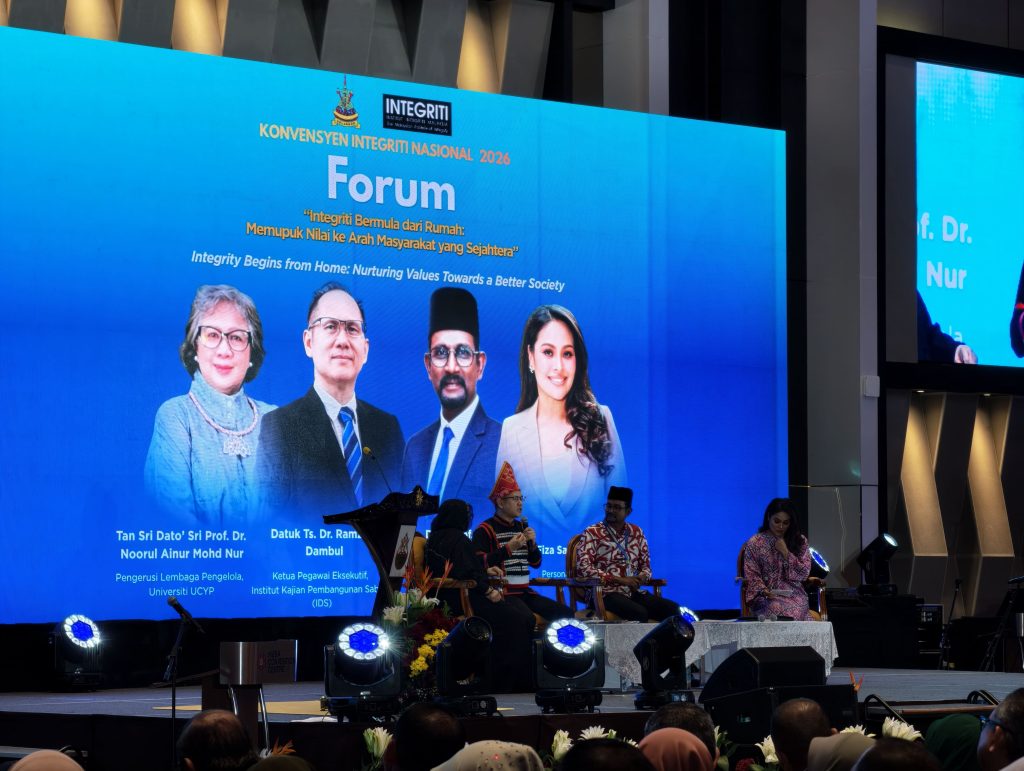
For a business forum, the priority is different. The screen needs to support communication and make information accessible to the audience. Attendees may need to follow presentations, understand charts, read discussion points and view speakers clearly.
Typical applications include:
- Displaying presentation slides and key information.
- Showing speaker names, titles and organisational affiliations.
- Presenting charts, statistics and business insights.
- Displaying panel discussion topics and session details.
- Showing live camera feeds of speakers.
- Displaying sponsor and event partner recognition.
In this setting, visual clarity and readability are more important than elaborate animations. The LED screen should help the audience follow the discussion without distracting them from the speakers.
LED Screen Layout and Stage Design
 The event format also influences how LED screens are arranged on stage.
LED Screens for Annual Dinners
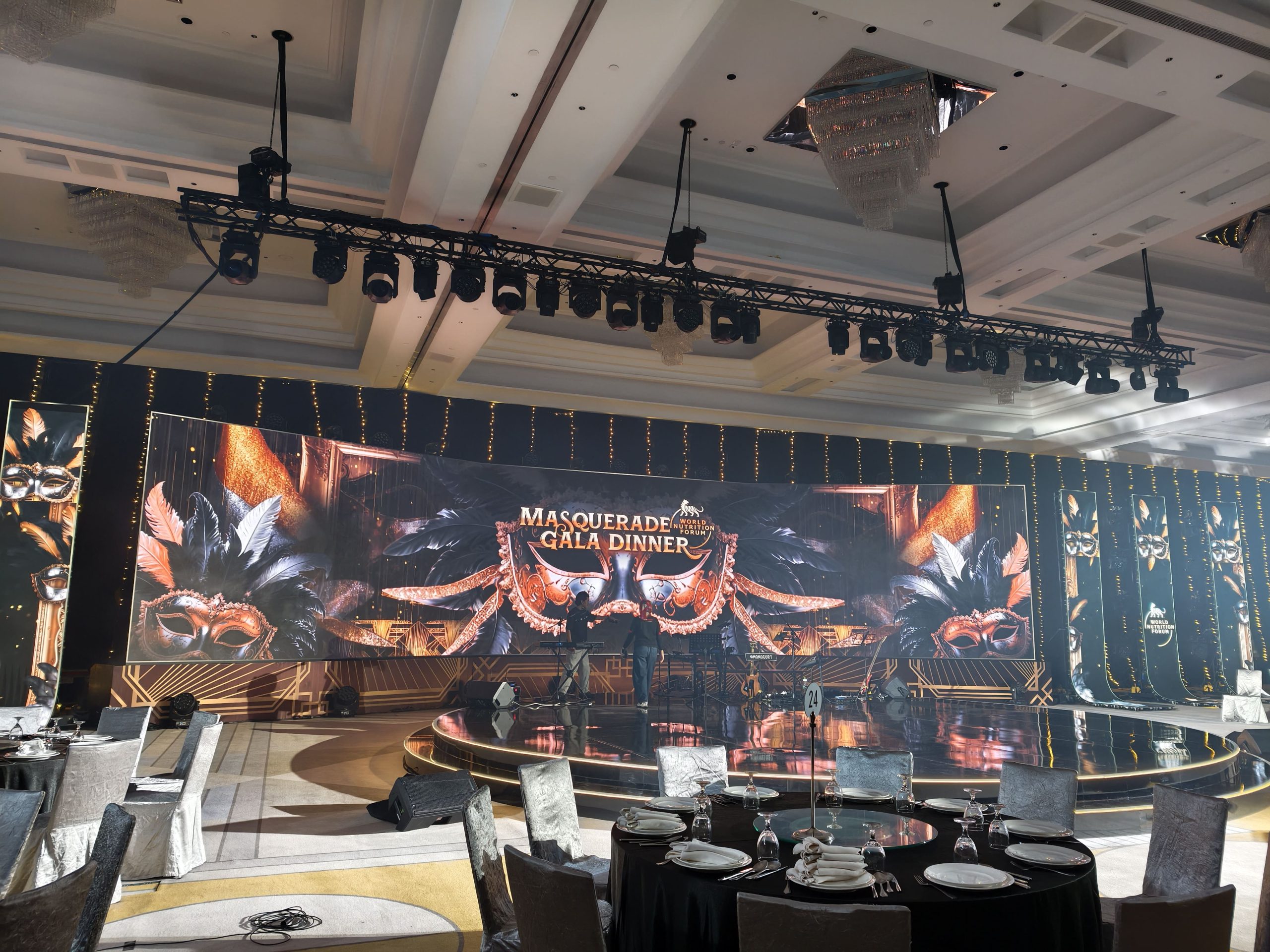
Annual dinners often have greater creative freedom when it comes to stage design. The LED screen may serve as the main visual backdrop, with additional displays arranged to create a wider or more immersive stage appearance.
Depending on the event concept, organisers may consider:
A wide central LED screen
A wide screen can display the event theme, company branding, animated graphics and entertainment visuals. It also provides a consistent visual background for speeches, performances and award presentations.
Multiple LED screen sections
Separate LED screens can be positioned at the centre and sides of the stage. This creates more visual space and allows different content to appear in different areas, depending on the programme.
Creative LED screen configurations
LED panels can be arranged into different shapes and dimensions to complement a particular stage concept. For example, a customised arrangement may create a more distinctive backdrop for a themed annual dinner.
The final configuration should work with the stage structure, lighting positions and available venue space. A visually impressive screen arrangement is only effective when it is properly integrated into the overall production design.
LED Screens for Forums
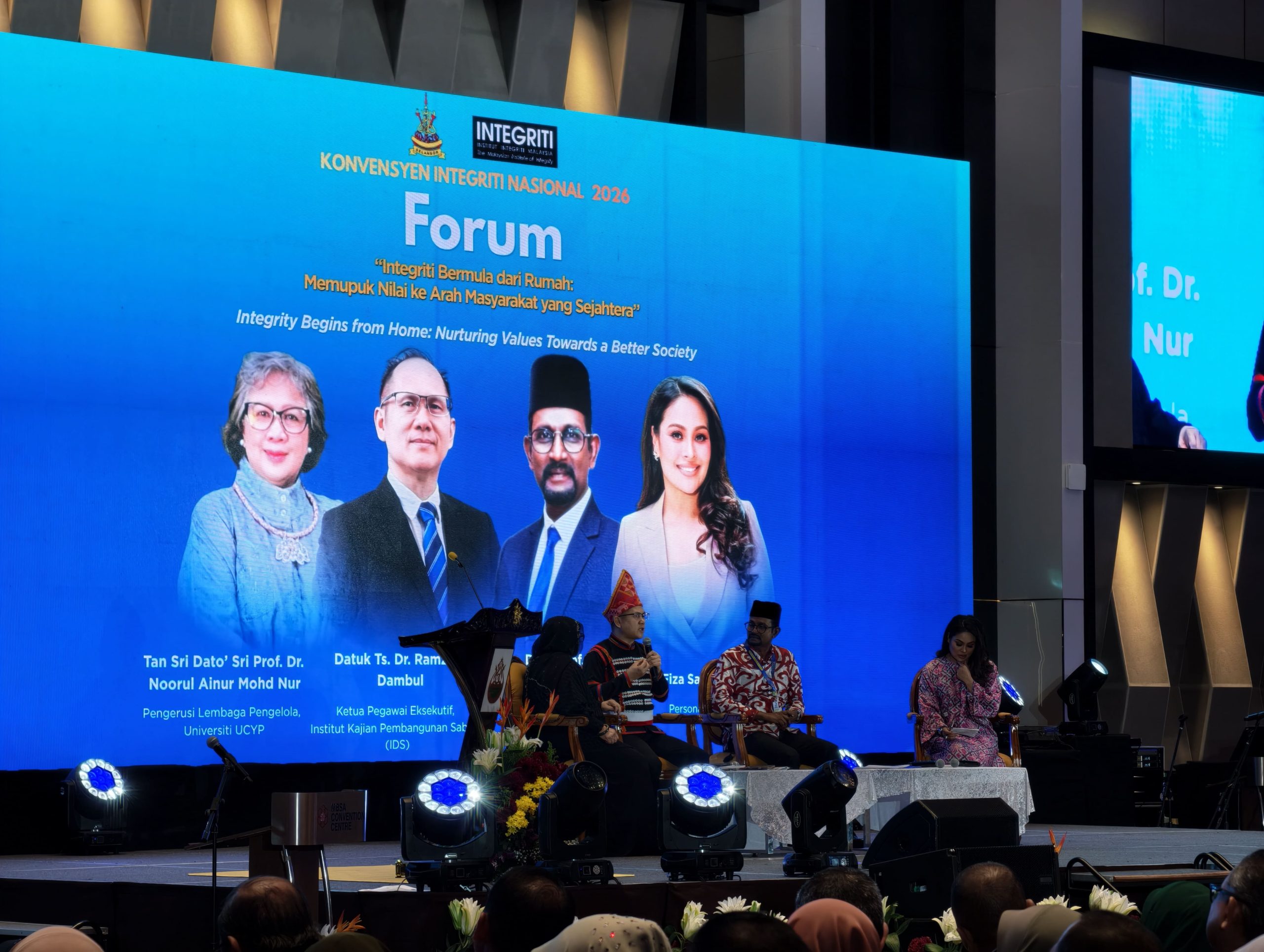
Forums generally require a more structured and functional layout.
A central LED screen is commonly used to display presentations and discussion content. Depending on the venue and audience size, additional side screens may be installed to improve visibility for attendees seated further away or at different angles.
For example, a forum with a main presentation stage may use:
- One central LED screen for presentation slides.
- Two side LED screens for live camera feeds or duplicated presentation content.
- Additional confidence displays where required for speakers or moderators.
The purpose is to ensure that attendees can follow the programme regardless of where they are seated.
Unlike an annual dinner, where the screen can become a decorative centrepiece, a forum screen layout should prioritise visibility, proportion and practical communication.
Content: Entertainment Visuals vs Information Display
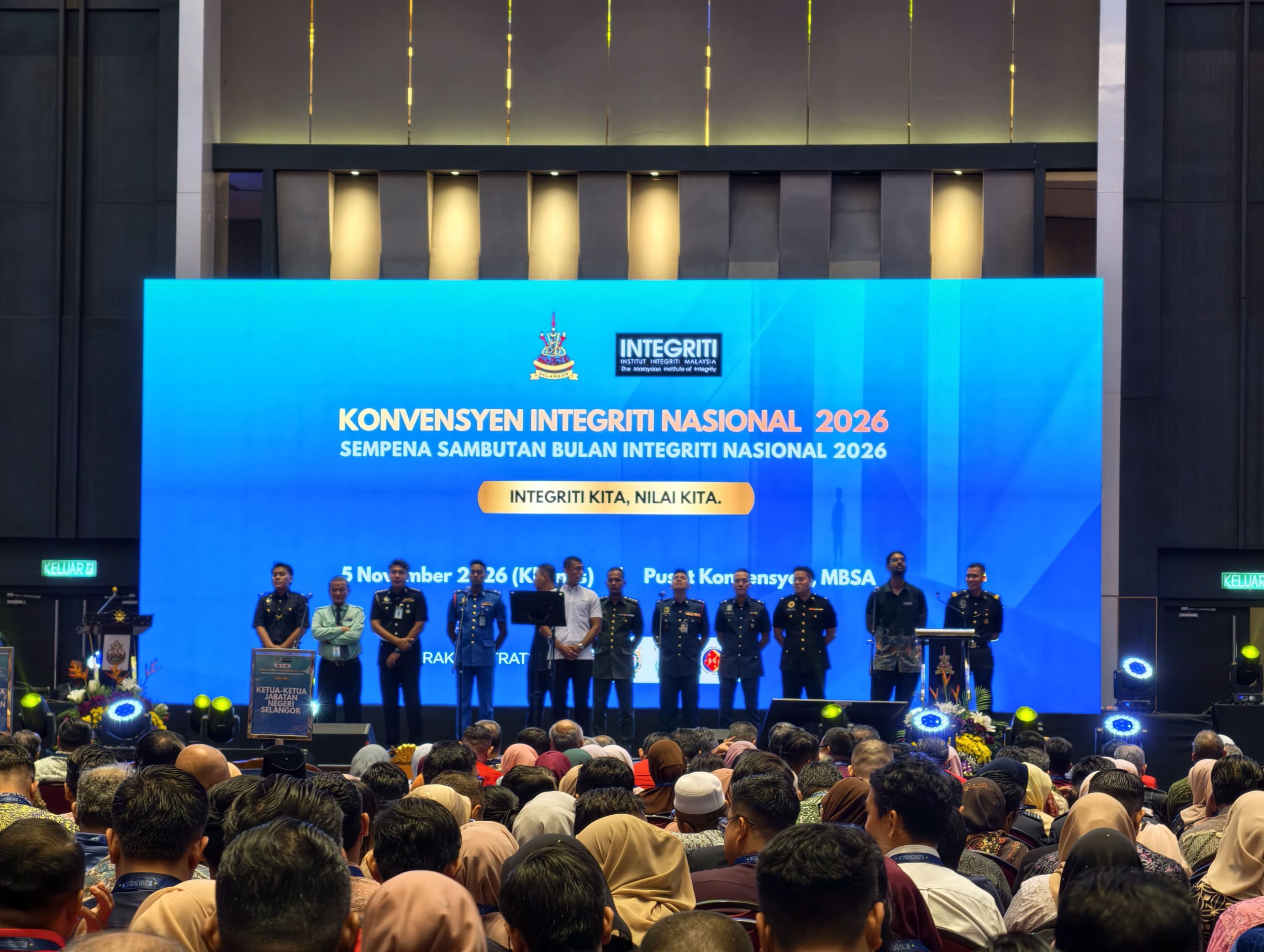 One of the biggest differences between annual dinners and forums is the type of content displayed.
Annual Dinner Content
Annual dinner visuals are usually designed to create excitement and reinforce the event’s identity.
Content may include animated backgrounds, corporate videos, countdown sequences, event titles, award graphics and photographs. During entertainment segments, the screen can also display dynamic visuals that complement the performance.
For an awards presentation, for example, the LED screen may show the award category, recipient’s name and company branding. During a lucky draw, it can display participant names, countdown graphics or the winning number.
These visuals help connect different programme segments and maintain audience engagement.
Forum Content
Forum content is usually more information-focused.
Presentation slides may contain text, diagrams, statistics, charts, photographs and other supporting materials. The LED screen must display these elements clearly without making the content difficult to follow.
For instance, a business forum discussing economic performance may require charts and figures to be displayed throughout a speaker’s presentation. A panel discussion may require the screen to show the session title, discussion topic and participating speakers.
Content should therefore be designed specifically for the screen dimensions and viewing distance.
Small text, low-resolution images and complicated layouts can reduce readability, particularly for attendees seated at the back of a large hall.
The difference is straightforward: annual dinner content should create a visual experience, while forum content should make information easier to understand.
Screen Size and Viewing Distance
Screen size is another important consideration for both event types.
The correct LED screen dimensions depend on the venue, stage design, audience capacity, seating arrangement and viewing distance. Simply choosing the largest available screen does not necessarily produce the best result.
Annual Dinner Screen Requirements
Annual dinners often use wide LED screens to create a strong visual presence across the stage.
The screen should be proportionate to the stage and visible from different seating areas. Guests seated at the back should still be able to recognise the event branding, follow award presentations and enjoy the visuals.
For larger annual dinners, side screens may be useful to extend the viewing area, particularly when the ballroom is wide or the stage is positioned at one end of the venue.
Forum Screen Requirements
Forums may need screens that are large enough to display detailed information clearly.
If the presentation includes text, charts or technical diagrams, the screen must provide sufficient space for attendees to read the content comfortably.
For larger forums, additional screens can help improve visibility for guests seated further from the stage.
When determining the appropriate dimensions, the production team should assess the furthest viewing position, the content being displayed and the available installation space.
Pixel Pitch and Image Clarity
 Apart from screen dimensions, organisers should also consider pixel pitch.
Pixel pitch refers to the distance between the individual pixels on an LED display, measured in millimetres. A smaller pixel pitch generally produces a sharper image at closer viewing distances, while a larger pixel pitch may be suitable when the audience is further away.
This is particularly important for forums because presentation slides, charts and smaller text require sufficient image clarity.
For annual dinners, the requirements may vary depending on the content. A screen displaying large animated graphics or background visuals may have different needs from one showing award recipient names, photographs or detailed information.
The choice should not be based on event type alone. The closest and furthest audience positions, screen dimensions and content requirements should all be considered before confirming the LED screen specification.
Live Camera Feed and Speaker Visibility
Live camera integration is another consideration, particularly for larger events.
At an annual dinner, live camera footage can capture performances, award presentations, speeches and audience reactions. Displaying these moments on the LED screen allows guests seated further away to follow the programme more closely.
For example, during an award presentation, the screen can show a close-up of the recipient receiving the award. During a performance, camera footage can capture the performers and complement the stage visuals.
For forums, live camera feeds serve a more practical purpose.
When speakers are presenting on a large stage or participating in a panel discussion, camera footage helps attendees see their expressions and follow the conversation. This is particularly useful when several speakers are seated together or when the audience is spread across a large conference hall.
A multi-camera setup may be considered depending on the programme and production requirements. The camera feeds can then be routed to the LED screens through the appropriate video switching and processing equipment.
However, live camera footage should be planned together with the stage layout, camera positions, lighting and screen configuration to ensure the visuals remain clear and consistent.
Lighting and Visual Coordination
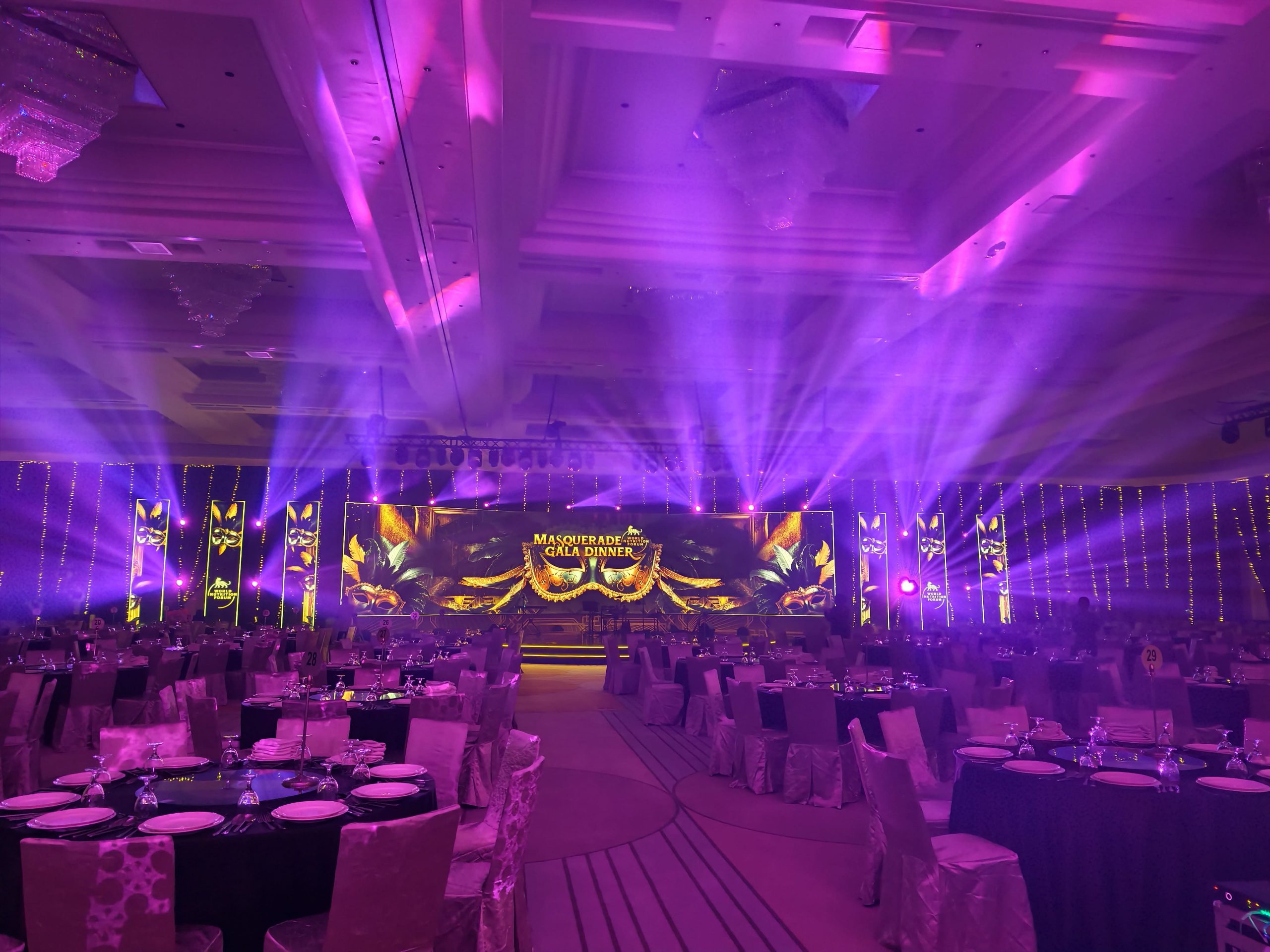 LED screens do not operate independently from the rest of the event production.
Their appearance and effectiveness are influenced by the surrounding lighting environment.
Annual Dinner Lighting
Annual dinners often feature decorative and dynamic lighting to create an atmosphere that matches the event theme.
Stage lighting may include moving lights, LED wash lights, profile spotlights and other fixtures, depending on the production design.
The LED screen content and lighting effects should complement one another. For example, animated background visuals can be coordinated with lighting changes during entertainment segments, while more restrained visuals may be suitable during speeches and award presentations.
The production team must also consider how lighting affects the visibility of the screen and people appearing on stage.
Forum Lighting
Forum lighting generally prioritises speaker visibility and a professional presentation environment.
Speakers need to be sufficiently illuminated so the audience and cameras can see them clearly. At the same time, excessive lighting directed towards the LED screen can affect the appearance of displayed content.
The lighting arrangement should therefore balance stage illumination, screen visibility and camera requirements.
This coordination is particularly important when the forum includes live streaming, video recording or multiple camera angles.
Technical Setup and Content Management
Both event types require proper technical planning, but the way the LED screen is operated may differ.
For annual dinners, the content operator may need to coordinate multiple programme segments, including opening videos, company presentations, award graphics, lucky draw sequences, entertainment visuals and closing content.
The playback sequence should be prepared in advance, with files arranged according to the event programme. Changes may also be required during rehearsals or when the programme timing shifts.
For forums, content management may involve handling presentation slides from different speakers, switching between presenters, displaying panel discussion information and integrating live camera feeds.
Speakers may provide presentation files in different formats and aspect ratios. These should be checked before the event to identify any compatibility or display issues.
A technical rehearsal is useful for both formats. It allows the production team to test playback, confirm screen output, check signal connections and identify problems before the audience arrives.
Having an experienced LED screen operator and technical crew on site also helps manage content changes and respond to unexpected technical requirements during the event.
Budget and Production Planning
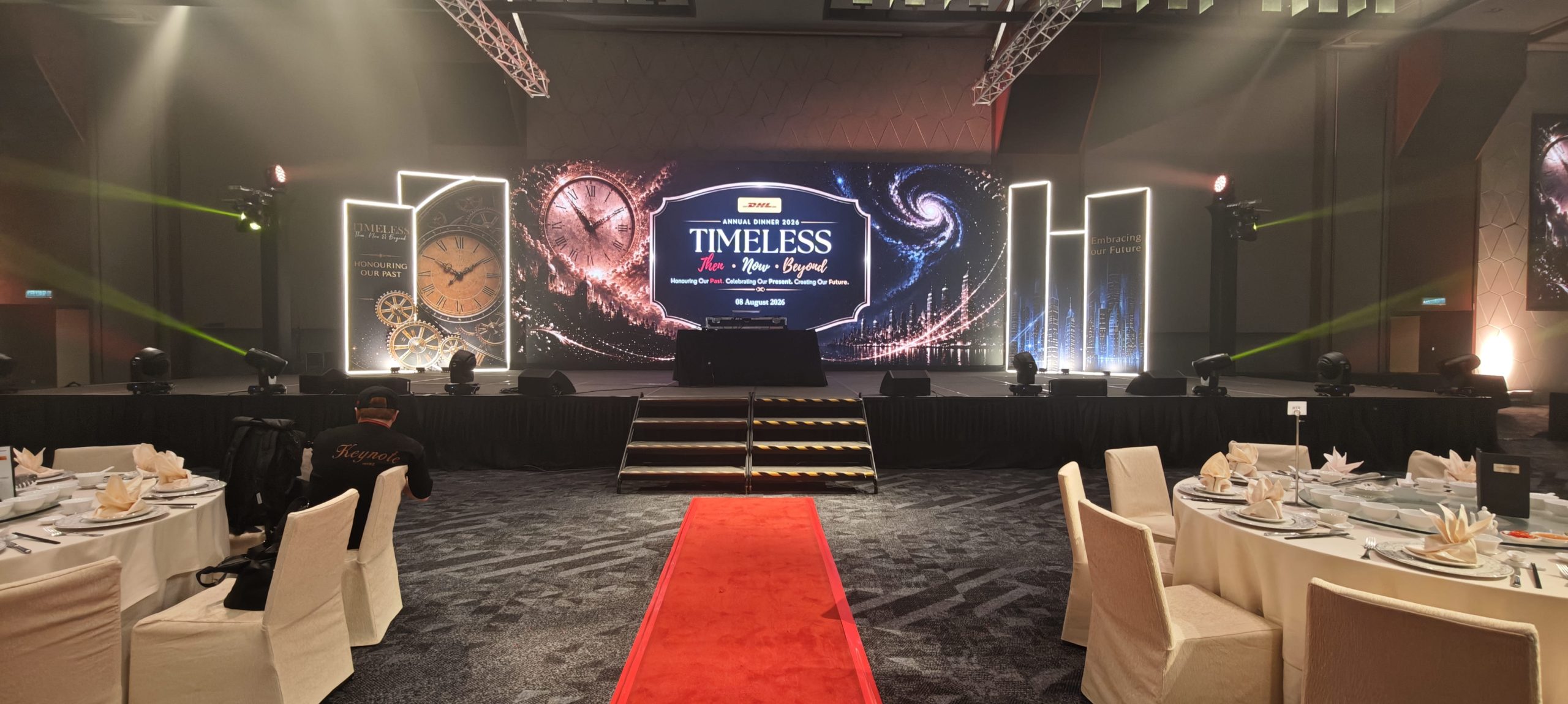 The LED screen budget should reflect the event’s actual requirements rather than simply the screen size.
For annual dinners, the budget may need to account for a wider display arrangement, creative screen configurations, additional visual content and coordination with stage lighting.
For forums, the budget may place greater emphasis on screen clarity, additional side displays, presentation playback, live camera integration and technical support.
Other factors that can affect the overall cost include:
- LED screen dimensions and pixel pitch.
- Number of screens and display configuration.
- Indoor or outdoor screen requirements.
- Supporting structures, truss and rigging.
- Video processors, playback systems and signal distribution.
- Installation, dismantling and technical crew requirements.
- Rehearsal time and on-site operational support.
Organisers should share their event programme, venue information, stage layout and content requirements when requesting a quotation. This helps the production team recommend an appropriate setup instead of proposing equipment based only on estimated guest numbers.
Choosing the Right LED Screen Setup for Your Event
So, which LED screen setup should you choose?
It depends on what you want the screen to achieve.
For an annual dinner, focus on creating a strong visual identity and an engaging atmosphere. Consider a wide central screen, creative display arrangements, animated content and live camera footage to complement the programme.
For a forum, prioritise information visibility and presentation clarity. Consider the audience’s viewing distance, screen resolution, presentation format, side-screen requirements and live camera integration.
Some events combine both formats. For example, a corporate annual dinner may begin with a management forum or town hall session before transitioning into an awards ceremony and entertainment programme.
In such cases, the LED screen system should be planned to accommodate both presentation-focused and entertainment-focused content. This may involve preparing different content layouts and coordinating the display operation with the event schedule.
The most effective solution is not necessarily the most complicated one. It is the configuration that supports the programme, fits the venue and delivers a clear viewing experience for the audience.
Further Reading
- LED Display vs Video Wall: 7 Practical Event Differences – Arvia – Understand the differences between LED displays and LCD video walls for event applications.
- Indoor vs Outdoor LED Screen: Which One Is Better for Your Event? – Learn how venue conditions, brightness, viewing distance and screen requirements influence LED screen selection.
Website: https://www.doremievent.com/
Planning Your Next Event with LED Screens?
Whether you are organising a corporate annual dinner, business forum, conference or product launch, choosing the right LED screen setup is essential to delivering an engaging and effective event experience.
At DOREMi, we provide professional LED screen rental and event production services in Malaysia, supported by sound systems, lighting, staging, truss structures and audiovisual equipment. Our team works closely with event organisers to understand their venue, programme, audience and visual requirements before recommending a suitable LED screen configuration.
From creative LED backdrops for annual dinners to high-clarity LED displays for forums and presentations, DOREMi helps bring your event vision to life.
Contact DOREMi to explore the right LED screen solution for your next event.