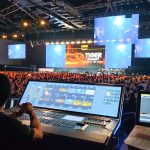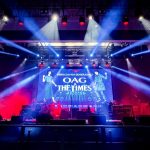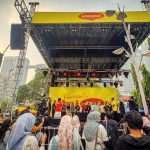
A corporate presentation may contain important business information, but its impact depends on how effectively that information reaches the audience.
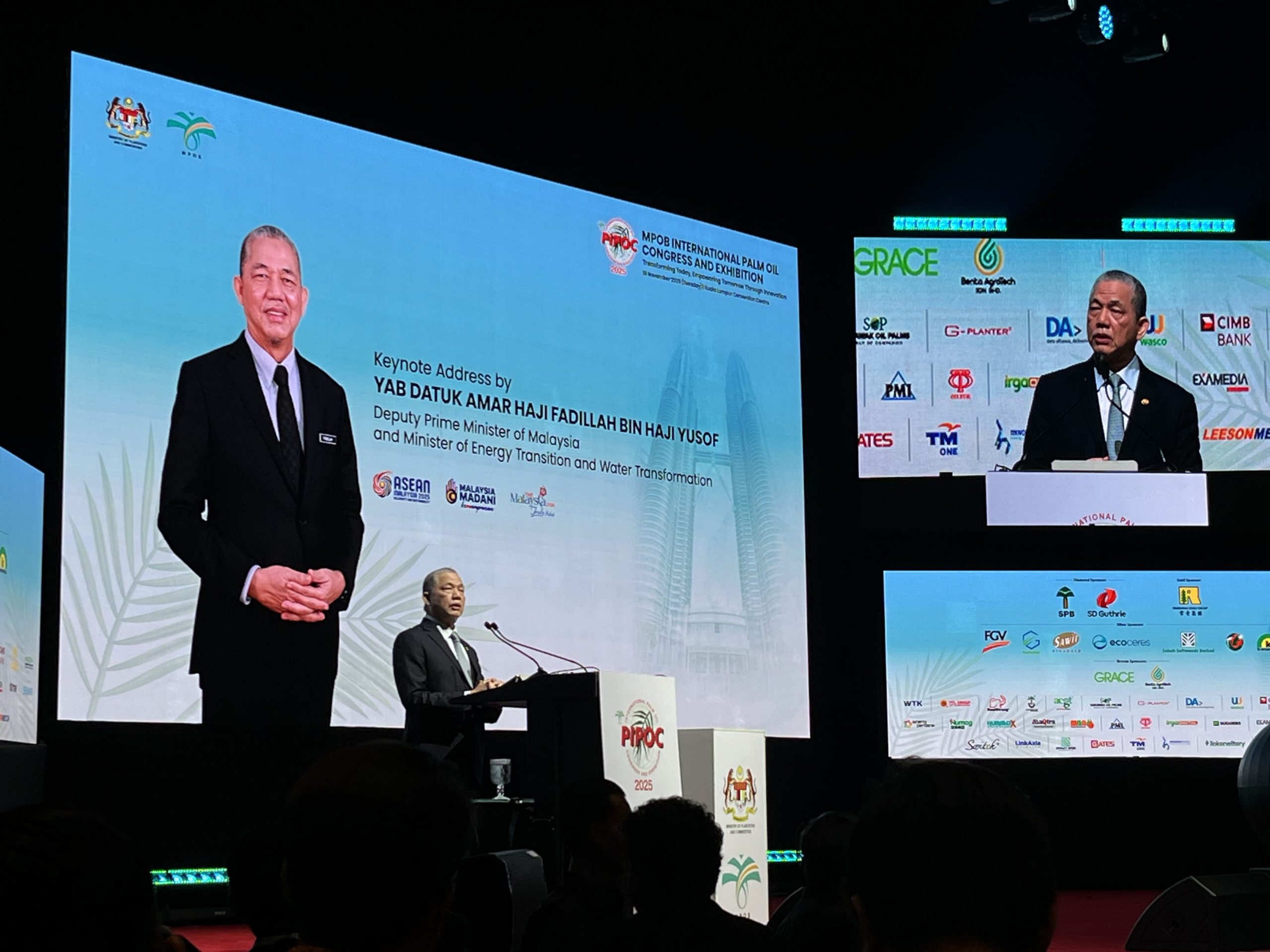
Financial results, business strategies, product demonstrations and keynote presentations can all become difficult to follow when attendees cannot see the content clearly. In a large conference hall, even a well-prepared presentation may lose its impact if people seated at the back struggle to read the slides or see the speaker.
This is where LED screen rental can make a meaningful difference.
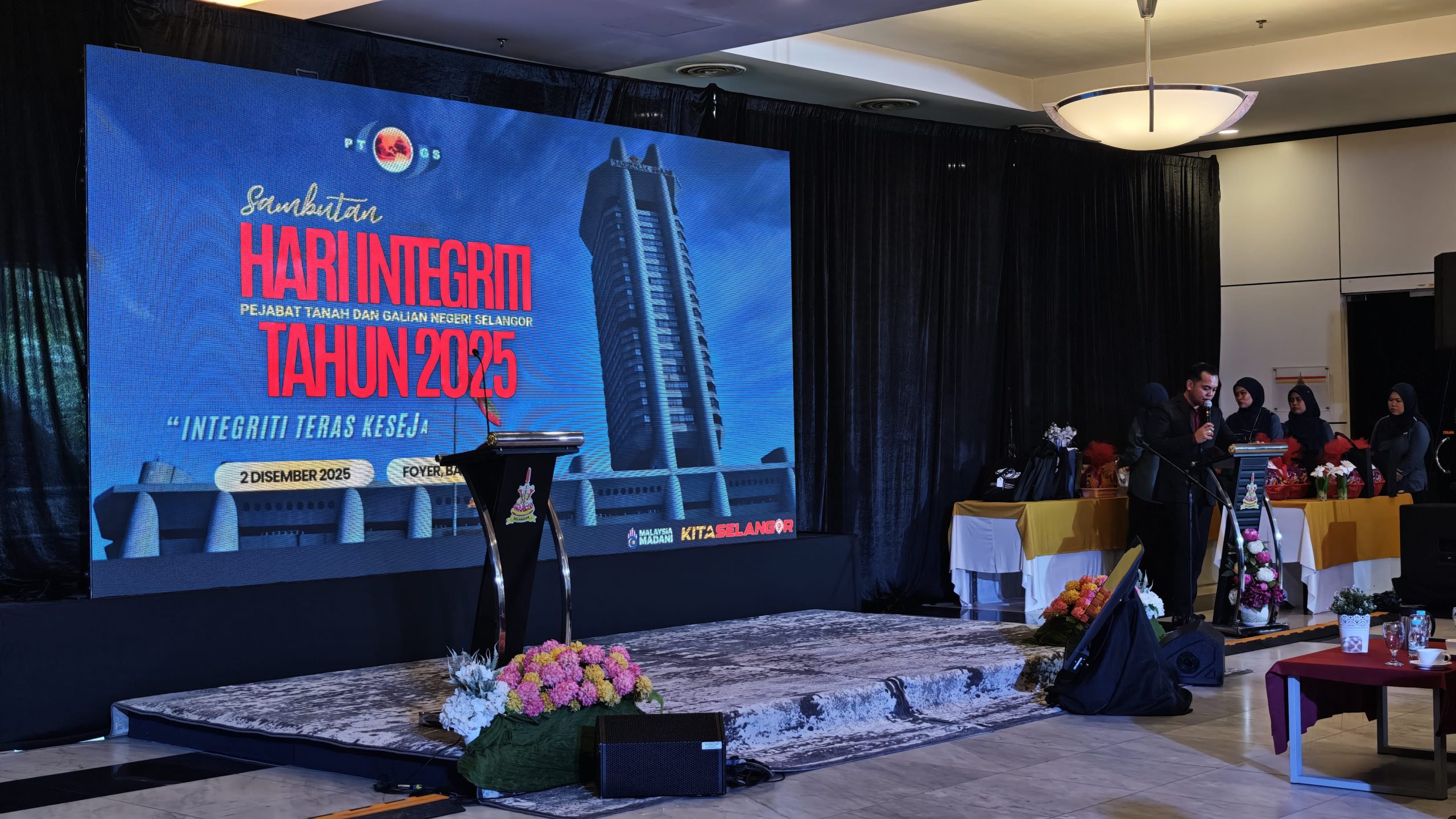
LED screens give event organisers a flexible way to display presentation slides, live camera feeds, videos, company branding and other visual content. When selected and positioned correctly, they help audiences follow the programme, understand key messages and stay connected to what is happening on stage.
For corporate conferences, annual general meetings (AGMs), town halls, seminars and product launches, the screen is more than a decorative backdrop. It is part of the communication system that connects the speaker, the presentation and the audience.
Understanding how LED screens support these different functions can help businesses make better decisions when planning their next event.
Improving Visibility for Every Audience Member
One of the main reasons businesses consider LED screen rental is audience visibility.
In a small meeting room, a conventional television or projector screen may be sufficient. However, larger conferences introduce a different challenge. Attendees may be seated across a wide hall, with some positioned far from the stage or at an angle that makes smaller displays difficult to see.
A properly sized LED screen can present the same information across a much larger viewing area.
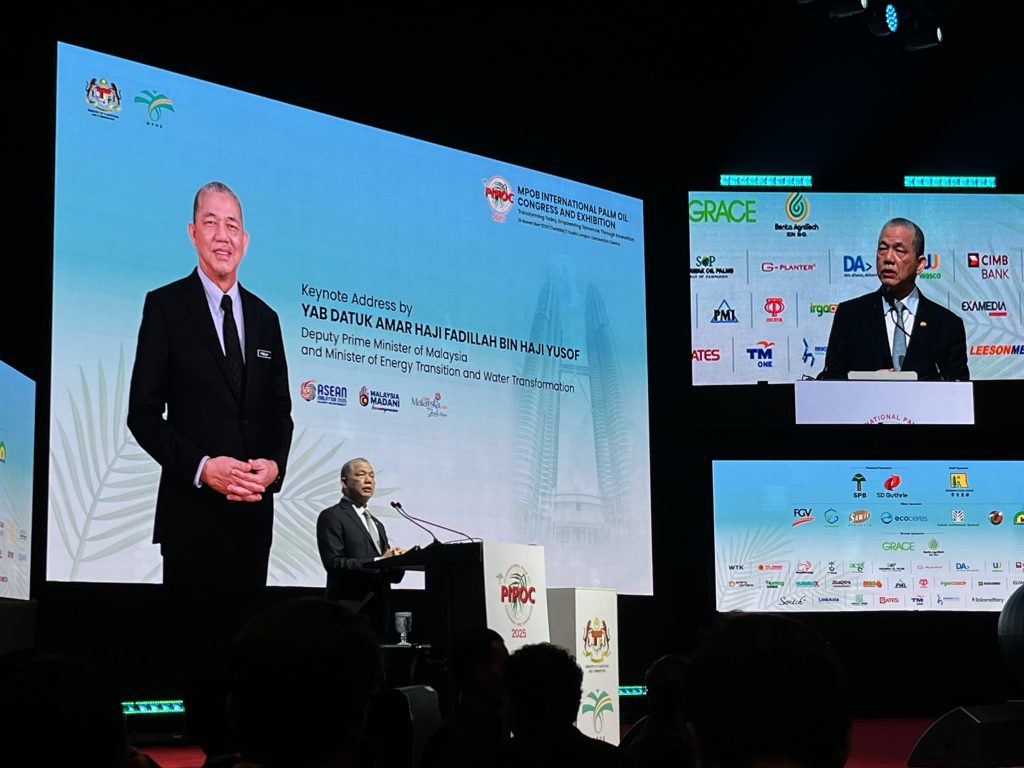
During a keynote presentation, attendees can follow the speaker’s slides without relying entirely on their view of the stage. During a panel discussion, a live camera feed can provide a closer view of the speakers. At a town hall, a large display can help employees follow important announcements from the leadership team.
The objective is not simply to install the biggest screen possible. It is to make the content comfortably visible from the audience’s actual viewing positions.
Screen size, pixel pitch, viewing distance, screen height and audience layout all influence the final result. A screen that looks impressive from the front row may not provide the same experience for people seated further away if its dimensions and position have not been planned properly.
For corporate event organisers, visibility should therefore be one of the first considerations when evaluating LED screen rental.
Making Presentations Easier to Understand
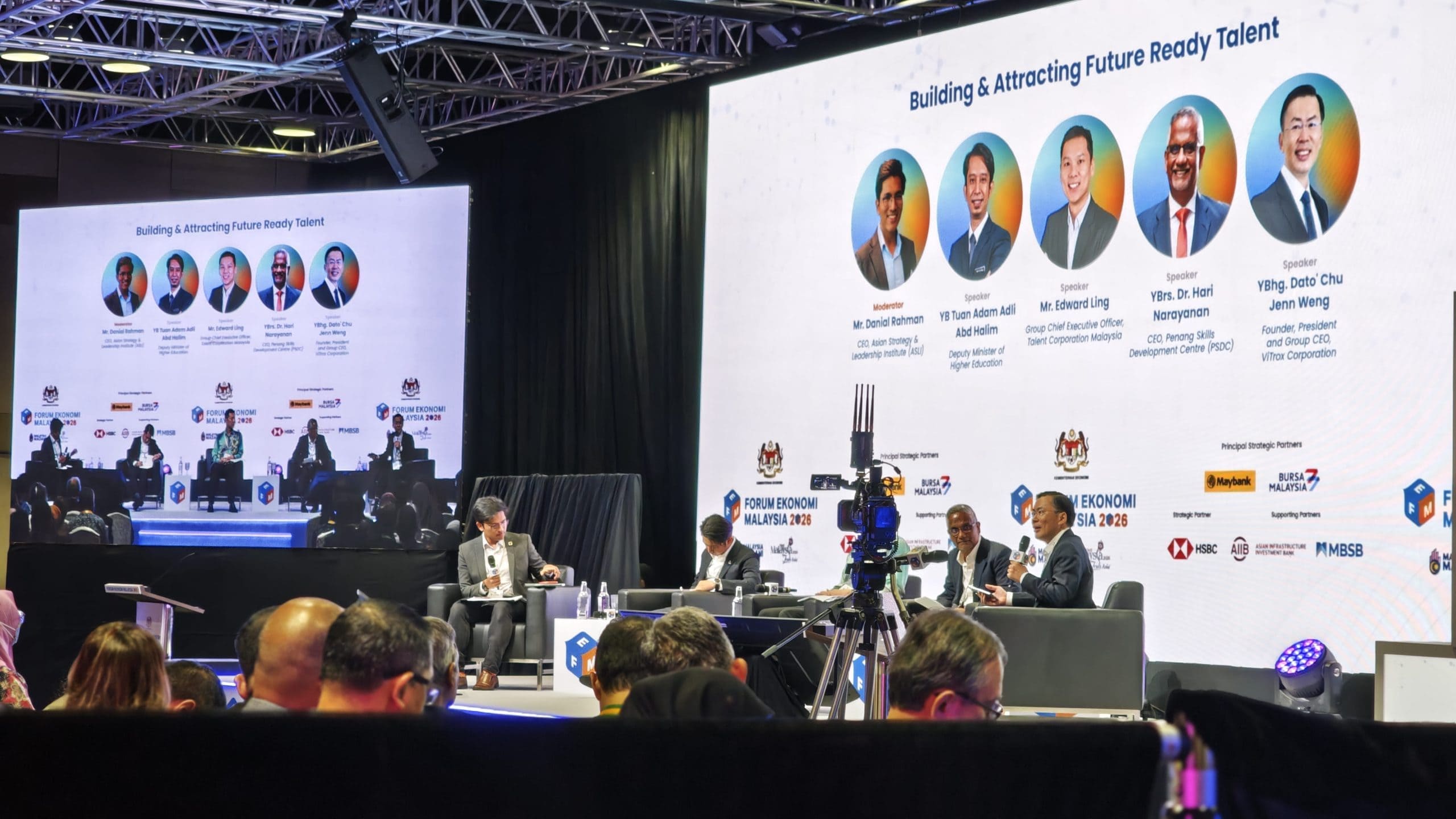 Corporate presentations often involve information that audiences need to understand quickly.
A business strategy may contain several priorities. A financial report may include charts and figures. A product presentation may require attendees to examine features, specifications or comparisons.
When this information is difficult to see, the audience has to work harder to follow the presenter.
An appropriately configured LED screen can make key information more accessible by displaying slides, diagrams, photographs, videos and other visual material at a suitable scale.
For example, during a quarterly business review, the presenter might discuss sales performance across several regions. A clear display allows attendees to examine the accompanying chart while listening to the explanation.
During a training conference, a screen can display process diagrams, instructions or demonstrations that support the speaker’s explanation.
However, screen quality alone cannot solve every presentation problem. Content still needs to be designed for the viewing environment. Small text, crowded slides and low-contrast graphics can remain difficult to read even on a large display.
The best results come from combining suitable LED screen rental with well-prepared presentation materials.
Supporting Different Types of Corporate Events
Corporate events do not all use screens in the same way. The ideal configuration depends on the purpose of the programme.
LED screens help display keynote slides, speaker names, session titles and supporting videos. In larger venues, additional displays may be useful where the main stage screen cannot be seen comfortably by every attendee.
Corporate town halls
Leadership teams can use screens to share business updates, employee announcements, performance figures and internal communications. Live camera feeds can also help employees see speakers clearly in a large auditorium.
Annual general meetings
AGMs may involve financial statements, voting instructions, charts and formal presentations. Clear visual displays help attendees follow the information being discussed.
LED screens can support product videos, launch animations, brand visuals and reveal sequences. They can also show product details or demonstrations to an audience gathered around the stage.
Award ceremonies and gala dinners
Screens can display award categories, recipient names, sponsor logos, presentation videos and live footage of the stage. This helps connect the programme with attendees who may be seated further from the main action.
Training sessions and workshops
Visual displays can support instructional content, demonstrations, diagrams and video playback. The required screen configuration depends on room dimensions and how participants interact with the material.
By identifying the event format first, organisers can choose an LED screen rental arrangement that serves the programme instead of treating the screen as a standard item on an equipment list.
Creating a More Professional Stage Presentation
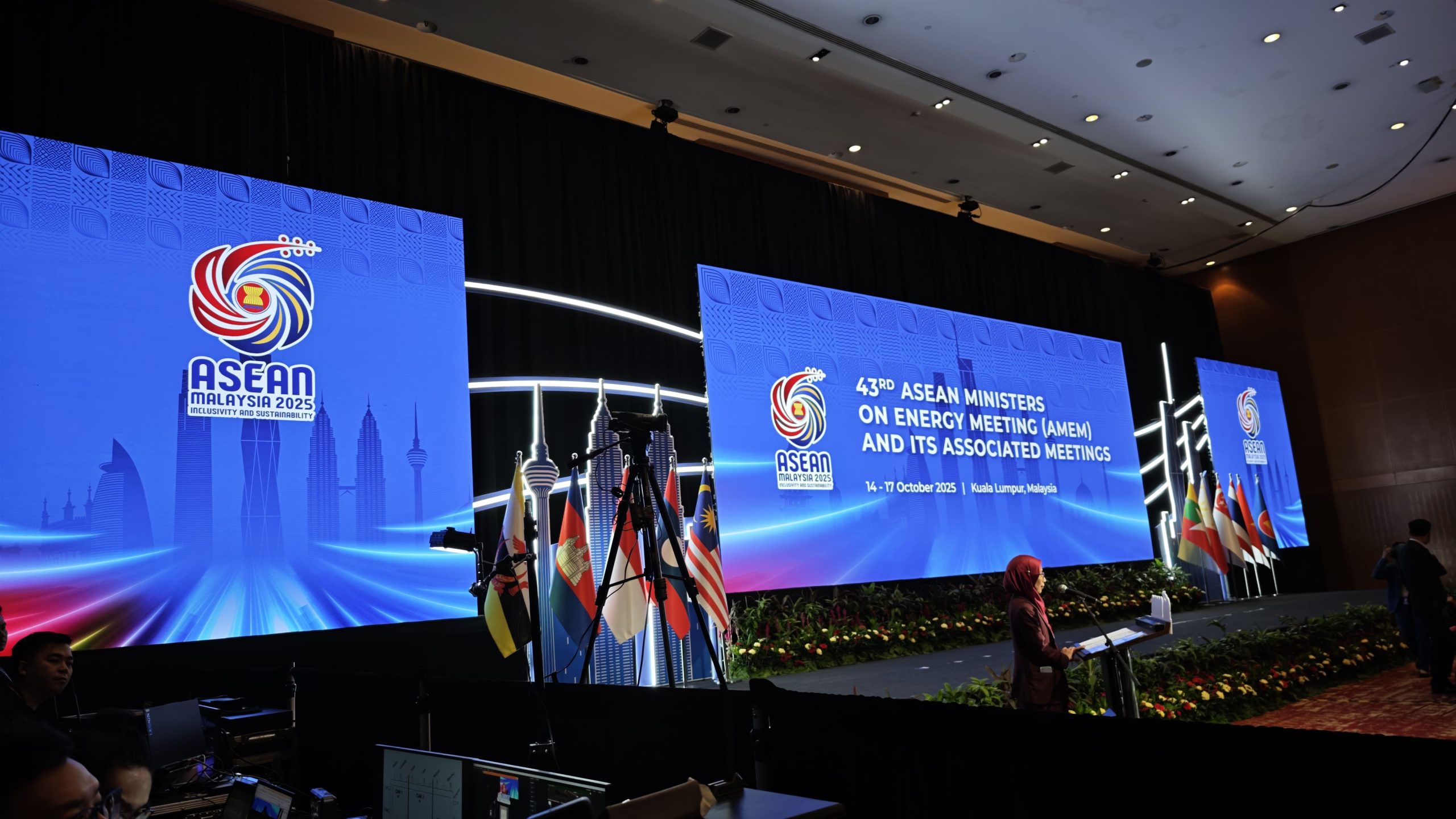 The visual environment contributes to how a corporate event is perceived.
A stage with a clear, coordinated display can make a presentation feel more organised and consistent. Company branding, event titles, speaker names and presentation content can be integrated into the stage design instead of relying on a static backdrop alone.
For example, a company hosting a leadership conference may display its event identity before the programme begins, show presentation slides during keynote sessions and transition to branded visuals between speakers.
A product launch may use a full-screen visual sequence to build anticipation before the product is revealed.
An awards evening may display the category and recipient’s name as each award is presented.
These applications allow the stage visuals to change according to the programme.
Nevertheless, a professional appearance requires coordination. Screen dimensions, content proportions, placement, lighting and stage design should work together. Content must also be checked for readability and correct formatting before the event.
Professional LED screen rental planning considers these factors so that the screen supports the event’s intended presentation rather than competing with the speaker or other stage elements.
Keeping Audiences Connected Through Live Camera Feeds
Not every important moment happens at a distance that the audience can easily see.
During a panel discussion, the moderator may ask a question while several speakers respond. At a large conference, the speaker may move across the stage. At a product demonstration, an important detail may be too small to see clearly from the back of the room.
A live camera feed displayed on an LED screen can provide a closer view.
This is particularly useful for conferences, award ceremonies, leadership town halls and large presentations where direct visibility is limited.
The screen can show a close-up of the speaker, a panelist responding to a question or a product being demonstrated. This gives attendees a clearer view of the action without requiring everyone to move closer to the stage.
A live-feed setup requires more than an LED display. Cameras, video switching, signal distribution, suitable camera positions and technical operators may also be necessary.
The production team must determine which moments need close-up coverage and how camera footage will be incorporated into the programme.
When planned well, the display and camera system work together to improve the viewing experience.
Making Corporate Branding More Flexible
Corporate events often involve multiple visual requirements.
Organisers may need to display the company logo, event theme, presentation slides, sponsor messages, partner branding and announcements throughout the programme.
A static backdrop can provide a consistent brand presence, but changing printed graphics for different sessions is less flexible.
LED screen rental offers the ability to switch digital content as the event progresses.
For example, the screen may display the event identity during registration, a welcome slide before the opening address, presentation content during the keynote and sponsor visuals during designated intervals.
At a product launch, the screen may transition from the company logo to product imagery and then to a demonstration video.
This flexibility can help maintain visual consistency while accommodating different programme requirements.
It is important, however, to manage content changes carefully. Each slide, video and visual transition should be prepared and tested before showtime. If multiple organisations or sponsors are involved, the content sequence should also be agreed in advance.
The screen is most effective when digital branding supports the event’s communication objectives rather than becoming a continuous stream of unrelated visuals.
Delivering Stronger Visual Impact for Product Launches
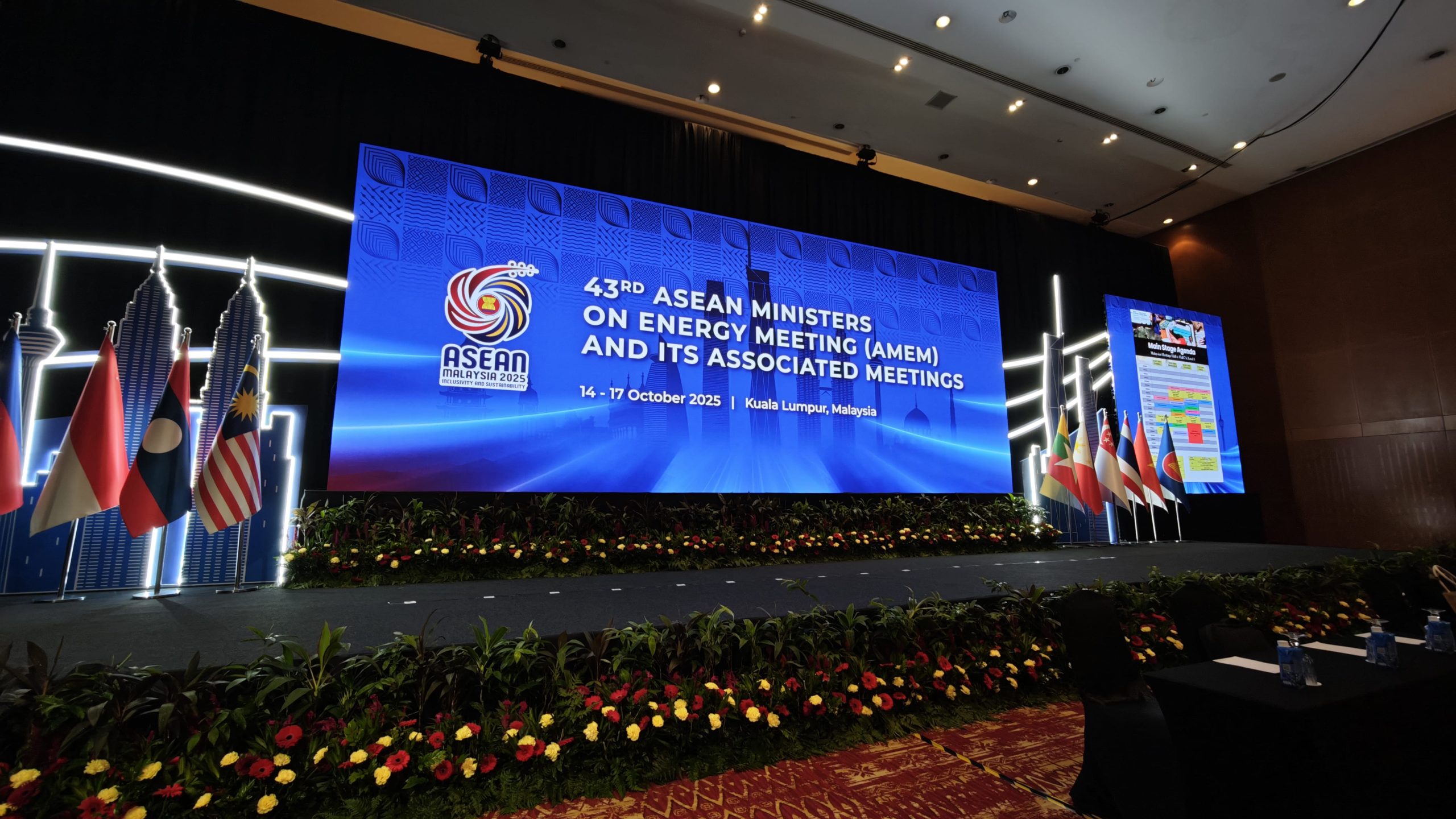 Product launches often rely on visual storytelling to introduce a product, communicate its value and create anticipation.
An LED screen can support this process by displaying product imagery, close-up videos, animations, specifications and launch content at a scale suitable for the audience.
Consider a company introducing a new electronic device. The presentation might begin with branded visuals, move into a video highlighting the product’s features and then display a close-up demonstration as the presenter explains its benefits.
For a vehicle launch, the screen could show a promotional film before transitioning to product information or supporting footage.
The screen can also complement physical stage elements, including product platforms, lighting and backdrops.
To achieve the intended effect, the screen must be integrated into the launch sequence. Content timing, playback sources, lighting cues and presenter movements should be coordinated during rehearsal.
LED screen rental is therefore particularly useful when the visual content forms an essential part of the product story, rather than serving only as background decoration.
Improving Communication Across Large Venues
Large corporate events may involve hundreds of attendees, multiple sessions and several changes in programme.
In these environments, screens can help communicate information beyond the main presentation.
Depending on the event design, displays may be used for:
- Session titles and speaker introductions
- Agenda updates
- Sponsor acknowledgements
- Live presentation content
- Event announcements
- Instructions for audience participation
- Live camera footage
- Break-time or transition visuals
These functions are particularly helpful when the programme involves several speakers or when the event must keep attendees informed throughout the day.
For example, an organiser can prepare a series of visual slides for different sessions and use them to make programme transitions clearer.
However, screens should not be expected to replace all event communication methods. Signage, event staff and direct announcements may still be necessary, particularly for wayfinding and important operational instructions.
The goal is to use visual displays where they make communication clearer and more convenient.
Choosing the Right LED Screen Size and Pixel Pitch
The benefits of LED screen rental depend heavily on choosing an appropriate display.
Two important considerations are screen size and pixel pitch.
Screen size determines how much visual space is available, while pixel pitch refers to the distance between neighbouring pixels on an LED display. A smaller pixel pitch generally allows finer image detail at closer viewing distances, while a larger pitch may be suitable when the audience is positioned further away.
For corporate presentations, pixel pitch matters because slides often contain text, charts and detailed graphics. If attendees sit close to the screen, a display with an unsuitable pixel pitch may make individual pixels more noticeable and reduce the perceived sharpness of content.
Screen size also needs to match the venue and audience layout.
A narrow screen may be insufficient for a wide conference hall. Conversely, a very large screen may be unnecessary for a smaller seminar room and could consume space that the event does not need to allocate to visuals.
Before selecting LED screen rental, organisers should consider:
- The venue’s width and depth
- The furthest and closest audience positions
- The number of attendees
- The type of content being displayed
- The height and position of the screen
- Whether cameras will capture the display
- The stage layout and other technical equipment
A site assessment or discussion with an experienced AV provider can help determine an appropriate configuration.
Understanding Brightness and Venue Conditions
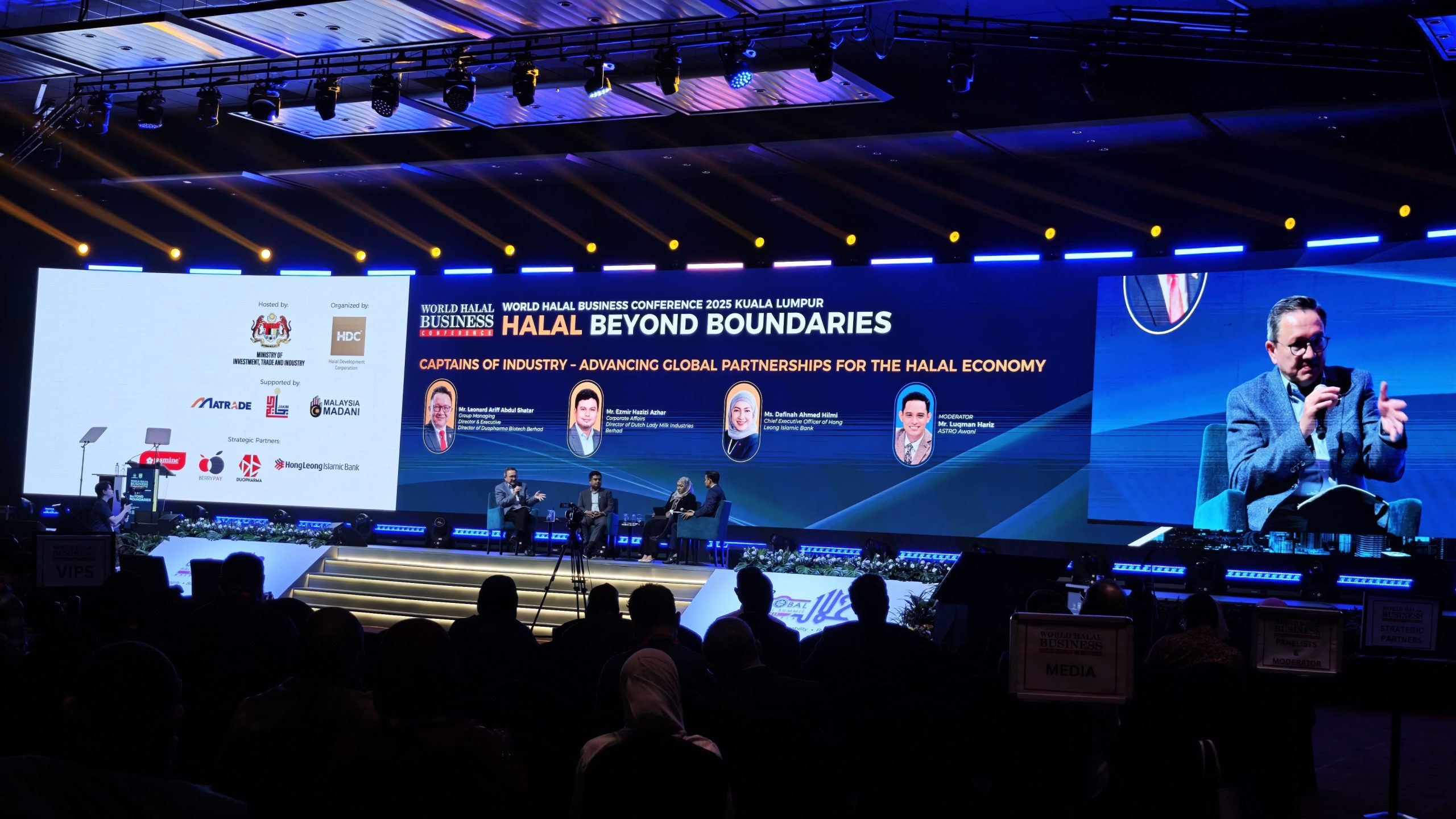 The environment also affects how well an LED screen performs.
An indoor conference in a hotel ballroom presents different conditions from an event in a bright exhibition hall or an outdoor corporate function.
Ambient lighting, sunlight, reflective surfaces and the position of other stage lights can affect screen visibility.
For indoor events, the screen should be bright enough to remain clear without appearing unnecessarily intense in a dimly lit room.
For outdoor presentations, sunlight and changing environmental conditions may require a display designed for higher brightness and suitable outdoor operation.
Brightness should not be considered in isolation. Screen positioning, contrast, content design and the surrounding lighting also affect readability.
For example, a screen placed directly opposite a bright light source may need a different setup from one positioned in a controlled indoor environment.
Discussing venue conditions early helps the production team select a suitable display and plan its integration with the rest of the event technology.
Integrating LED Screens With Sound, Lighting and Staging
An LED screen rarely operates independently during a corporate conference.
It may need to work with a presentation laptop, video playback system, camera feed, lighting arrangement, sound system and stage structure.
The technical team must ensure that these components work together.
For example, the screen may display a presentation while the speaker uses a microphone and the lighting system illuminates the stage. When a video begins, the screen content, audio playback and lighting may need to change together.
If the programme includes multiple presenters, the team may also need to switch between different presentation sources and confirm that the correct content appears at the right time.
The physical installation matters too. Screen placement must allow for suitable viewing angles and coordinate with the stage, truss and other equipment.
This is why organisers should discuss the full production requirements when arranging LED screen rental.
Planning the screen as part of an integrated AV setup can reduce coordination gaps between different systems and help the production team prepare for the actual programme.
Preparing Content and Testing Before the Event
Even a suitable LED screen cannot compensate for untested presentation content or an unreliable signal path.
Preparation should begin before the event day.
Organisers should confirm presentation files, video formats, aspect ratios, playback sources and any special content requirements. Where multiple speakers are involved, the production team should establish how presentations will be received, checked and played.
Technical testing should include:
- Confirming that the display powers on and operates correctly
- Checking presentation and video playback
- Verifying image proportions and screen resolution
- Testing transitions between content sources
- Checking live camera feeds, if required
- Confirming audio playback where video includes sound
- Rehearsing key programme cues
- Preparing a suitable contingency for critical content
A rehearsal also allows presenters to become familiar with the stage and screen arrangement.
For example, a speaker may discover that certain slides contain text that is difficult to read from the back of the venue. Identifying this before the conference gives the organiser time to adjust the content.
Technical checks are particularly important when the screen is central to the event, such as during a product reveal or a presentation involving several live video segments.
Getting More Value From LED Screen Rental
 For many corporate events, renting an LED screen can be more practical than purchasing equipment that may only be needed occasionally.
Rental allows organisers to select a display configuration based on the specific event, venue and programme. It can also provide access to technical support and associated production equipment, depending on the service arrangement.
However, rental value should not be assessed solely by comparing screen dimensions or equipment prices.
Organisers should understand what is included in the quotation. The scope may cover the display panels, installation, structural support, signal processing, content playback, technical operators, dismantling and transport, depending on the provider and agreement.
It is also useful to confirm the schedule for delivery, setup, testing and pack-down.
For a multi-day conference, the organiser should clarify the operating arrangements and any requirements for changes to presentation content. For a product launch, the team should confirm how reveal sequences and video playback will be managed.
A clear scope helps ensure the selected LED screen rental solution matches the actual production requirements.
Why Professional LED Screen Rental Matters
LED screens can improve corporate presentations and conferences, but the outcome depends on more than the display itself.
The right solution considers the audience, venue, content, viewing distance and programme. It also accounts for how the screen will work with staging, sound, lighting and other AV systems.
DOREMi provides event technology and production solutions for corporate events, conferences, exhibitions, product launches and other live productions. LED displays can be planned alongside the wider technical setup according to the event’s requirements.
From selecting a suitable screen configuration to coordinating visual content with the production schedule, careful planning helps ensure that the technology supports the purpose of the event.
The objective is simple: make information easier to see, presentations easier to follow and the overall experience more coherent for attendees.
Frequently Asked Questions
 Are LED screens suitable for corporate conferences?
Yes. LED screens can display presentation slides, videos, live camera feeds, branding and programme information. The appropriate configuration depends on the venue, audience size, viewing distance and content requirements.
What is the difference between an LED screen and a projector?
An LED screen produces images using LED display panels, while a projector casts an image onto a separate surface. The more suitable option depends on the venue’s lighting, required image size, viewing conditions, available space and event budget.
How do I choose the right LED screen size?
Consider the venue dimensions, audience seating arrangement, viewing distance and type of content. A screen should be large enough for attendees to follow the presentation without overwhelming the stage or room.
Does pixel pitch matter for corporate presentations?
Yes. Pixel pitch affects how finely image details are displayed at a given viewing distance. Presentations with text, charts and detailed graphics often benefit from a display configuration suited to the distance between the screen and the audience.
Can LED screens display live camera feeds?
Yes. With suitable cameras, video processing and signal connections, an LED screen can show live footage of speakers, panelists or product demonstrations. The production team should test the entire signal path before the event.
What should be included when booking LED screen rental?
Confirm the display configuration, installation, structural requirements, signal processing, content playback, technical support, setup schedule and dismantling arrangements. The exact scope will depend on the provider and the event.
Further Reading
Eagle Productions — How Do LED Screens Improve Audience Visibility at Large Events?
Explore how LED displays help audiences follow presentations, live footage and event content, particularly when attendees are seated far from the stage. The article also discusses the role of screen selection and placement in improving visibility.
Read the Eagle Productions article
Hitman Group — Top Benefits of LED Screens for Events and Businesses
Learn about the flexibility of LED displays for corporate presentations, event branding and visual storytelling. The article also covers how digital content can be adapted to different event requirements.
Planning LED Screen Rental for Your Next Corporate Event?
A corporate presentation should communicate its message clearly, whether it is a leadership briefing, annual conference, product launch or company-wide town hall.
The right LED screen rental setup can help improve visibility, support presentations, display live footage and reinforce corporate branding. To achieve these benefits, screen selection needs to be based on the audience, venue, content and overall production requirements.
DOREMi provides LED screen rental solutions that can be coordinated with staging, sound systems, lighting and other audiovisual requirements for corporate events and conferences.
Whether you need a display for presentation slides, live camera feeds, product videos or a full stage backdrop, the setup should be designed around what your audience needs to see.
Speak with DOREMi’s event technology specialists to plan an LED screen rental solution that supports your presentation, venue and audience from technical preparation to showtime.