Hybrid events have changed the way conferences, corporate meetings, product launches, training sessions and industry events are delivered. Instead of designing an event for only the people inside the venue, organisers now need to create an experience that works for both in-person and remote audiences.
That sounds straightforward.
In practice, it is not.
A successful hybrid event requires more than putting a laptop at the side of a stage and opening a video conferencing platform. Cameras need to capture the right shots. Microphones need to deliver clean speech. Presentation content needs to reach both the room and the remote audience. Displays need to show the right information at the right time. Internet connectivity needs to be stable. And the entire system needs to be tested before the event begins.
This is where the right video conferencing equipment becomes important.
A professional hybrid setup combines video conferencing equipment with professional audio, cameras, displays, switching, connectivity and technical support. When these elements are properly integrated, the technology becomes almost invisible—and the audience can focus on the event itself.
This guide provides a practical equipment checklist for planning a reliable hybrid event.
What Makes a Hybrid Event Different?
A traditional physical event primarily has one audience: the people inside the venue.
A hybrid event has two.
The first audience is physically present in the room. The second is connected remotely through a video conferencing platform, livestream or virtual event environment.
These audiences experience the event differently.
A person sitting in a conference hall can see the speaker directly, hear the room’s sound system and interact with people around them. A remote attendee depends entirely on the technology provided by the production team.
If the camera angle is poor, the remote audience cannot see the speaker properly.
If the microphone is badly positioned, they may struggle to understand what is being said.
If presentation slides are not routed correctly, they may see the speaker but not the content.
If the internet connection drops, the virtual audience may disappear completely.
This is why hybrid event planning should treat the virtual audience as a second audience rather than an extension of the physical room. A comprehensive hybrid-event checklist from streamGo similarly recommends planning the two audience experiences separately while identifying where they need to connect.
The equipment therefore needs to support both experiences simultaneously.
Video Conferencing Equipment

The starting point for many hybrid meetings is the video conferencing equipment itself.
Depending on the event format, this can range from an all-in-one video conferencing bar for a small meeting room to a complete multi-camera production system for a conference or corporate event.
A professional video conferencing setup may include:
- PTZ or professional video cameras
- Camera controllers
- Conference cameras
- Video conferencing systems
- Microphones
- Speakers
- Displays
- Video switchers
- Capture devices
- Presentation interfaces
- Control systems
- Streaming or conferencing computers
The correct setup depends heavily on the size and complexity of the event.
A small boardroom meeting may only require one camera, a conference microphone and a display.
A 500-person conference with remote speakers and online attendees may require several cameras, multiple microphones, a production switcher, dedicated audio mixing and separate presentation feeds.
The equipment should therefore be selected according to the event format rather than simply choosing the most expensive hardware available.
Cameras: Give the Remote Audience a Proper View
The camera is one of the most visible components of a hybrid event.
A single static webcam may be sufficient for a small internal meeting, but it can quickly become inadequate for a professional conference.
A larger event may require several camera positions.
For example:
Camera 1 — Wide Shot
A wide camera can show the overall stage, panel area or presentation environment.
This establishes context for remote attendees.
Camera 2 — Speaker Shot
A tighter camera can focus on the presenter or keynote speaker.
This gives the remote audience a more engaging view than a distant wide shot.
Camera 3 — Audience or Reaction Shot
An additional camera can capture audience reactions, panel interactions or Q&A sessions.
Professional hybrid-event guidance from Zoho Backstage recommends multiple camera angles—including a wide shot, speaker shot and audience-reaction shot—to create a more engaging remote experience.
For larger productions, PTZ cameras can be particularly useful because they can be remotely controlled for pan, tilt and zoom without requiring a camera operator to physically move around the venue.
Camera selection should also consider:
- Stage size
- Camera distance
- Lighting conditions
- Speaker movement
- Screen content
- Audience seating
- Required image resolution
- Available camera positions
The objective is not simply to have a camera.
It is to give the remote audience the right camera view at the right moment.
Professional Microphones
If there is one area where hybrid events cannot afford to compromise, it is audio.
Remote audiences may tolerate an imperfect camera angle.
They are much less likely to tolerate speech that is difficult to understand.
A hybrid event may require:
- Wireless handheld microphones
- Wireless lapel microphones
- Headset microphones
- Gooseneck microphones
- Boundary microphones
- Panel microphones
- Audience Q&A microphones
- Playback audio
- Computer audio feeds
For keynote speakers and presenters, wireless lapel microphones can provide consistent speech pickup while allowing the speaker to move around the stage.
For panel discussions, multiple microphones may be required so each participant has independent audio control.
Audience Q&A introduces another challenge.
A question that is clearly audible inside the room may not necessarily be captured clearly by the camera or conferencing system.
Providing a dedicated audience microphone ensures that remote participants can hear the question rather than relying on distant room microphones.
This is especially important because hybrid event audio has two destinations:
- The loudspeaker system for the physical audience
- The conferencing or streaming mix for the remote audience
The two mixes may need to be managed differently.
Audio Mixing and Signal Management
Professional microphones alone do not guarantee professional audio.
The signals need to be managed through an appropriate mixing system.
A digital mixing console can provide control over:
- Microphone levels
- Equalisation
- Compression
- Noise management
- Monitor mixes
- Playback sources
- Remote participant audio
- Presentation audio
- Audience microphones
The audio engineer also needs to manage the relationship between the room’s PA system and the conferencing platform.
One major problem in hybrid events is audio feedback or echo.
For example, audio from the remote participant may come through the venue speakers and then be picked up again by a nearby microphone. Without appropriate signal routing, this can create an echo loop.
This is why the audio system should be designed as an integrated signal flow rather than simply connecting several microphones to a laptop.
Displays for the Physical Audience
While remote attendees need cameras and video feeds, the physical audience still needs to see content clearly.
Depending on the venue, this could involve:
- LED Screens
- Projectors
- Confidence monitors
- Preview screens
- Stage displays
- Side screens
- Presentation monitors
The main presentation screen may display slides while a separate screen shows remote participants.
For larger events, LED Screens can provide high-brightness visuals that remain visible across larger rooms.
The display system should also be considered when planning camera shots.
A camera pointed toward an extremely bright LED Screen can create exposure challenges, while a poorly positioned confidence monitor can distract speakers.
The camera, lighting and display systems therefore need to be designed together.
Presentation and Content Sharing

A hybrid event often involves more than simply showing a speaker.
There may be:
- PowerPoint presentations
- Videos
- Remote speakers
- Corporate presentations
- Demonstrations
- Product visuals
- Pre-recorded content
- Live screen sharing
The production team needs to determine how each content source reaches both audiences.
For example, the physical audience may see a presentation through the venue’s LED Screen while the remote audience receives the same content through a dedicated presentation feed.
This can be handled through:
- HDMI connections
- SDI systems
- USB capture devices
- Presentation switchers
- Video processors
- Screen-sharing software
- Production computers
Testing this workflow before the event is essential.
A presentation that looks perfect on the venue screen can still fail for the online audience if the wrong source is being sent to the conferencing platform.
Video Switcher
For a professional hybrid event with multiple cameras, a video switcher becomes an important part of the production system.
Instead of sending one fixed camera feed, the operator can switch between:
- Wide camera
- Speaker camera
- Panel camera
- Audience camera
- Presentation slides
- Video playback
- Remote speakers
- Branded graphics
This creates a more professional viewing experience.
For example:
Speaker → Presentation → Speaker → Audience reaction → Speaker
is significantly more engaging than showing one static wide shot for an entire keynote.
A video switcher also allows the production team to manage transitions and create a consistent programme feed.
Capture Devices and Production Computers
The conferencing platform needs to receive the correct audio and video signals.
That often requires dedicated capture devices or production computers.
A production workflow may look something like:
Cameras → Video Switcher → Capture/Production System → Video Conferencing Platform
At the same time:
Microphones → Digital Mixing Console → Audio Interface → Video Conferencing Platform
This separation allows the production team to maintain control over the quality of the feed before it reaches the remote audience.
For larger events, a dedicated production computer is preferable to relying on a presenter’s personal laptop.
This reduces the number of variables and allows the technical team to control the event feed independently.
Internet Connectivity
Even the best video conferencing equipment cannot compensate for an unreliable internet connection.
Hybrid events depend heavily on connectivity because the event needs to send audio and video from the venue to remote participants.
Before the event, the production team should establish:
- Available upload speed
- Download speed
- Dedicated connection availability
- Network stability
- Wired connection availability
- Network access restrictions
- Backup connectivity
- IT contact person
- Firewall or port restrictions
A dedicated wired connection is generally preferable to relying entirely on venue Wi-Fi for professional streaming.
The connection should also be tested under realistic conditions before the event.
streamGo’s hybrid-event checklist specifically recommends auditing venue internet infrastructure, confirming backup connectivity and testing the streaming workflow before the event.
For important productions, a backup connectivity solution can provide another layer of protection.
Backup Connectivity
Internet failure is one of the biggest risks in a hybrid event.
A backup connection could include:
- Secondary wired connection
- 4G/5G router
- Bonded cellular connection
- Secondary network path
The exact solution depends on the event’s scale and risk profile.
The principle is simple:
Do not allow one internet connection to become a single point of failure.
A backup connection is particularly important for conferences involving senior executives, international speakers, paid virtual attendees or important corporate announcements.
Lighting for Camera Performance
Lighting is often overlooked when planning hybrid events.
A room may look perfectly bright to the human eye but still produce poor camera images.
Cameras require controlled exposure, contrast and colour.
Important considerations include:
- Front lighting
- Key lighting
- Fill lighting
- Backlighting
- Colour temperature
- Stage lighting intensity
- LED Screen brightness
- Ambient lighting
The objective is to ensure that presenters are clearly visible without creating harsh shadows or excessive exposure.
For example, placing a presenter directly in front of a bright LED Screen can make camera exposure more difficult.
A professional lighting system should therefore be coordinated with the camera positions and display systems.
Remote Speaker Integration
Hybrid events increasingly include speakers who are not physically present.
A remote speaker may join through a conferencing platform while appearing on the venue’s LED Screen.
The production workflow may therefore need to handle:
Remote Speaker → Platform → Production System → Venue Display
while simultaneously sending:
Remote Speaker + Physical Stage + Presentation Content → Online Audience
This requires careful signal routing.
The remote speaker should also be briefed before the event about:
- Camera position
- Microphone
- Lighting
- Background
- Internet connection
- Presentation sharing
- Speaking sequence
- Q&A process
A technical rehearsal with remote speakers is strongly recommended.
Echo Cancellation and Audio Return
Hybrid events create another technical challenge: audio return.
A remote participant needs to hear the physical room.
At the same time, the physical audience needs to hear the remote participant.
The production system therefore needs carefully controlled send and return paths.
This may involve:
- Mix-minus feeds
- Echo cancellation
- Separate monitor mixes
- Digital audio routing
- Dedicated conferencing outputs
The objective is to prevent the remote participant’s audio from being returned to them through the venue microphone system.
Poor audio routing can produce:
- Echo
- Feedback
- Delayed speech
- Double audio
- Audio loops
This is one reason professional video conferencing equipment should be integrated with a proper audio system rather than operated as an isolated laptop setup.
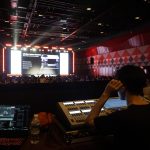
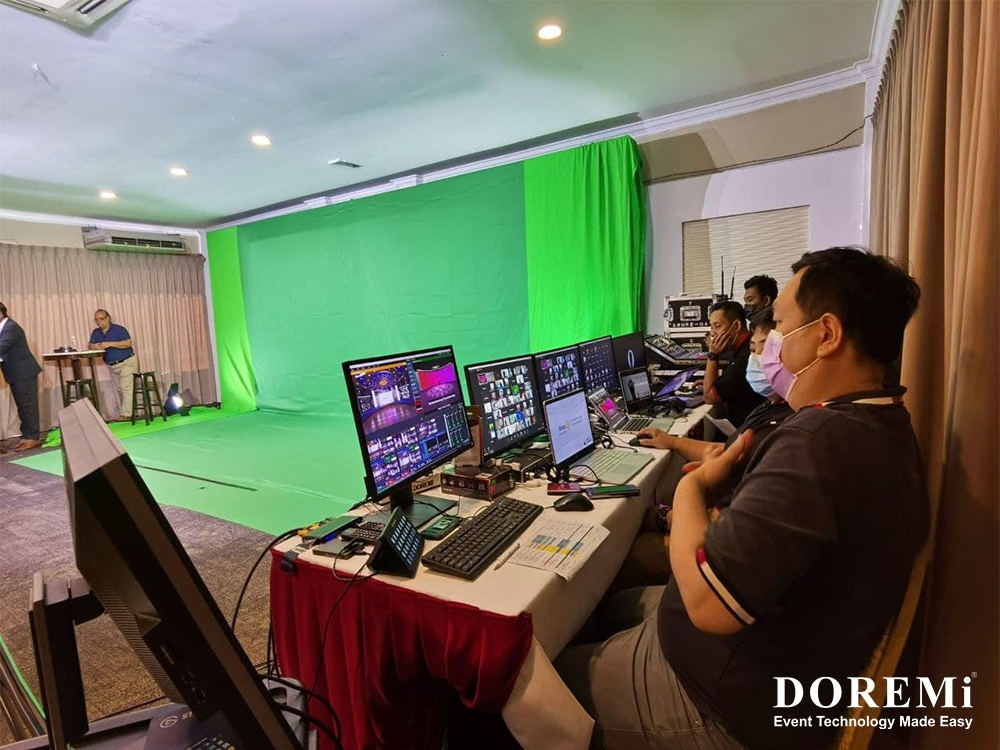
Production Control Area
A professional hybrid event benefits from a dedicated technical control area.
This may include:
- Video switcher
- Audio console
- Production computer
- Preview monitors
- Confidence monitors
- Streaming interface
- Communication systems
- Backup equipment
This is where the technical team monitors what is happening in real time.
A production control area also separates technical operations from the audience.
Zoho Backstage recommends having a production control area where the technical team can operate the hybrid production without disrupting the live audience.
For larger events, this area may effectively operate as a small broadcast control room.
Intercom and Crew Communication
Hybrid events involve several technical roles.
The camera operator needs to know when to change shots.
The video operator needs to know when presentation slides are ready.
The audio engineer needs to know when a speaker is coming on stage.
The stage manager needs to coordinate presenters.
The technical director needs to coordinate the overall show.
Without communication, these teams can easily work against each other.
An intercom or production communication system allows the technical team to coordinate cues quickly.
This becomes particularly important when the event includes multiple cameras, remote speakers and complex presentation sequences.
Recording and Content Capture

Another useful component of a hybrid event system is recording.
The event may be recorded for:
- Post-event viewing
- Internal training
- Marketing content
- Social media clips
- Customer communications
- On-demand sessions
- Internal archives
The production team should decide in advance:
- What will be recorded
- Which feeds will be recorded
- Where files will be stored
- Who is responsible for the recordings
- Whether remote speakers have given recording consent
- How the recordings will be edited
Recording should not simply be treated as an afterthought.
A properly produced hybrid event can generate valuable content long after the event ends.
Technical Rehearsal
Equipment can be installed correctly and still fail during the event if the complete workflow has not been tested.
A proper rehearsal should test:
Video
- Every camera
- Camera framing
- Camera switching
- Presentation feeds
- Remote speakers
- Screen sharing
- Playback videos
Audio
- Every microphone
- Speaker levels
- Remote participant audio
- Presentation audio
- Audience Q&A
- Echo and feedback
Connectivity
- Primary internet
- Backup internet
- Platform connection
- Upload performance
Show Control
- Opening sequence
- Speaker transitions
- Presentation cues
- Camera changes
- Breaks
- Q&A
- Closing sequence
streamGo recommends a full technical rehearsal involving the actual speakers, transitions, slides and camera changes rather than testing only the technical equipment.
The rehearsal is where technical problems should be discovered—not during the keynote.
Hybrid Event Equipment Checklist
For a quick reference, a typical professional hybrid event may require:
Video Conferencing Equipment
- Video conferencing system
- Professional cameras
- PTZ cameras
- Camera controllers
- Video switcher
- Capture devices
- Production computer
Audio
- Wireless microphones
- Lapel microphones
- Handheld microphones
- Digital mixing console
- Loudspeaker system
- Audio processing
- Audio interfaces
Displays
- LED Screens
- Projectors
- Confidence monitors
- Preview monitors
- Remote speaker displays
Connectivity
- Dedicated internet
- Backup 4G/5G connection
- Network equipment
- Appropriate cabling
Production
- Technical control area
- Intercom
- Monitoring screens
- Recording system
- Backup equipment
Support
- Technical director
- Audio engineer
- Camera operator
- Video operator
- Streaming technician
- Stage manager
Not every event requires every item.
The correct equipment package depends on the venue, audience size, programme format, number of speakers, presentation requirements and desired production quality.
Why Integration Matters More Than Individual Equipment
One of the biggest mistakes in hybrid event planning is thinking about equipment individually.
A camera can be excellent but still produce a poor event if it is badly positioned.
A microphone can be high quality but still sound poor if the gain structure is incorrect.
A powerful internet connection cannot solve problems caused by incorrect video routing.
An LED Screen can look impressive inside the venue but does nothing for a remote attendee unless the right content is also sent through the online platform.
Hybrid events therefore require system integration.
The real question is not:
“What equipment do we need?”
It is:
“How should all the equipment work together?”
That shift in thinking is what separates a basic video call from a professional hybrid event production.
Common Hybrid Event Mistakes
Several problems appear repeatedly when hybrid events are planned without sufficient technical preparation.
1. Treating the Online Audience as an Afterthought
The event is designed entirely around the physical audience and a livestream is added later.
2. Using One Camera for Everything
A single static shot can quickly become repetitive and fails to capture different parts of the event effectively.
3. Relying on Laptop Microphones
Laptop microphones are not designed to provide consistent professional audio across a large event space.
4. Ignoring Audio Routing
Incorrect routing can create echo, feedback or duplicated audio.
5. Using Unstable Internet
A professional event feed can still fail if the network connection is unreliable.
6. Not Testing Remote Speakers
Remote presenters should be tested before the event, not for the first time when they appear live.
7. Skipping the Full Rehearsal
Testing individual devices is not the same as testing the entire production workflow.
8. No Backup Plan
Critical events should have contingency plans for equipment failure, internet disruption and speaker connectivity problems.
How to Make Hybrid Events Easier
The best way to reduce technical problems is to plan the system before equipment arrives at the venue.
Start by identifying:
- Event format
Is it a conference, AGM, training session, product launch, panel discussion or corporate meeting? - Audience size
How many people will be physically present and how many will join remotely? - Programme requirements
How many speakers, presentations, videos and remote contributors are involved? - Venue conditions
What are the room dimensions, lighting conditions, acoustics, internet facilities and available rigging or camera positions? - Platform
Which video conferencing or virtual event platform will be used? - Production quality
Is a simple meeting setup sufficient, or does the event require broadcast-style production? - Backup requirements
Which components are critical enough to require redundancy?
Once these questions are answered, the appropriate video conferencing equipment and supporting AV systems can be specified.
Professional Video Conferencing Equipment Requires More Than a Camera
A successful hybrid event is ultimately about communication.
The physical audience needs to see and hear the event clearly.
The remote audience needs the same level of access to the content.
The speakers need reliable technology.
The production team needs control over the entire signal chain.
And the organiser needs confidence that the system has been tested before the first attendee enters the room.
That is why professional video conferencing equipment should be considered as part of a wider event technology solution rather than as a standalone device.
A well-designed hybrid system can combine cameras, professional sound systems, LED Screens, projection, presentation systems, video switching, conferencing platforms, connectivity and technical crew into one coordinated production environment.
Frequently Asked Questions
What equipment is needed for a hybrid event?
A hybrid event may require cameras, video conferencing equipment, microphones, a professional sound system, displays, video switching, presentation systems, internet connectivity and technical support. The exact configuration depends on the size and complexity of the event.
What is the most important equipment for a hybrid event?
Audio is one of the most critical components because remote attendees depend on clear speech. Cameras, video conferencing equipment and reliable connectivity are also essential for delivering a professional remote experience.
How many cameras do I need for a hybrid event?
A small meeting may only require one camera. A larger conference can benefit from multiple camera angles, such as a wide shot, speaker shot and audience or panel shot.
Do hybrid events need professional audio equipment?
For larger events, professional audio equipment is strongly recommended. Wireless microphones, mixing consoles, loudspeakers and appropriate signal routing help provide clear sound for both the physical and remote audiences.
Do hybrid events need backup internet?
For important events, backup connectivity can reduce the risk of the virtual audience losing access if the primary connection fails.
Should hybrid events have a technical rehearsal?
Yes. A full rehearsal should test cameras, microphones, presentations, remote speakers, platform connections, switching, audio routing and the event run-of-show before the event begins.
Can LED Screens be used for hybrid events?
Yes. LED Screens can display presentations, remote speakers, event graphics and other visual content for the physical audience while a separate video feed is provided to remote attendees.
Is video conferencing equipment enough for a large hybrid event?
Usually not. Large hybrid events require an integrated system combining video conferencing equipment with professional cameras, audio, displays, switching, connectivity and technical production support.
Final Thoughts
Hybrid events do not have to be complicated for the audience—but they can be technically complex behind the scenes.
The solution is not simply adding more equipment.
It is designing the right system.
When cameras, video conferencing equipment, microphones, displays, presentation feeds, internet connectivity and technical crew are properly integrated, the technology becomes almost invisible.
The physical audience gets a professional event experience.
The remote audience gets a clear and engaging experience.
And the organiser gets the confidence that both audiences are being supported throughout the programme.
That is what turns a hybrid event from a basic video call into a professional event production.
Further Reading
For a practical checklist covering what to plan before, during and after a hybrid event, explore Hybrid Event Planning Checklist: 50 Things to Do Before, During & After from streamGo. Hybrid Event Planning Checklist: 50 Things to Do Before, During & After
For additional guidance on hybrid event technology, onsite equipment and production considerations, read Hybrid Event Management Guide: Tools, Tips, and Best Practices from Zoho Backstage. Hybrid Event Management Guide: Tools, Tips, and Best Practices
Planning a Professional Hybrid Event?
Planning a conference, corporate meeting, product launch, training session or large-scale event that needs reliable communication between physical and remote audiences?
DOREMi can develop an integrated hybrid event technology solution covering video conferencing equipment, professional sound systems, cameras, LED Screens, presentation systems, video switching, streaming and technical operations according to the requirements of the venue and event.
Speak with DOREMi’s event technology specialists to plan a professional hybrid event system that keeps both your physical and remote audiences connected from setup to showtime.