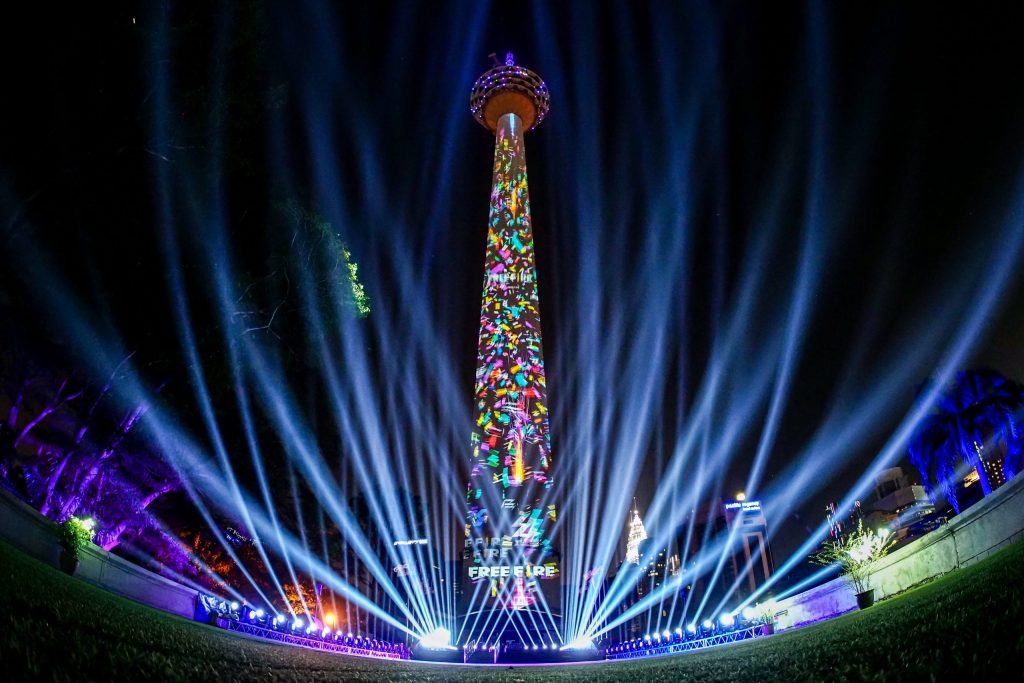
Projection Mapping has transformed the way event spaces can be used to create immersive visual experiences. Instead of displaying content on a conventional rectangular screen, Projection Mapping allows visual content to be precisely projected onto buildings, stages, architectural structures, set pieces, facades and three-dimensional surfaces.
For corporate events, product launches, conferences, exhibitions, concerts, award ceremonies and large-scale public events, Projection Mapping can turn an ordinary physical environment into a dynamic visual canvas.
However, Projection Mapping is not simply a matter of pointing a projector at a wall and playing a video.
A successful Projection Mapping installation requires careful consideration of surface geometry, projector brightness, throw distance, lens selection, content resolution, image alignment, ambient lighting, signal distribution, playback systems and on-site calibration.
When properly engineered, Projection Mapping can create an experience that feels integrated with the physical environment rather than simply placing a video on top of it.
This guide explains what Projection Mapping is, how the technology works, what equipment is involved, the technical challenges event organisers should understand, and when Projection Mapping is the right solution for an event.
What Is Projection Mapping?
Projection Mapping is a visual technology that uses specialised projectors and digitally mapped content to display images, animations and video onto physical surfaces.
Unlike conventional projection, where content is normally displayed within a flat rectangular frame, Projection Mapping adapts the visual content to the actual shape and dimensions of the projection surface.
That surface could be:
- A building facade
- A stage structure
- A three-dimensional set
- A product display
- A monument
- A sculptural installation
- A curved wall
- Exhibition architecture
- Architectural features
- A custom-built stage backdrop
The objective is to make the projected content appear as though it belongs to the physical structure.
For example, a Projection Mapping sequence could make a building appear to change colour, break apart, transform into another environment or reveal animated architectural elements. On a stage, Projection Mapping can make physical set pieces appear to move, expand or transform through carefully synchronised visuals.
The key difference is precision.
The projected image is designed around the geometry of the physical object.
How Does Projection Mapping Work?
At a basic level, Projection Mapping combines three major components:
- Physical surface
The object or structure receiving the projection.
- Projection system
One or more high-performance projectors positioned at calculated locations.
- Mapped visual content
Digital content created and distorted specifically to fit the physical surface.
The Projection Mapping process generally begins with analysing or modelling the target surface.
The production team then determines where each projector should be positioned and how much of the surface each projector needs to cover.
The visual content is subsequently warped so that when the projector displays it from its specific position, the image appears correctly aligned from the audience’s viewing perspective.
This is why Projection Mapping is fundamentally both a creative and technical discipline.
The creative team determines what the audience should see.
The technical team determines how that visual experience can be accurately delivered onto the physical environment.
Projection Mapping vs Conventional Projection
It is important to understand that Projection Mapping is not simply a more expensive projector.
Conventional projection normally involves displaying a rectangular image onto a relatively flat surface.
The projector is aligned with the screen, the image is focused and the content plays within the defined screen dimensions.
Projection Mapping introduces additional complexity.
The content must correspond with the physical geometry of the target object.
Consider a stage containing several different structures.
A conventional projection may display one large rectangular video across a screen.
With Projection Mapping, the content could be designed to follow individual columns, platforms, walls, architectural details and three-dimensional elements.
The physical structure effectively becomes part of the visual content.
This creates opportunities for storytelling that conventional projection cannot always achieve.
The Technical Architecture Behind Projection Mapping
A professional Projection Mapping system can involve considerably more equipment than the audience sees.
A typical system may include:
- High-brightness projectors
- Interchangeable projection lenses
- Media servers
- Playback computers
- Video processors
- Signal distribution equipment
- Fibre-optic or SDI infrastructure
- Network systems
- Content playback software
- Projection mounting structures
- Rigging systems
- Power distribution
- Backup systems
- Monitoring equipment
Depending on the scale of the event, multiple projectors may be required.
The projectors can be arranged to cover different sections of the surface, with carefully managed overlap between images.
This overlap is particularly important when edge blending is required.
Projector Brightness: Why Lumens Matter
One of the most important technical considerations in Projection Mapping is projector brightness.
Projector brightness is generally specified in lumens.
However, selecting a projector simply because it has a high lumen rating is not enough.
The required brightness depends on several factors, including:
- Projection surface size
- Projection distance
- Lens selection
- Ambient light
- Surface reflectivity
- Content characteristics
- Number of projectors
- Required image quality
- Audience viewing distance
A small indoor Projection Mapping installation may require a completely different projection system from a large outdoor architectural projection.
Outdoor environments are particularly challenging because ambient light can significantly reduce perceived image contrast.
A Projection Mapping design that looks excellent in a dark environment may appear washed out if exposed to strong surrounding lighting.
This is why a technical site assessment should be conducted before equipment is selected.
Throw Distance and Lens Selection
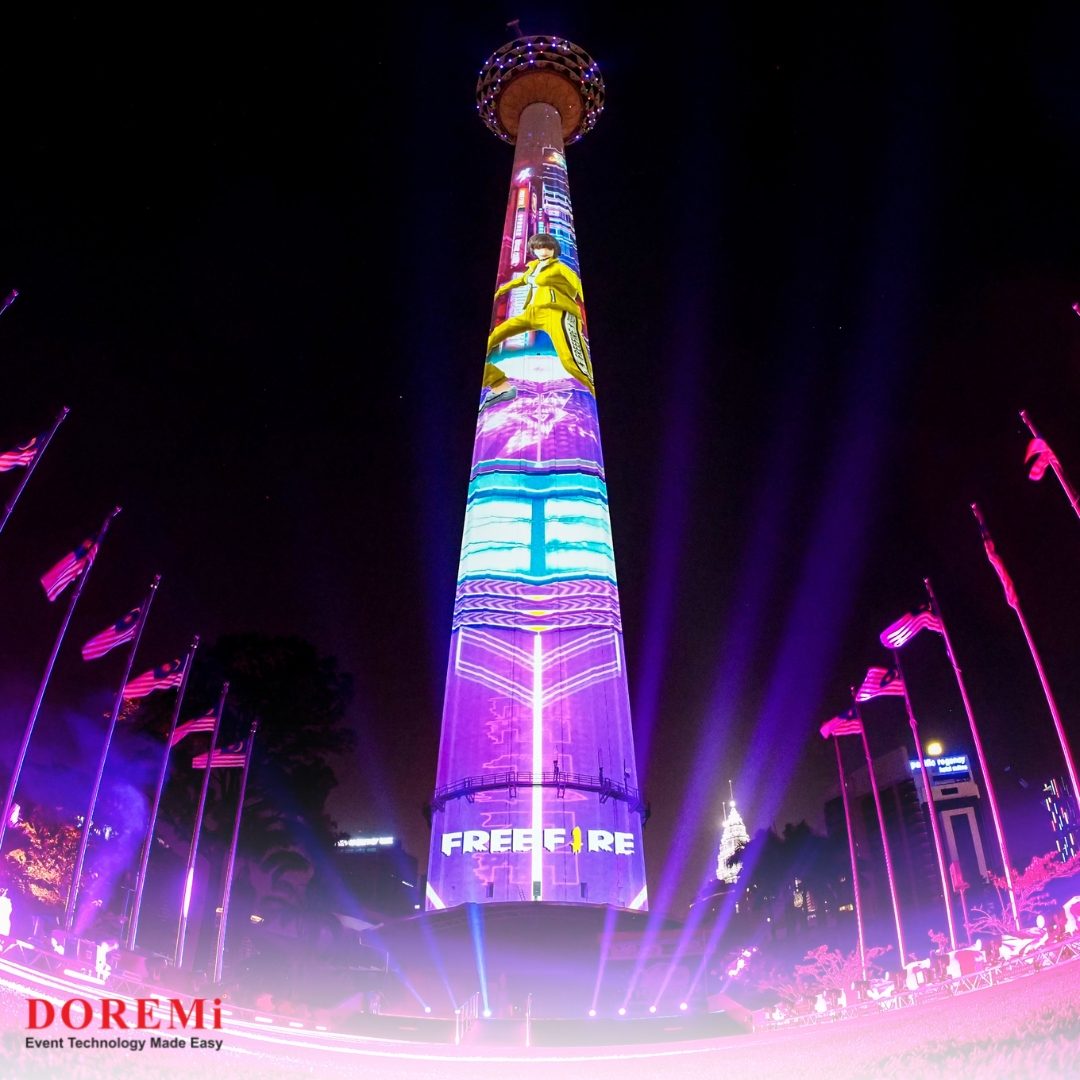
Projector placement is another critical component.
Throw distance refers to the distance between the projector and the projection surface.
Different projector lenses provide different throw ratios and image sizes.
If the projector cannot be positioned at an appropriate distance, achieving the required image size may become difficult.
For large Projection Mapping projects, lens selection can influence:
- Image size
- Projector position
- Image geometry
- Coverage
- Brightness
- Focus
- Installation requirements
A long-throw lens may be appropriate when the projector must be positioned far away from the target surface.
A short-throw configuration may be useful when space is restricted.
The objective is not simply to find a projector with enough brightness.
The entire optical system must be engineered around the venue.
Surface Geometry Is at the Heart of Projection Mapping
Projection Mapping becomes particularly powerful when the target surface contains complex geometry.
However, complex geometry also increases technical difficulty.
A flat wall is relatively straightforward.
A building containing windows, columns, balconies, recesses and architectural features requires significantly more detailed mapping.
The production team must understand exactly where the physical edges and surfaces are located.
Even small inaccuracies can become visible when the projected content is designed to interact precisely with architectural features.
For this reason, accurate measurements, photographs, drawings, 3D models or venue scans can be valuable during the planning stage.
The more accurately the digital model represents the physical environment, the more accurately the Projection Mapping content can be aligned.
Warping and Image Alignment
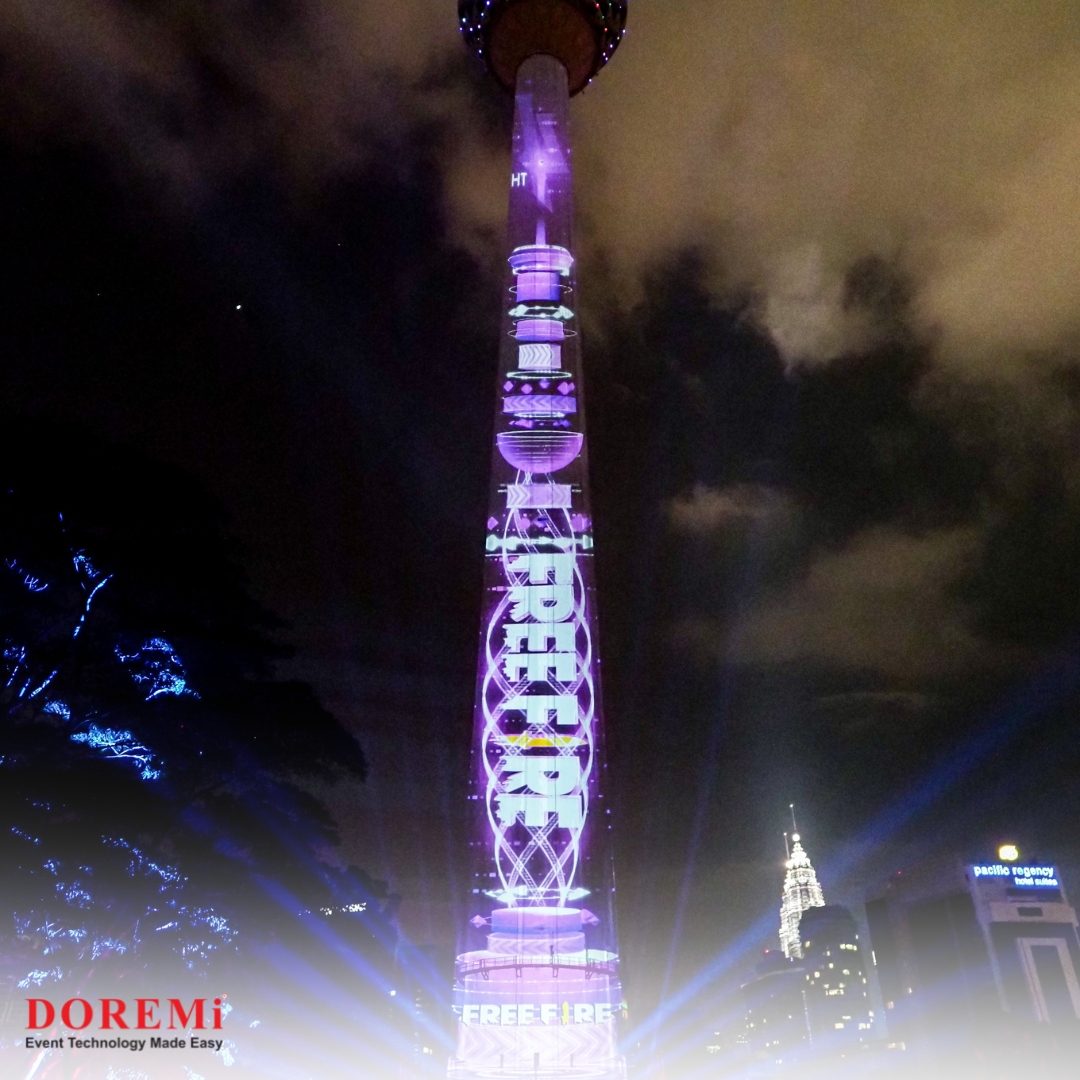
Projection Mapping relies heavily on image warping.
Warping modifies the digital image so that it compensates for the projector’s position relative to the physical surface.
Imagine projecting a perfectly rectangular image onto an angled wall.
From the projector’s perspective, the image may appear rectangular.
From the audience’s perspective, however, it could appear distorted.
Projection Mapping software allows the image to be digitally manipulated so that it appears correctly aligned from the intended viewing position.
This process can involve:
- Point-by-point adjustment
- Mesh warping
- Perspective correction
- Surface alignment
- Geometry correction
- Content masking
The objective is to ensure that visual elements line up with the physical architecture.
Edge Blending for Large Projection Mapping Systems
Large Projection Mapping installations frequently require multiple projectors.
When several projectors are used, their images may overlap.
If the overlapping areas are not properly processed, visible lines or brightness differences can appear.
Edge blending solves this problem by gradually combining overlapping portions of projected images.
When correctly calibrated, multiple projectors can appear to produce one continuous image.
This is particularly important for:
- Large buildings
- Wide stage environments
- Large exhibition spaces
- Concert stages
- Architectural projections
- Immersive installations
Edge blending requires careful calibration because differences in brightness, colour and geometry can become noticeable across a large canvas.
Content Creation for Projection Mapping
Projection Mapping is only as effective as the content designed for it.
A common mistake is creating conventional video content first and attempting to fit it onto a mapped surface later.
Professional Projection Mapping content should be designed around the physical structure from the beginning.
The creative team needs to understand:
- Surface dimensions
- Architectural geometry
- Projector layout
- Viewing position
- Resolution
- Aspect ratio
- Content transitions
- Safe areas
- Masking
- Animation requirements
For example, if an animation is designed to make a physical building appear to collapse, the movement needs to correspond precisely with the building’s actual structure.
A window could become part of an animation.
A column could become a visual dividing line.
A physical edge could be used as a transition point.
This is what makes Projection Mapping different from simply displaying a video.
The content interacts with the environment.
Resolution and Image Detail
Large Projection Mapping projects require careful consideration of resolution.
A high-resolution projector does not automatically guarantee a high-quality visual experience.
The effective image quality depends on the entire chain, including:
Content → Playback → Processing → Signal Distribution → Projector → Lens → Surface
If content is produced at insufficient resolution, scaling it to a large architectural surface may result in softness or loss of detail.
Signal infrastructure also needs to support the required resolution and refresh requirements.
For complex systems, the production team may use professional video processing and media-server systems to manage multiple outputs and synchronised content.
Ambient Light: The Silent Enemy of Projection Mapping
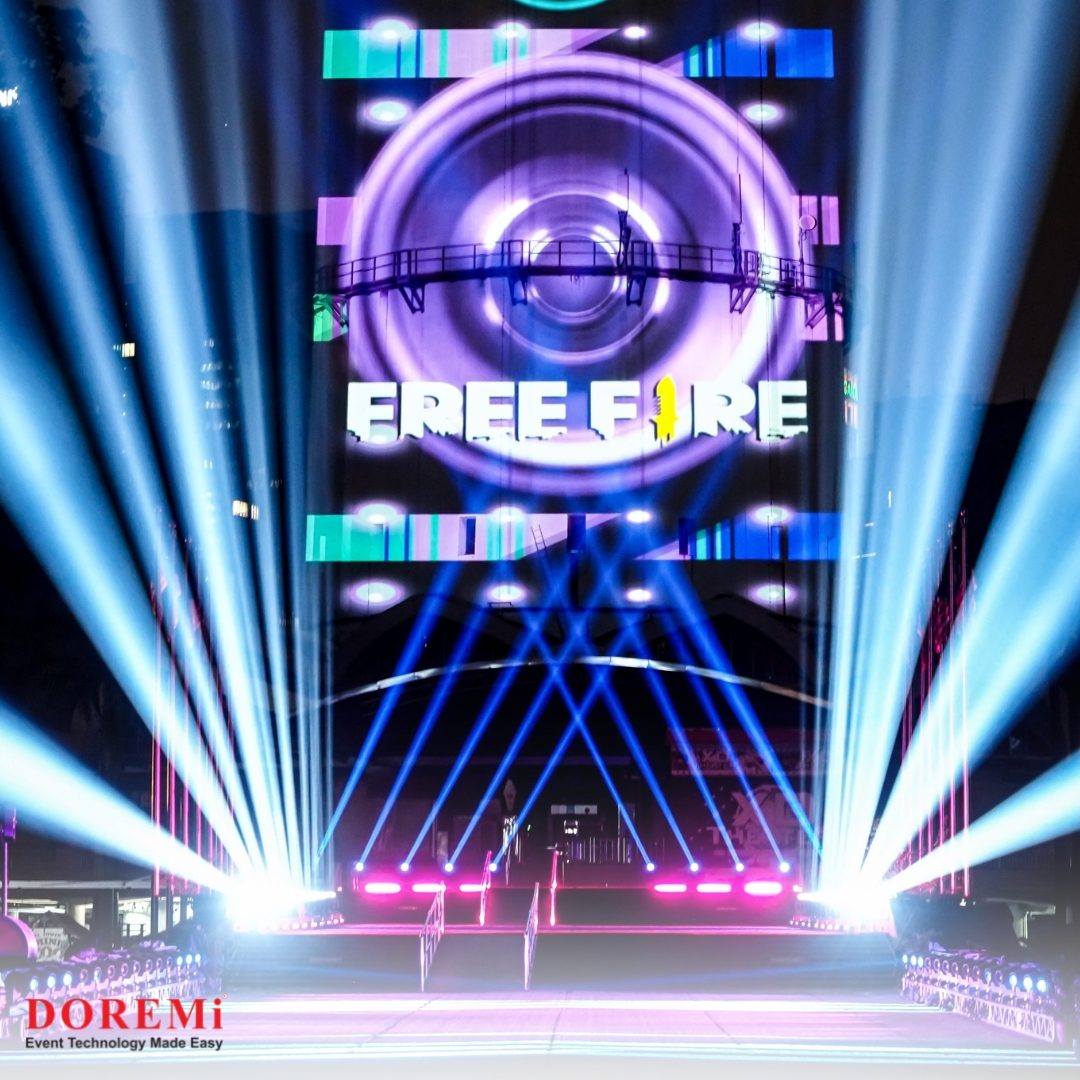
Projection is fundamentally affected by the surrounding environment.
The darker the environment, the easier it is for projected images to maintain contrast.
This creates an important consideration for outdoor and indoor events.
Outdoor Projection Mapping may compete with:
- Street lighting
- Architectural lighting
- Floodlights
- Stage lighting
- Advertising displays
- Security lighting
- Vehicle headlights
- Environmental light
Even if a projector produces a very bright image, uncontrolled ambient light can reduce the perceived contrast.
This is why Projection Mapping planning should consider the complete lighting environment rather than the projector alone.
In some cases, the event lighting design may need to be coordinated with the Projection Mapping system.
Projection Mapping and Stage Lighting Must Work Together
Projection Mapping and event lighting can complement each other, but they can also compete.
A powerful stage light directed toward a projection surface can reduce the visibility of projected content.
Similarly, a highly detailed Projection Mapping sequence may lose impact if the surrounding environment is excessively bright.
The lighting designer, projection team and production team therefore need to coordinate their systems.
This coordination may include:
- Lighting angles
- Fixture positions
- Brightness levels
- Cue timing
- Colour temperatures
- Projection surfaces
- Content transitions
- Show control
For major productions, Projection Mapping should be treated as part of the overall visual production system—not an isolated technical element.
When Does Your Event Actually Need Projection Mapping?
Projection Mapping is not necessary for every event.
A conventional LED Screen may be more practical when the primary requirement is simply to display presentations, videos, speaker content or event branding.
Projection Mapping becomes more appropriate when the environment itself needs to become part of the visual experience.
It can be particularly effective for:
Exhibitions
Projection Mapping can help exhibitors create immersive installations that attract visitors and communicate complex concepts through visual storytelling.
Government and Public Events
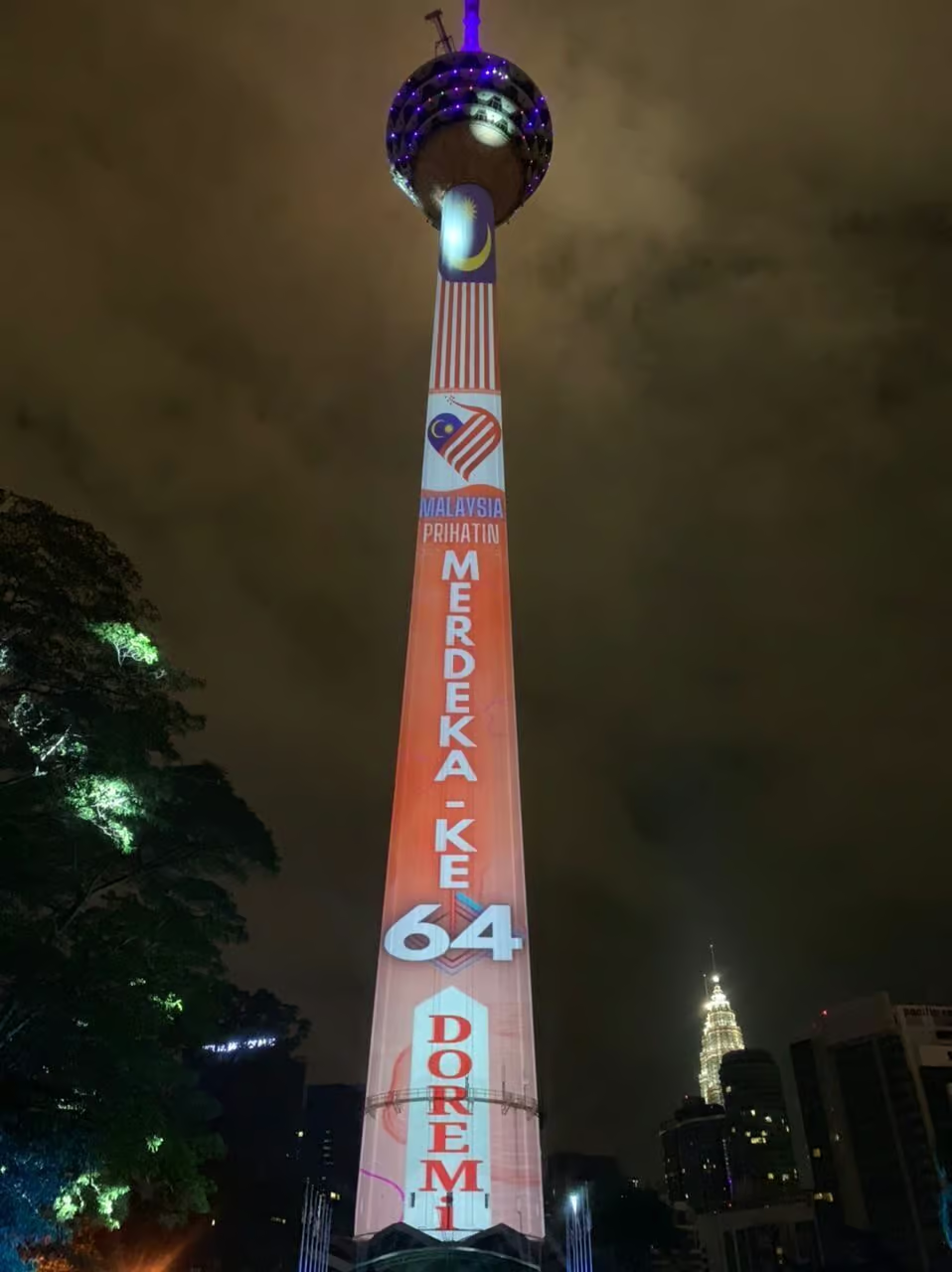
Large-scale Projection Mapping can transform prominent architectural structures into visual storytelling platforms. Historical stories, national celebrations, cultural themes and public messaging can be incorporated into the environment.
Award Ceremonies
Projection Mapping can be used for opening sequences, winner presentations, sponsor moments and thematic transitions.
Concerts
Projection Mapping can extend visual storytelling beyond conventional screens. Physical stage structures can become part of the content, creating greater depth and visual variation.
Corporate Events
For annual dinners, gala events and corporate celebrations, Projection Mapping can transform an otherwise ordinary ballroom or stage environment. Corporate branding, milestones, company history and thematic visuals can be integrated into the physical venue.
Product Launches
Projection Mapping can introduce a product through a dramatic visual reveal. Instead of simply showing product videos on a screen, the surrounding stage environment can transform as part of the launch sequence.
Projection Mapping vs LED Screens
Projection Mapping and LED Screens serve different purposes.
An LED Screen provides a bright, high-contrast digital display surface.
Projection Mapping uses the physical environment as the display surface.
For example, an event may use an LED Screen for:
- Presentations
- Speaker content
- Live camera feeds
- Corporate branding
- Sponsor content
- Event information
Projection Mapping may instead be used for:
- Opening sequences
- Environmental transformation
- Architectural storytelling
- Immersive visuals
- Product reveals
- Dramatic transitions
In some productions, both technologies can work together.
An LED Screen can provide the primary content display while Projection Mapping is used on surrounding structures.
This combination can create a layered visual environment rather than relying on one display technology.
The decision should therefore be based on the desired audience experience rather than choosing technology simply because it looks impressive.
How a Professional Projection Mapping Project Is Planned
A successful Projection Mapping project normally starts long before the projectors arrive at the venue.
1. Site Assessment
The technical team evaluates the venue and identifies:
- Projection surfaces
- Available projector positions
- Throw distances
- Ambient lighting
- Power availability
- Rigging opportunities
- Audience viewing angles
- Equipment access
- Cable routes
2. Surface Analysis
The physical environment is measured and analysed.
For architectural Projection Mapping, photographs, drawings, dimensions or 3D references may be used.
3. System Design
The technical team determines:
- Number of projectors
- Projector brightness
- Lens types
- Projector positions
- Signal infrastructure
- Processing requirements
- Media-server outputs
- Power requirements
4. Content Development
Creative content is produced according to the mapped environment.
The content must correspond with the physical geometry and technical output requirements.
5. Previsualisation
Whenever practical, the show can be simulated or previsualised before arriving on site.
This helps identify potential alignment or content issues.
6. Installation
Projectors, servers, processors, networking, signal distribution and supporting infrastructure are installed.
7. Calibration
The projection system is aligned to the physical environment.
This can include:
- Geometry correction
- Warping
- Edge blending
- Colour adjustment
- Focus
- Brightness balancing
8. Technical Rehearsal
The complete show is tested under actual venue conditions.
This is particularly important because ambient light and audience positioning can affect the final result.
Common Projection Mapping Mistakes
Choosing Projectors Based Only on Price
A cheaper projector may not provide the brightness, lens flexibility or reliability required for the project.
Ignoring Ambient Light
A beautiful Projection Mapping design can lose impact if the projection surface is competing with uncontrolled lighting.
Designing Content Too Late
Content should be designed around the mapping environment rather than treated as an afterthought.
Inaccurate Measurements
Small measurement errors can result in significant alignment problems.
Insufficient Projector Coverage
Trying to cover an oversized surface with too few projectors can compromise brightness and image quality.
No Technical Rehearsal
Projection Mapping should be tested in the actual environment before the audience arrives.
Treating Projection Mapping as Only a Creative Project
The visuals may be creative, but the delivery is highly technical.
Projector placement, power, signal distribution, networking, rigging and system redundancy all need consideration.
Reliability and Redundancy in Projection Mapping
For high-profile events, reliability should be part of the system design.
A Projection Mapping show may involve several interconnected components.
If a critical playback or processing component fails, the visual sequence could be interrupted.
Depending on the scale and importance of the event, production teams may consider redundancy for critical systems.
This can include:
- Backup playback systems
- Redundant media servers
- Backup signal paths
- Spare projectors
- Duplicate content
- Monitoring systems
- Backup power strategies
The exact redundancy architecture depends on the event’s scale, budget and risk profile.
For a major opening ceremony or public-facing event, the consequences of visual failure are very different from a small private presentation.
Is Projection Mapping Worth the Investment?
Projection Mapping can require more planning, equipment and technical expertise than conventional visual displays.
However, its value comes from its ability to transform physical environments.
The investment can be justified when the event requires:
- A memorable opening sequence
- Strong visual storytelling
- Architectural transformation
- Immersive audience engagement
- A high-impact product reveal
- Differentiation from conventional events
- Integration between physical sets and digital content
The question should not simply be:
“Can Projection Mapping make the event look impressive?”
A better question is:
“Does Projection Mapping help communicate the story or experience the event is trying to create?”
If the answer is yes, Projection Mapping can become one of the most powerful visual technologies available to event producers.
Projection Mapping Is About More Than Projection
At its best, Projection Mapping creates an illusion that digital content and physical space are one.
That requires more than powerful projectors.
It requires accurate measurements, appropriate lenses, sufficient brightness, carefully engineered signal infrastructure, precisely designed content, calibrated surfaces, coordinated lighting and experienced technical execution.
For event organisers, the most important step is therefore not choosing a projector.
It is defining the experience first.
Once the creative objective is clear, the technical team can determine whether Projection Mapping, LED Screens, conventional projection or a combination of technologies provides the most effective solution.
For major corporate events, product launches, concerts, government ceremonies, exhibitions and immersive experiences, the right visual technology can fundamentally change how an audience experiences a space.
Projection Mapping makes that space part of the story.
How DOREMi Approaches Projection Mapping
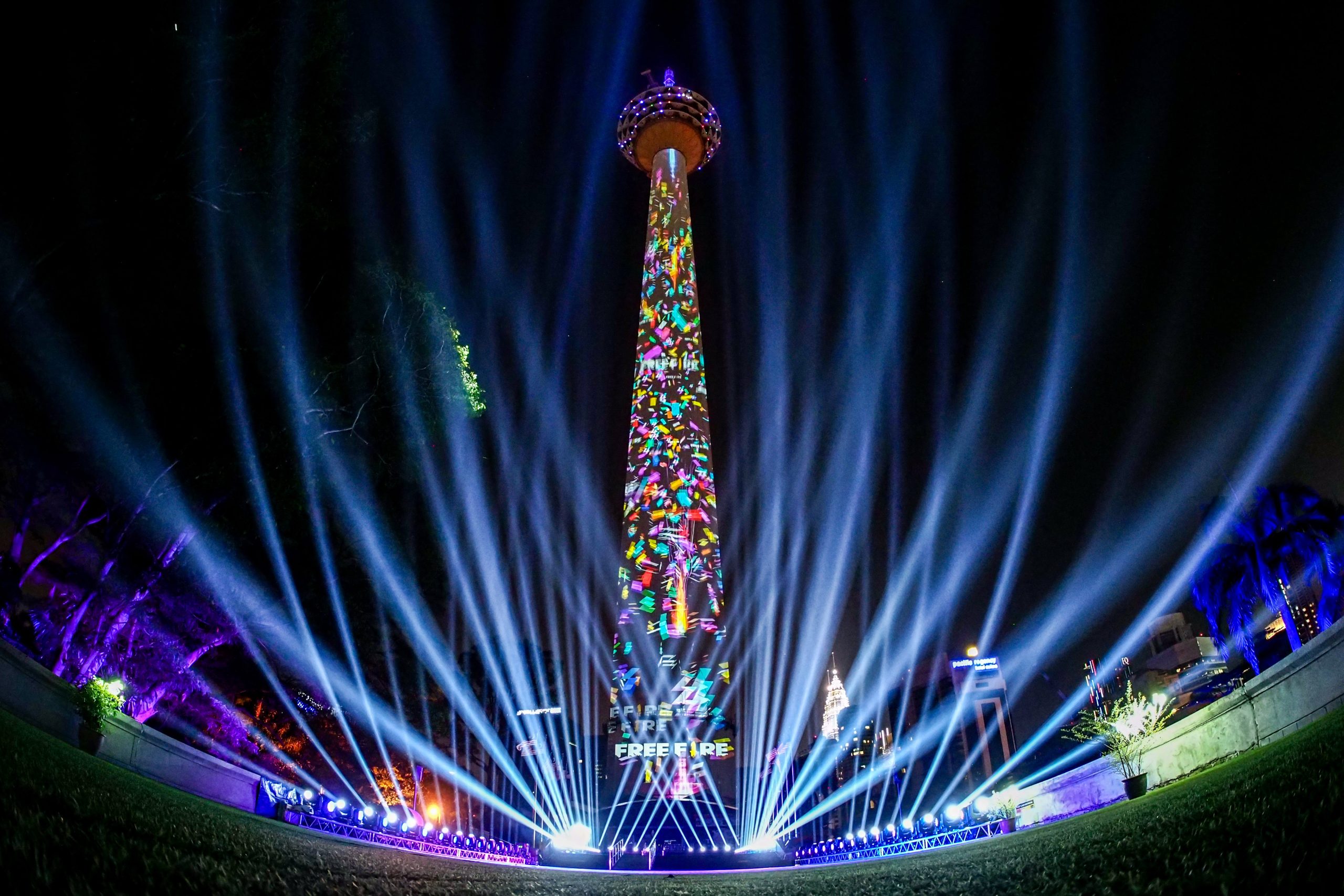
Delivering Projection Mapping successfully requires the integration of creative planning and technical production.
With more than 45 years of experience in event production and technology, DOREMi provides Projection Mapping solutions as part of a wider event technology ecosystem.
The approach can involve site assessment, projection system planning, equipment deployment, visual integration, technical testing and on-site event support.
With access to a broad range of in-house event technology and experienced technical professionals, Projection Mapping can be integrated with other production requirements such as LED Screens, sound systems, stage structures and event lighting.
The objective is straightforward: create a technically reliable visual experience that supports the event’s creative direction.
Planning a Projection Mapping experience for your next event? Speak with the DOREMi event technology team to discuss the venue, creative concept and technical requirements.
Frequently Asked Questions About Projection Mapping
What is Projection Mapping?
Projection Mapping is a visual technology that projects digitally created content onto physical objects, architectural structures or three-dimensional surfaces. The content is digitally adjusted to match the geometry of the target surface.
What is the difference between Projection Mapping and normal projection?
Normal projection generally displays content on a flat rectangular screen. Projection Mapping adapts the content to a physical structure, allowing the environment itself to become part of the visual display.
Does Projection Mapping require a special projector?
Projection Mapping does not necessarily require a unique type of projector, but professional projects often require high-brightness projectors with appropriate lenses, resolution and installation flexibility based on the venue.
Can Projection Mapping be used outdoors?
Yes. Outdoor Projection Mapping is possible, but it requires careful consideration of ambient light, weather, projector placement, power, protection, surface conditions and audience viewing distance.
Can Projection Mapping work with an LED Screen?
Yes. Projection Mapping and LED Screens can be used together. An LED Screen can provide bright primary content while Projection Mapping extends visual content onto surrounding physical structures.
How many projectors are needed?
There is no fixed number. The number depends on the size and geometry of the projection surface, projector brightness, throw distance, required image quality and desired coverage.
How long does Projection Mapping setup take?
Setup time depends on the size and complexity of the installation. Larger projects involving multiple projectors, complex mapping and extensive content generally require more installation, calibration and rehearsal time.
Is Projection Mapping suitable for corporate events?
Yes. Projection Mapping can be particularly effective for product launches, gala dinners, conferences, annual dinners, award ceremonies, corporate celebrations and immersive brand experiences.
Final Thoughts
Projection Mapping has evolved from a specialist visual technique into a powerful tool for modern event production.
Its greatest strength is not simply the ability to display high-resolution content.
It is the ability to change the perceived appearance of a physical environment.
A building can become a canvas.
A stage can become a moving landscape.
A product can become the centre of a visual story.
An ordinary venue can become an immersive environment.
But achieving that effect requires engineering behind the scenes.
Projector brightness, lens selection, throw distance, geometry, image warping, edge blending, content production, signal distribution, ambient lighting and system reliability all contribute to the final result.
That is why Projection Mapping should be planned as an integrated event technology solution rather than simply an audiovisual add-on.
When the creative concept, venue and technical system are properly aligned, Projection Mapping can transform not only what an audience sees—but how they experience the entire event.
Further Reading
For more information about DOREMi’s Projection Mapping solutions and event applications, visit the DOREMi Projection Mapping service page.
For additional technical insights into how Projection Mapping works and how to plan a Projection Mapping project, read HeavyM’s guide to Projection Mapping.
Planning a Projection Mapping Experience?
Planning a product launch, corporate event, gala, concert or large-scale production that requires an immersive visual experience?
DOREMi can develop a Projection Mapping solution covering projection systems, visual content integration, staging, lighting, AV systems and technical operations according to the requirements of the venue and event.
Speak with DOREMi’s event technology specialists to explore how Projection Mapping can transform your event space and bring your creative vision to life.