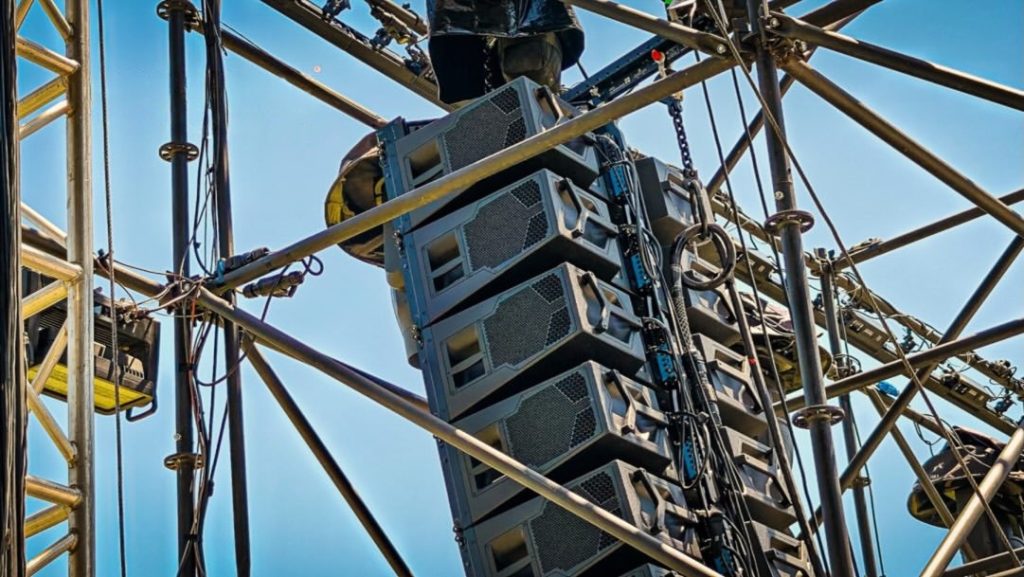
When an outdoor event looks effortless, the audience rarely thinks about what is happening behind the scenes.
The LED wall is bright.
The sound system stays clear.
The lighting runs continuously.
The presentation switches smoothly.
The cameras keep recording.
But behind that seamless experience, high-end AV equipment may be operating for hours in conditions that would make most people look for air conditioning immediately.
In Malaysia, an outdoor production can mean 35°C heat, high relative humidity, direct sunlight, enclosed equipment racks, long operating hours and sudden weather changes—all at the same event.
For professional event production, this is more than a comfort issue.
It is an equipment reliability issue.
Amplifiers generate heat. LED displays generate heat. Lighting fixtures generate heat. Media servers, video processors, networking equipment and control systems all produce heat while operating. When that internally generated heat combines with a hot external environment, equipment can approach its thermal limits much faster.
Humidity adds another layer of risk.
High humidity can contribute to condensation, corrosion and electrical problems, particularly when equipment experiences rapid temperature changes between hot outdoor environments and air-conditioned indoor spaces.
That is why thermal management, humidity control and environmental protection should be considered part of AV system design—not an afterthought.
Why 35°C Is a Serious Operating Environment for AV Equipment
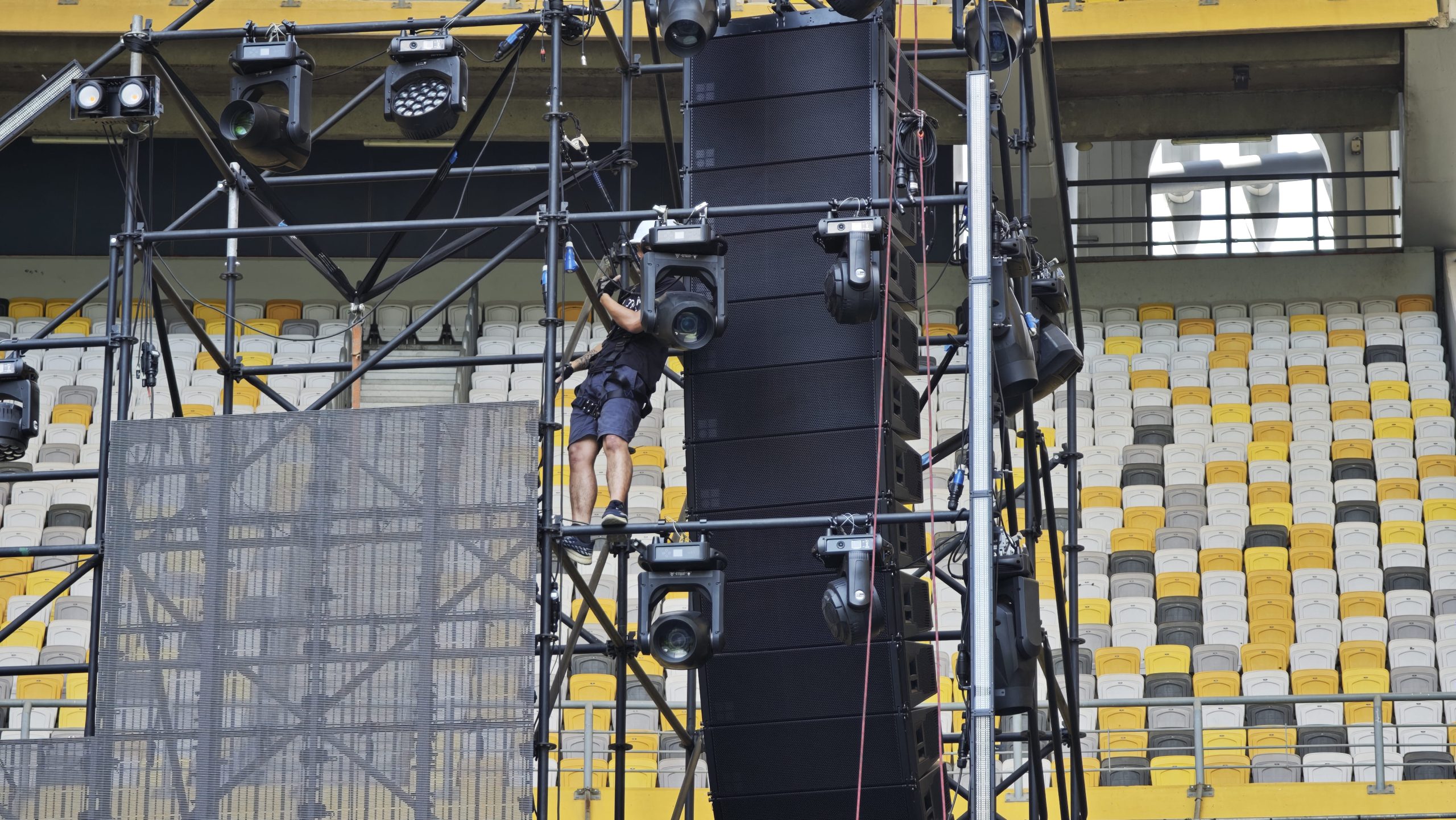
A 35°C ambient temperature may not sound extreme in Malaysia. For electronics, however, it can significantly reduce the available thermal headroom.
Think about an amplifier installed inside a rack.
The surrounding air might already be 35°C.
The amplifier itself generates additional heat while converting electrical energy into acoustic output.
If the rack is enclosed, the internal air temperature can rise above ambient.
If the rack is positioned in direct sunlight, the equipment enclosure can become even hotter.
If several amplifiers are stacked together, the heat load increases again.
The same principle applies to LED video walls, lighting fixtures and processing equipment.
This is why manufacturers specify operating conditions rather than simply saying that a product can “work outdoors.”
For example, the current d&b audiotechnik 25D amplifier documentation specifies continuous operating temperatures from -10°C to +40°C, with short-term operation up to +50°C, and relative humidity below 70% non-condensing. It also incorporates temperature-dependent fan control and self-resetting overtemperature protection.
At 35°C, that amplifier may still be within its specified continuous temperature range—but the available margin is much smaller than it would be in a 20°C indoor room.
This is the concept event engineers need to understand: thermal headroom.
Heat Does Not Come Only From the Weather
One of the most common mistakes when planning outdoor AV is to consider only the outdoor temperature.
The actual thermal environment is the combination of ambient heat + solar radiation + equipment-generated heat + enclosure conditions + airflow.
A simplified way to think about it is:
Total thermal stress = environmental heat + internal heat generation + restricted heat dissipation
Each part matters.
Environmental heat
This is the temperature of the surrounding air.
Solar radiation
Direct sunlight can heat equipment surfaces substantially beyond the surrounding air temperature.
Internal heat generation
Amplifiers, power supplies, LED modules, processors and lighting fixtures generate heat during operation.
Restricted airflow
A sealed or tightly packed rack can trap warm air.
Equipment density
The more high-power equipment placed into a confined area, the more difficult heat removal becomes.
That means a 35°C outdoor event with equipment sitting under a properly ventilated shaded structure can be very different from a 35°C event where racks are sitting inside an enclosed black road case under direct afternoon sunlight.
Why Humidity Makes the Problem More Complicated
Temperature is only half of the equation.
Malaysia’s tropical environment also brings high humidity.
Relative humidity, expressed as %RH, describes how much moisture is present in the air relative to the maximum amount the air can hold at that temperature.
The important issue for AV equipment is not simply that humidity is “high.”
It is the interaction between humidity, temperature and condensation.
A piece of equipment can be perfectly dry while operating in warm humid air.
The bigger risk can occur when its temperature changes rapidly.
For example:
Hot outdoor environment → air-conditioned room → cold equipment surface
If the equipment surface falls below the surrounding air’s dew point, moisture can condense on surfaces.
That is why equipment manufacturers often specify non-condensing humidity rather than simply giving a broad humidity percentage.
The d&b 25D, for example, specifies relative humidity below 70% under non-condensing conditions.
The distinction is important:
Humidity tolerance does not mean condensation tolerance.
What Is Thermal Protection?
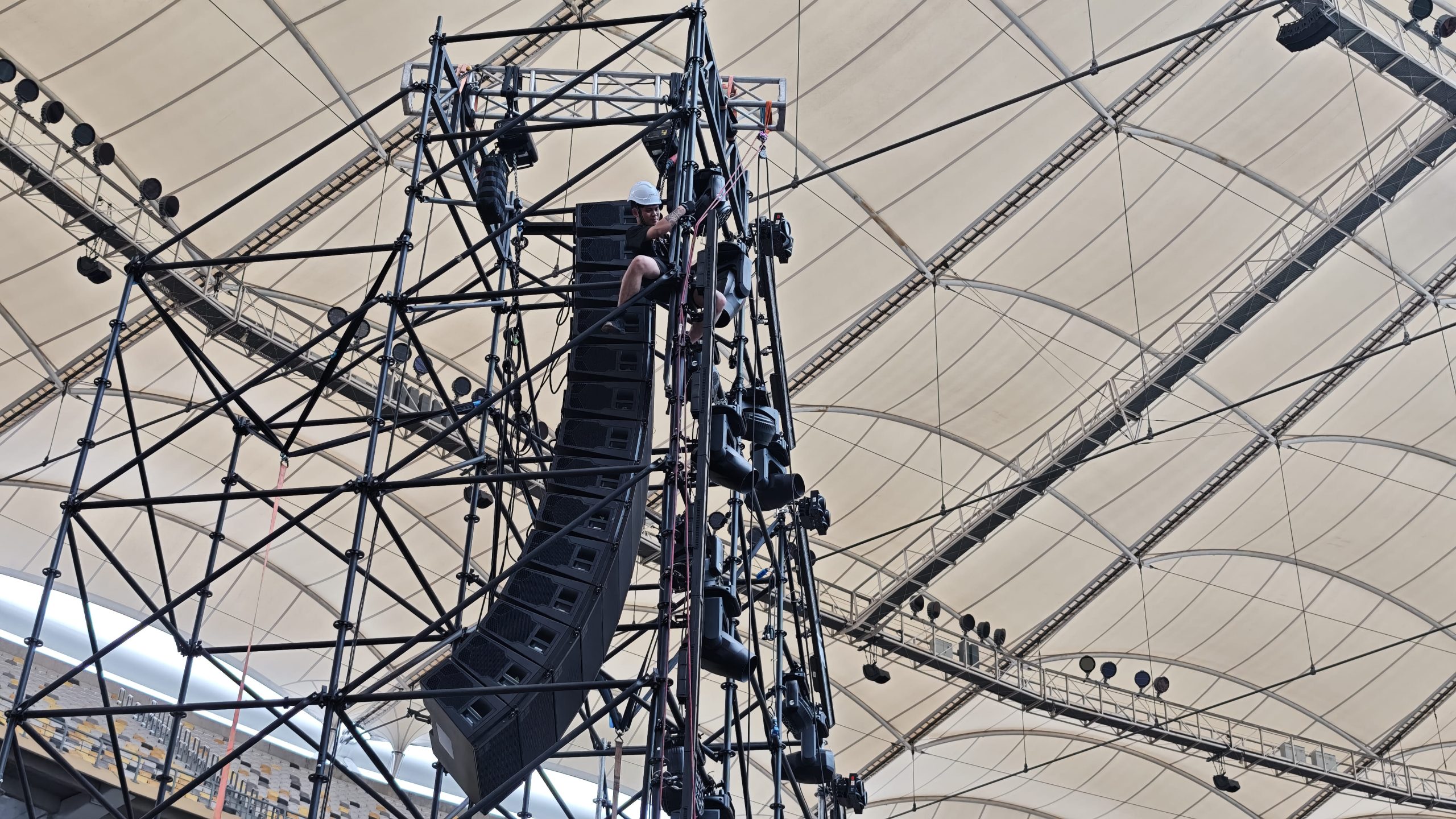
Thermal protection refers to the combination of hardware, software and operational measures used to prevent equipment from exceeding safe temperature limits.
Modern professional AV equipment may incorporate several layers of protection.
These can include:
- Temperature sensors
- Variable-speed fans
- Thermal monitoring
- Automatic power reduction
- Overtemperature warnings
- Automatic shutdown
- Protection circuits
- Internal airflow management
- Heat sinks
- Thermal interfaces
- Environmental monitoring
The exact protection system depends on the equipment.
For example, the d&b 25D amplifier includes temperature-dependent fan control and self-resetting overtemperature protection.
This does not mean technicians should allow equipment to run at its thermal limits.
Protection circuits are the safety net—not the cooling strategy.
A professional production should be designed so that thermal protection rarely needs to intervene.
1. Start With Equipment Specifications
The first rule of thermal management is simple:
Read the manufacturer’s specifications.
Do not assume every amplifier, LED panel, projector, media server or lighting fixture has the same environmental tolerance.
Two products that look similar may have very different operating limits.
Check:
- Operating temperature
- Storage temperature
- Relative humidity
- Condensation requirements
- IP rating, if applicable
- Cooling requirements
- Airflow direction
- Required clearance
- Maximum operating altitude
- Installation orientation
- Continuous versus short-term temperature limits
For example, d&b’s loudspeaker guidance recommends operation between 0°C and 40°C with humidity not exceeding 95% RH, while warning that temperatures above 40°C increase the risk of overheating electrical components. It also notes that humidity and temperature fluctuations can affect durability.
That illustrates why specifications should be checked model by model.
There is no universal “AV equipment temperature limit.”
2. Never Confuse IP Rating With Thermal Protection
IP ratings are extremely useful for outdoor events, but they are often misunderstood.
An Ingress Protection (IP) rating indicates protection against ingress of solids and liquids under defined test conditions.
For example, an IP-rated fixture may have protection against dust and water.
But an IP rating does not automatically tell you:
- How hot the equipment can operate
- How much airflow it needs
- Whether it can operate continuously in direct sunlight
- Whether its internal components are protected from condensation
- Whether its performance changes at high temperature
In other words:
Weather resistance and thermal management are different engineering considerations.
DOREMi’s own guidance on outdoor event production similarly emphasises the importance of weather-resistant equipment alongside proper environmental and structural planning for Malaysian outdoor events.
An outdoor-rated LED fixture still needs appropriate installation.
An IP-rated enclosure can still overheat.
A weatherproof connector can still be exposed to an unsuitable temperature.
Good outdoor production considers all of these factors together.
3. Keep High-Power Equipment Out of Direct Sunlight
One of the simplest thermal-management strategies is also one of the most effective:
Create shade.
Direct sunlight can significantly increase the thermal load on equipment.
This is particularly important for:
- LED walls
- Projectors
- Media servers
- Video processors
- Amplifier racks
- Lighting fixtures
- Control consoles
- Networking equipment
A technical control area should ideally be positioned away from direct solar exposure and designed with appropriate ventilation or air conditioning.
This is especially important during afternoon setup.
An equipment rack that survives a 10-minute test in the morning may face completely different conditions when the event begins at 2 PM.
Practical solutions include:
- Technical tents
- Shaded FOH positions
- Reflective covers where appropriate
- Sunshades
- Ventilated rack enclosures
- Air-conditioned control rooms
- Strategic equipment placement
- Avoiding unnecessary exposure of black equipment cases to direct sun
However, covers must never block the equipment’s required airflow.
Shade should reduce heat—not trap it.
4. Design the Rack for Airflow
A common problem in event production is treating a rack like a storage box.
It is not.
A rack containing multiple amplifiers, processors, switches and power equipment is effectively a thermal system.
Air needs to move through it.
If equipment is stacked too tightly or ventilation openings are blocked, hot air can accumulate.
Depending on the equipment design, cooling may rely on:
- Front-to-back airflow
- Side-to-side airflow
- Internal fans
- Top exhaust
- Bottom intake
- External rack ventilation
The correct approach depends on the manufacturer’s design.
Never assume that adding an extra fan anywhere in the rack automatically improves cooling.
The objective is to create a controlled airflow path.
Ideally:
Cooler air enters → passes through heat-generating equipment → warmer air exits
rather than:
Hot air circulates inside the same enclosed space.
5. Don’t Stack Heat Sources Without a Plan
Consider an amplifier rack containing several high-power amplifiers.
Every amplifier contributes to the total heat load.
If several units are operating at high output simultaneously, the rack’s internal temperature can rise quickly.
The same applies to equipment racks containing:
- Video processors
- Network switches
- Media servers
- Signal converters
- Power supplies
- UPS equipment
- Control computers
A good system design considers the total thermal load.
For high-power audio systems, this is especially important.
A d&b 25D amplifier, for example, can deliver up to 4 × 1,800 W into 4 Ω while its power supply and internal electronics still require thermal management. The manufacturer specifies temperature-dependent cooling and thermal protection as part of the amplifier’s design.
The lesson is not that an amplifier will necessarily overheat at 35°C.
The lesson is that high-power equipment generates its own heat, so ambient temperature cannot be considered in isolation.
6. Monitor Temperature Instead of Guessing
One of the biggest improvements in modern event production is the ability to monitor equipment status in real time.
Where supported, production teams can monitor:
- Amplifier temperature
- Processor temperature
- Rack temperature
- Network status
- Equipment load
- Fan operation
- Error states
- LED system status
- Environmental conditions
This changes thermal management from a reactive process into a proactive one.
Instead of waiting for an amplifier to shut down, technicians can identify rising temperatures and investigate the cause.
For example:
Rack temperature rises → airflow is checked → blocked intake is discovered → equipment is repositioned → temperature stabilises
That is much better than discovering the problem when the PA suddenly goes silent.
DOREMi’s technical breakdown of Music Run 2026 describes the use of R1 V3 for system control and monitoring, allowing engineers to manage amplifier loads, make real-time EQ adjustments and continuously monitor system health.
Although monitoring a sound system is broader than thermal monitoring alone, the principle is the same:
visibility gives technicians more time to respond before a problem becomes a failure.
7. Manage Power to Manage Heat
Power management and thermal management are closely connected.
More electrical power consumed generally means more heat that ultimately has to be dealt with somewhere in the system.
This does not mean reducing power simply for the sake of cooling.
It means designing the system efficiently.
Examples include:
- Correctly sizing equipment
- Avoiding unnecessary overcapacity
- Balancing electrical loads
- Using efficient modern equipment
- Avoiding overloaded circuits
- Maintaining proper power distribution
- Monitoring high-demand equipment
- Planning generator capacity appropriately
Modern amplifiers can be highly efficient, but efficiency does not mean zero heat.
A professional event engineer still needs to calculate power requirements and consider the resulting thermal load.
8. LED Walls Need Special Attention
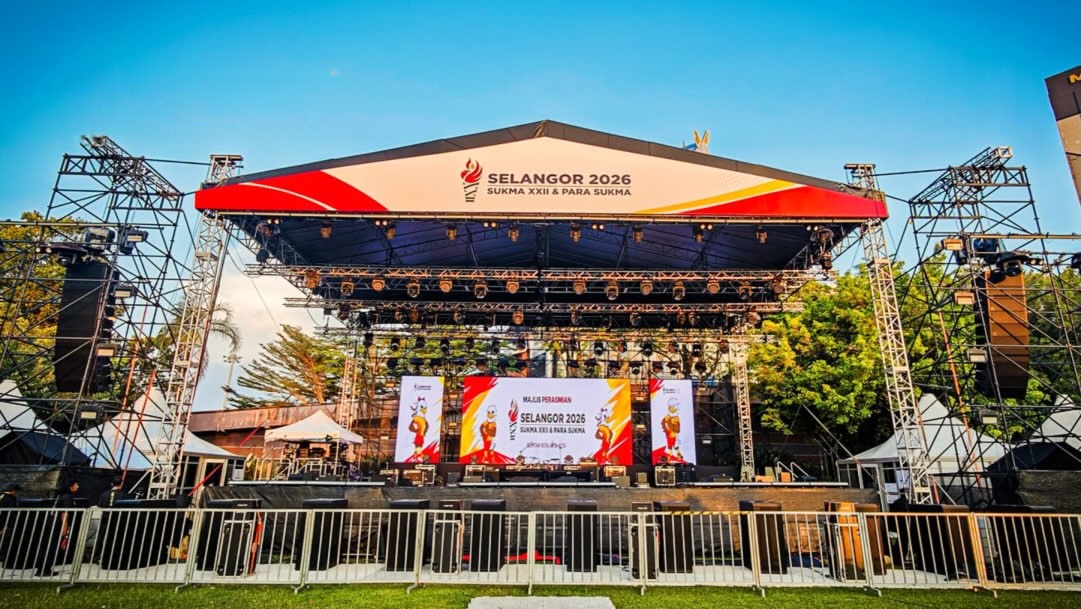
Large LED screens are among the most visually important pieces of modern event technology—and among the most exposed.
An outdoor LED wall may experience:
Sunlight + high ambient temperature + thousands of LEDs + power supplies + receiving cards + long operating hours
This can create significant heat.
Direct sunlight is particularly important.
An LED wall operating under bright afternoon sun is not in the same thermal environment as an LED wall operating after sunset.
Outdoor LED systems therefore need appropriate:
- Cabinet design
- Ventilation
- Heat dissipation
- Power management
- Environmental protection
- Brightness management
- Installation clearance
Brightness itself can also influence power consumption and thermal output.
The goal should not automatically be to run the screen at maximum brightness all day.
Instead, brightness should be matched to the viewing environment.
A screen does not necessarily need the same output at 10 AM, 2 PM and 9 PM.
9. Lighting Fixtures Can Become Heat Sources
LED lighting is considerably more energy-efficient than many traditional light sources, but that does not mean stage fixtures produce no heat.
High-output moving heads, profile fixtures, strobes and other lighting equipment still need to dissipate heat.
This becomes more challenging when fixtures are installed close together on trusses or in enclosed spaces.
Lighting designers and technicians should therefore consider:
- Fixture spacing
- Airflow
- Manufacturer temperature limits
- Sun exposure
- Operating duration
- Fixture orientation
- Ventilation
- Weather protection
A fixture that operates perfectly during a short rehearsal may experience more thermal stress after several hours of continuous operation.
Show duration matters.
10. Humidity Can Affect Equipment Even When It Isn’t Raining
Outdoor event planners often think about rain.
They should also think about moisture in the air.
High humidity can contribute to:
- Corrosion
- Oxidation
- Material degradation
- Connector problems
- Condensation
- Reduced insulation performance under certain conditions
- Long-term reliability issues
The most dangerous moment may not be during the event itself.
It can happen when equipment moves between environments.
Imagine:
35°C / high humidity outdoors → 20°C air-conditioned storage room
If equipment is cooled quickly enough, surfaces can fall below the dew point and moisture may form.
This is why equipment should not simply be moved from a hot humid environment into cold air conditioning and immediately powered up without considering condensation.
The exact procedure should follow the manufacturer’s instructions.
11. Temperature Changes Can Be Worse Than Stable Heat
This is a surprisingly important point.
d&b’s loudspeaker technical guidance notes that consistently high or low temperatures and humidity can be less problematic than frequent and drastic changes, particularly because humidity fluctuations can affect cabinet materials, coatings and adhesives.
That means an event production team should consider not only:
“How hot is the venue?”
but also:
“How rapidly is the equipment moving between different environments?”
This is particularly relevant to touring equipment.
Gear may travel from:
- Air-conditioned warehouses
- Trucks
- Outdoor loading areas
- Backstage tents
- Air-conditioned venues
- Hot outdoor stages
Every transition can expose the equipment to a different thermal and humidity environment.
12. Plan the Equipment Arrival Time
Thermal management starts before the equipment is switched on.
Equipment should have sufficient time to acclimatise when moving between significantly different environments, where manufacturer guidance requires it.
This is particularly relevant for:
- Projectors
- Cameras
- LED processors
- Media servers
- Control computers
- Digital consoles
- Sensitive electronics
The production schedule should therefore allow time for:
Unload → position → acclimatise if required → inspect → connect → power up → test → monitor
Trying to compress this process into the final 20 minutes before doors open is a recipe for unnecessary risk.
13. Don’t Forget the Control Room
People often protect the stage equipment but overlook the equipment controlling the show.
The control position may contain:
- Digital mixing consoles
- Lighting consoles
- Media servers
- Video switchers
- Playback computers
- Network switches
- Intercom systems
- Wireless systems
- UPS units
- Monitoring screens
This equipment can be extremely sensitive to heat.
A control tent under the afternoon sun can become a thermal trap.
For critical productions, an appropriately cooled and shaded control environment can be one of the most valuable investments in the entire technical setup.
The audience may never see the control position.
But if the media server crashes during the keynote presentation, they will certainly notice.
- Build Redundancy Around Critical Systems
Thermal management reduces the probability of failure.
Redundancy reduces the consequences when something does fail.
For critical events, consider backup systems for:
- Playback
- Video processing
- Network connections
- Control computers
- Signal paths
- Power
- Communications
- Critical audio channels
The exact level of redundancy depends on the event.
A small product launch does not necessarily require the same backup architecture as a national broadcast.
But for high-value events, the question should always be:
“What happens if this device stops working?”
If the answer is “the entire show stops,” that system deserves additional attention.
15. Use Preventive Maintenance Before the Event
Thermal problems often reveal existing equipment problems.
Dust accumulation can restrict airflow.
Blocked filters can reduce cooling efficiency.
A failing fan can compromise thermal performance.
Loose connections can create additional electrical stress.
A professional maintenance programme should therefore include inspection and cleaning before major productions.
Check:
- Fans
- Filters
- Air vents
- Connectors
- Power supplies
- Rack ventilation
- Cable routing
- Equipment condition
- Error logs
- Firmware where relevant
- Environmental seals
High-end equipment is an investment.
Preventive maintenance protects that investment.
16. What Should Event Organisers Ask Their AV Supplier?
You don’t need to be an engineer to ask good thermal-management questions.
If you’re planning an outdoor event in Malaysia, ask your AV production company:
Is the equipment rated for the expected environment?
Don’t assume outdoor equipment is automatically suitable.
What are the operating temperature and humidity limits?
Ask for the manufacturer’s specifications for critical equipment.
How will the equipment be shaded?
Especially for LED walls, control areas and amplifier racks.
How will the racks be ventilated?
Ask where hot air exits and cool air enters.
How will temperature be monitored?
For major productions, real-time monitoring can provide valuable early warning.
What is the rain contingency?
Weather protection needs to cover more than the equipment itself.
What happens if a critical device overheats?
A professional team should have a response procedure.
What equipment has backup?
The answer will depend on the criticality of the system.
These questions can help distinguish between simply renting equipment and properly engineering an AV production.
Thermal Protection Is Also About Sustainability
There is another reason to take thermal management seriously: equipment longevity.
Replacing equipment prematurely creates additional costs and environmental impact.
If proper cooling, maintenance and operating practices extend the usable life of professional equipment, that can support more sustainable production practices.
Efficient equipment can also reduce power consumption.
DOREMi’s technical documentation for Music Run 2026 highlights efficiency as part of its system design approach, noting that modern line-array technology allowed broad coverage with fewer components, reducing power consumption and logistical demands.
Thermal efficiency and energy efficiency are not identical concepts, but they often intersect.
Less unnecessary power consumption can mean less waste heat.
Less waste heat can make cooling easier.
Better equipment utilisation can reduce unnecessary equipment movement and deployment.
Good engineering often improves both reliability and efficiency.
A Practical 35°C Outdoor AV Checklist
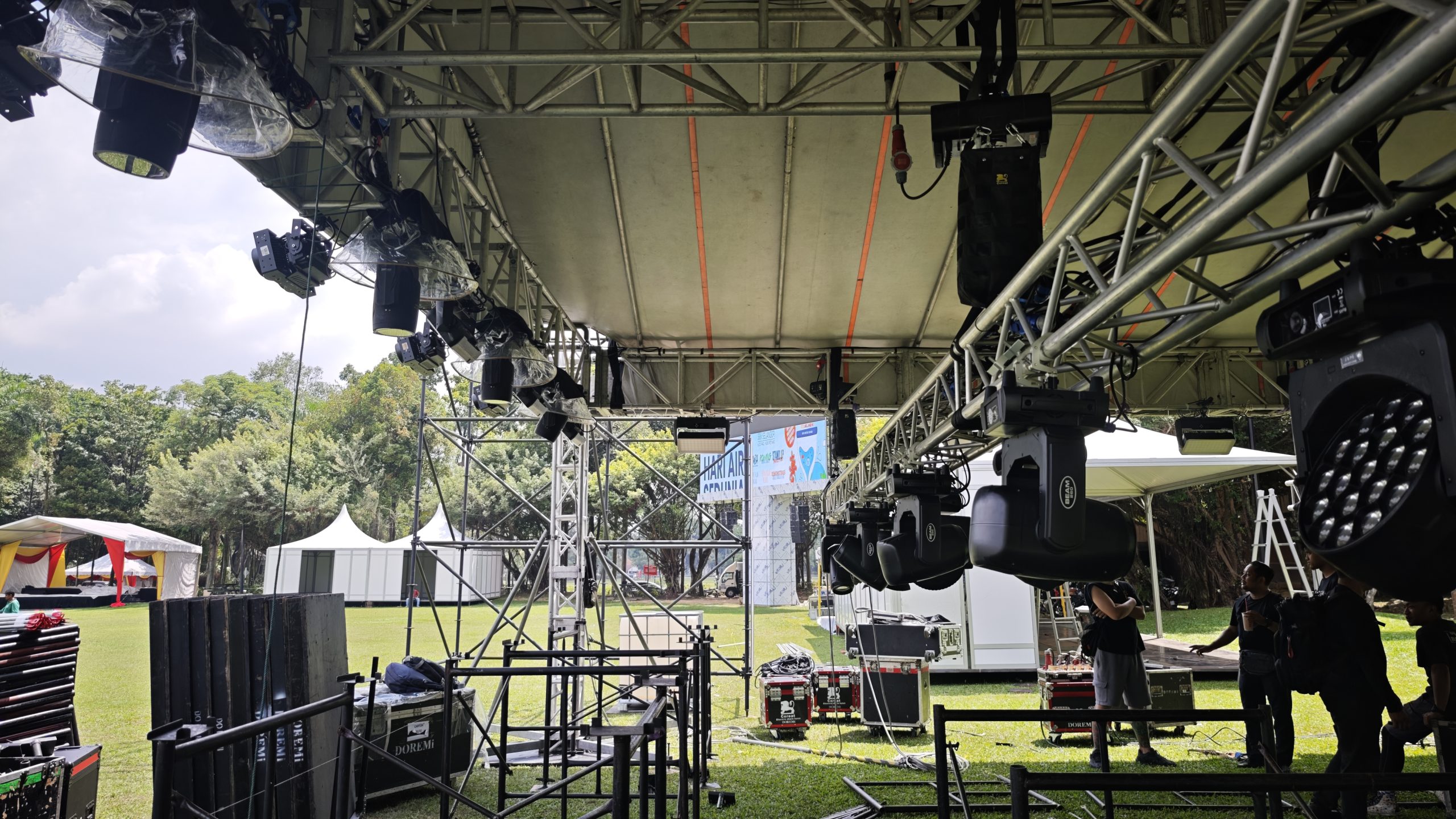
Before an outdoor production begins, technical teams should consider:
- Confirm manufacturer operating temperature limits
- Confirm relative humidity and condensation requirements
- Check whether equipment is suitable for outdoor use
- Verify IP ratings where applicable
- Shade LED walls and critical electronics from direct sunlight
- Provide appropriate rack ventilation
- Keep equipment airflow paths clear
- Avoid trapping hot air inside cases or tents
- Monitor temperatures on critical equipment
- Inspect fans and filters
- Plan power distribution correctly
- Keep electrical equipment protected from water
- Prepare a weather contingency plan
- Allow equipment to acclimatise when required
- Check critical backup systems
- Brief technicians on thermal warning procedures
- Perform a full technical rehearsal under realistic conditions
The exact procedure should always be adapted to the equipment manufacturer’s requirements and the venue.
The Bottom Line: Heat Management Is Part of Event Production
At 35°C and high humidity, professional AV equipment is working in a demanding environment.
But the solution isn’t simply to “buy better equipment.”
The solution is better engineering.
That means selecting equipment according to its specifications, designing airflow correctly, protecting systems from direct sunlight, controlling humidity and condensation risks, monitoring critical equipment, managing power loads, maintaining hardware and preparing contingency plans.
Thermal protection built into an amplifier or LED processor is valuable.
But it should be the final layer of defence—not the first line of strategy.
The best production is one where equipment never reaches the point where thermal protection has to save the show.
The Coolest Part of a Great Event Is What Nobody Notices
When an audience walks into a professionally produced event, they should notice the experience—not the temperature of the amplifier rack behind the stage.
They should see a bright LED wall.
Hear clean, powerful sound.
Watch lighting cues happen precisely.
Experience smooth presentations.
And never think about the thousands of electronic components working behind the scenes.
That reliability does not happen by accident.
It comes from thermal management, environmental planning, equipment selection, monitoring, maintenance and experienced technical execution.
In Malaysia’s tropical climate, where outdoor events regularly face heat, humidity and unpredictable weather, these considerations are not optional extras.
They are part of professional AV production.
From outdoor concerts and sporting events to corporate launches, festivals, exhibitions and large-scale public activations, the technical team needs to plan for the environment just as carefully as it plans for the audience.Because high-end AV equipment may be built to perform under demanding conditions—but good engineering makes sure it doesn’t have to fight those conditions alone.
For event organisers planning productions in Malaysia, DOREMi Events brings together sound, lighting, LED displays, staging and technical production with the environmental realities of outdoor events in mind. Its published event work and technical resources demonstrate an emphasis on system design, monitoring and execution rather than simply supplying equipment. When the climate is hot, the planning has to be even smarter.
Further Reading
For more practical insights into protecting audio equipment in hot and humid conditions, explore Audio Gear Maintenance in Hot Weather.
Looking for Reliable AV Solutions for Your Next Event?
Whether you’re organising a corporate conference, exhibition, product launch, concert or hybrid event, reliable audio visual technology is essential to keeping every presentation, visual and live moment running seamlessly.
From professional sound systems and LED displays to video systems, lighting and event technology, DOREMi’s technical specialists develop integrated AV solutions tailored to each venue and production requirement—delivering reliable performance, technical precision and a seamless event experience from setup to showtime.