An event can have an excellent venue, strong speakers, impressive content and a well-planned programme—and still fail to deliver the intended experience if its audio visual equipment rental and technical support are not properly planned.
Audio visual systems are often treated as equipment that can simply be delivered, connected and switched on. In reality, professional event AV involves system design, signal distribution, equipment compatibility, acoustics, display technology, power management, technical operation, testing and contingency planning.
For a small meeting, a basic display and microphone may be sufficient. But as an event becomes larger, more complex or more dependent on technology, the margin for technical failure becomes much smaller.
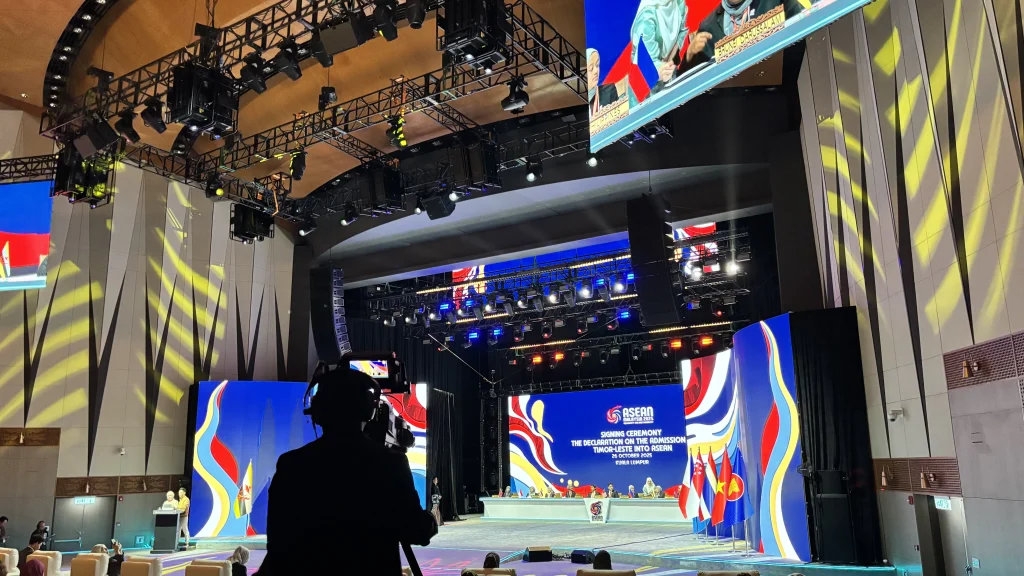
A conference with multiple presenters may require several presentation sources, confidence monitors, wireless microphones, video switching and live camera feeds. A product launch may require synchronised lighting, sound, LED displays and show-control cues. A large corporate event may require multiple rooms, distributed audio, video transmission and technical crew.
This is where professional audio visual equipment rental and technical AV support become increasingly important.
The following five signs can help event organisers identify when an event has reached the point where professional AV planning and support should be considered—before technical problems appear on show day.
What Does Professional AV Support Actually Include?
Before looking at the warning signs, it is important to understand what professional AV support means.
AV support is not simply having someone available to operate a projector or microphone.
A professional AV operation can cover the complete technical lifecycle of an event, including:
- Event requirements analysis
- AV system design
- Equipment selection
- Audio system configuration
- Display and LED screen planning
- Microphone and wireless frequency coordination
- Video switching
- Signal distribution
- Presentation management
- Stage monitoring
- Lighting integration
- Power requirements
- Cable management
- System testing
- Technical rehearsal
- On-site operation
- Troubleshooting
- Backup planning
The exact requirements vary depending on the event.
The important principle is that equipment should be selected based on the event’s technical requirements—not the other way around.
A professional audio visual equipment rental provider should therefore look beyond individual equipment items and consider how the complete system will operate together.
Sign 1: Your Event Has Multiple AV Systems That Need to Work Together
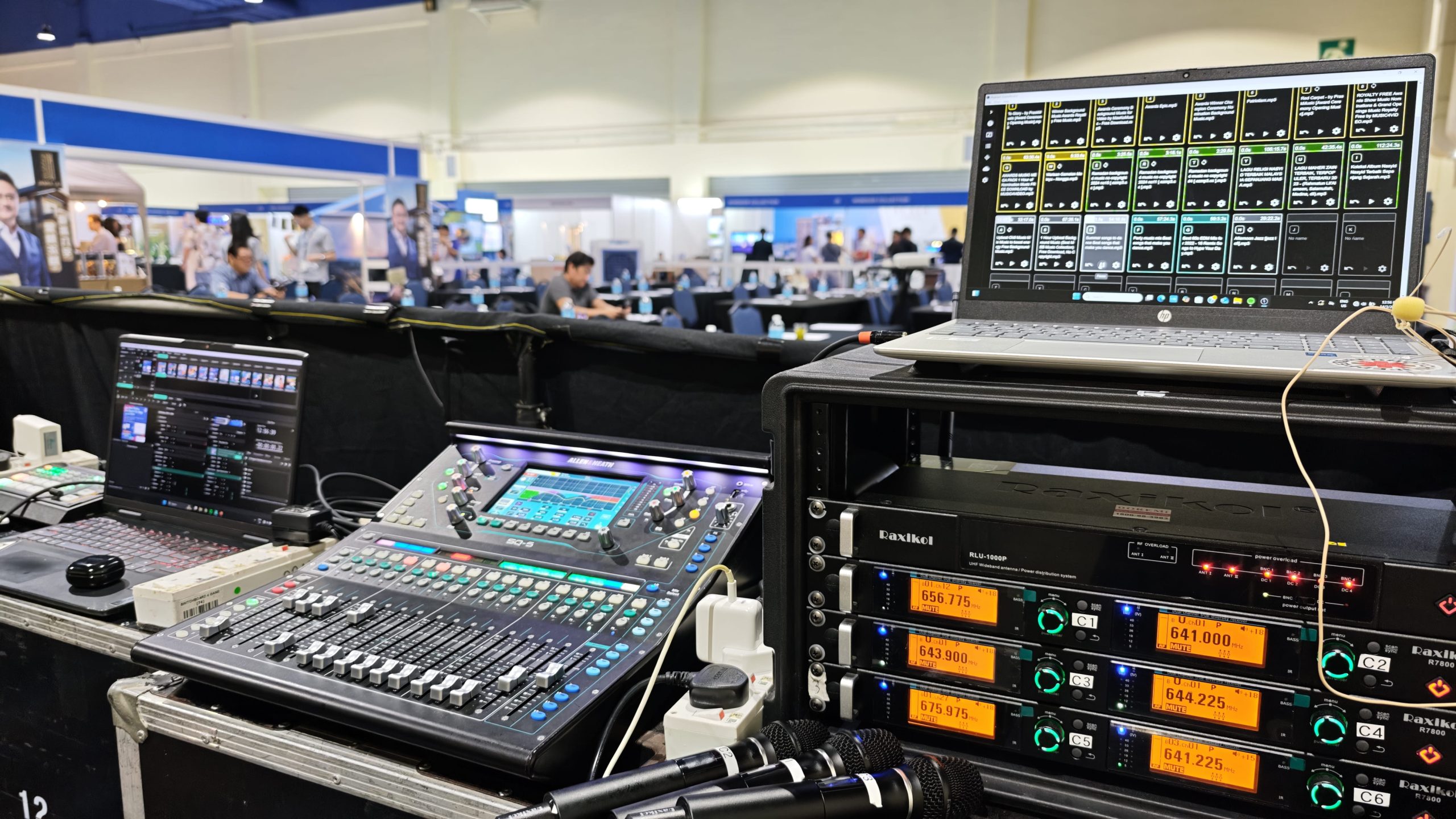
One of the clearest signs that professional AV support is required is when an event involves multiple technologies.
A simple event might only require:
Laptop → Projector → Speaker
A larger production could involve:
Presentation Laptop → Video Switcher → Processor → LED Screen
while simultaneously operating:
Wireless Microphones → Digital Mixing Console → DSP → Amplifiers → Loudspeakers
and:
Cameras → Camera Control → Video Switcher → LED Screen / Recording / Streaming
These systems are interconnected.
A problem in one part of the signal chain can affect another.
For example, a presentation may be visible on the confidence monitor but fail to appear on the main LED Screen because of a switching, processing or signal-routing issue.
Similarly, audio may reach the mixing console but not the loudspeaker system because of an incorrect routing configuration.
Professional AV planning addresses these dependencies before the audience enters the room.
Signal Flow Is More Important Than Individual Equipment
Event organisers sometimes focus on equipment lists:
- One LED Screen
- Four microphones
- Two speakers
- Two laptops
- One camera
But an equipment list does not explain how those components communicate.
A professional AV system is designed around signal flow.
For video, this could involve:
Source → Switcher → Scaler/Processor → Distribution → Display
For audio:
Microphone → Digital Mixing Console → DSP → Amplifier → Loudspeaker
Each stage introduces potential points of failure.
Professional audio visual equipment rental therefore involves more than supplying equipment. The system must be configured, tested and operated as an integrated production environment.
Sign 2: Your Event Depends on Presentations, Videos or Live Content
If your event relies heavily on visual content, professional AV support becomes increasingly important.
Consider a corporate conference with:
- 10 speakers
- Multiple presentation laptops
- Corporate videos
- PowerPoint presentations
- Live camera feeds
- Sponsor graphics
- Remote presenters
- Stage confidence monitors
- Main LED Screens
The technical complexity increases quickly.
Different presenters may use different laptops, operating systems, aspect ratios and output resolutions.
One presentation may be 16:9.
Another may contain embedded video.
Another may require audio playback.
A remote speaker may introduce an additional video-conferencing signal.
Without proper preparation, these differences can create problems during transitions.
Resolution and Aspect Ratio Matter
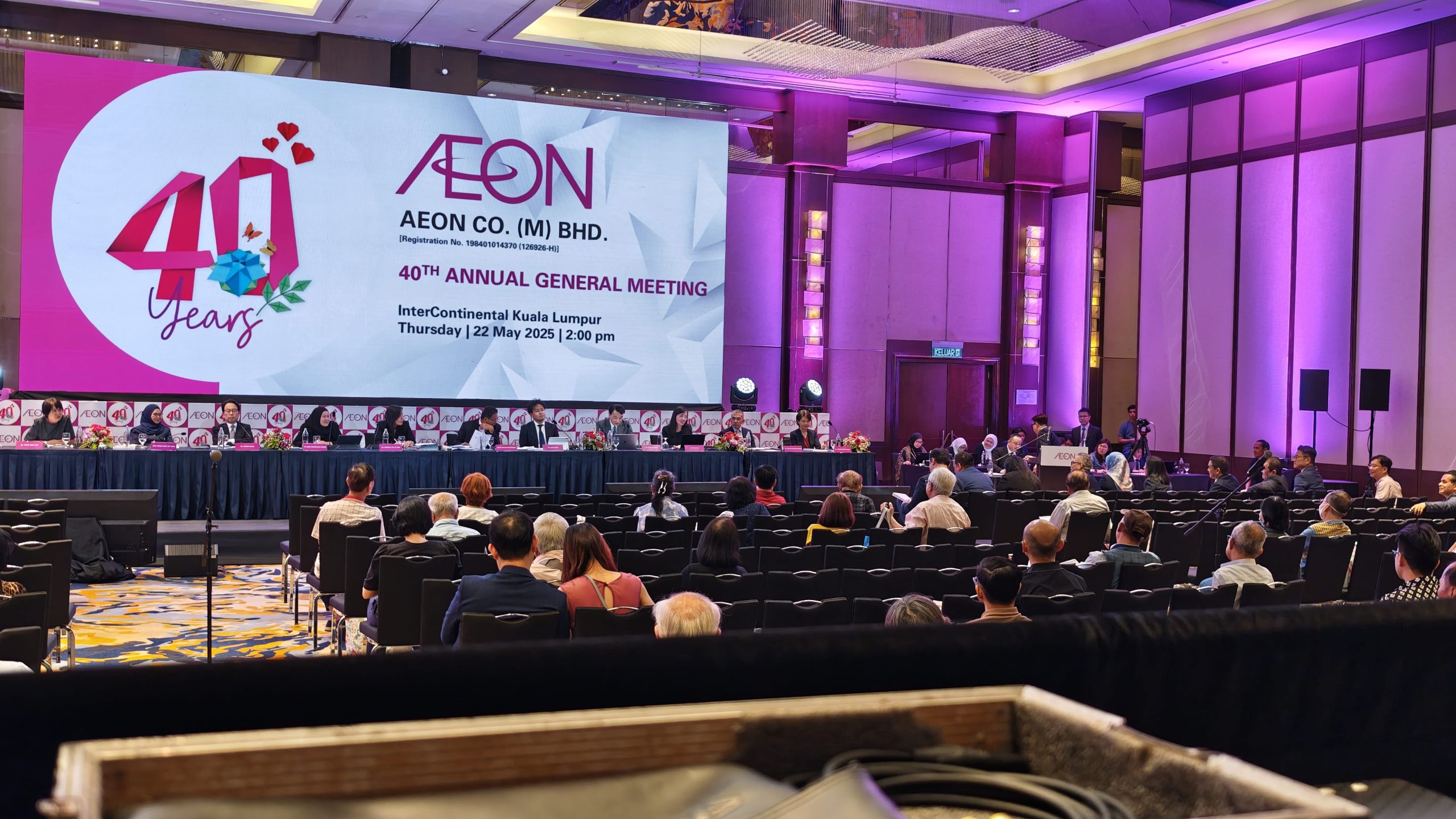
Modern event displays can support high-resolution content, but the source signal still needs to be compatible with the display system.
Common considerations include:
- Resolution
- Refresh rate
- Aspect ratio
- Frame rate
- HDMI/SDI/DisplayPort connectivity
- Scaling
- Signal conversion
- HDCP compatibility
- EDID management
For example, a laptop outputting an unexpected resolution may result in an incorrectly scaled image or a blank display.
Professional AV technicians can test presentation sources and configure the video system to accommodate expected formats.
This is particularly important when using large LED Screens, projection systems or multiple displays.
Presentation Management Reduces Show-Day Risk
Professional AV support can also include presentation management.
Instead of allowing presenters to connect and disconnect equipment independently, the technical team can control the presentation workflow.
A typical process may involve:
- Collecting presentation files before the event
- Checking video and audio playback
- Confirming fonts and media compatibility
- Standardising output resolution
- Testing presentation laptops
- Preparing backup copies
- Testing clickers and presentation interfaces
- Confirming speaker cues
- Running technical rehearsals
The objective is simple:
The presenter should focus on presenting—not troubleshooting HDMI connections.
Sign 3: Your Venue Is Large, Acoustically Difficult or Technically Complex
The venue itself can determine whether professional AV support is necessary.
A system that works perfectly in a small meeting room may perform poorly in a large ballroom, exhibition hall, outdoor venue or temporary event structure.
Audio is particularly sensitive to the physical environment.
Room Acoustics Affect Speech Intelligibility
A loudspeaker can produce plenty of volume and still deliver poor speech intelligibility.
Large rooms may have:
- High ceilings
- Hard reflective surfaces
- Glass walls
- Large open spaces
- Long reverberation times
- Uneven audience layouts
When sound reflects from walls, ceilings and other surfaces, multiple versions of the same sound can reach the listener at different times.
This can reduce clarity.
The result may be an audience saying:
“The microphone is loud, but I can’t understand the speaker.”
Professional audio system design considers loudspeaker placement, coverage, delay, equalisation and room characteristics rather than simply increasing volume.
Distributed Loudspeaker Systems
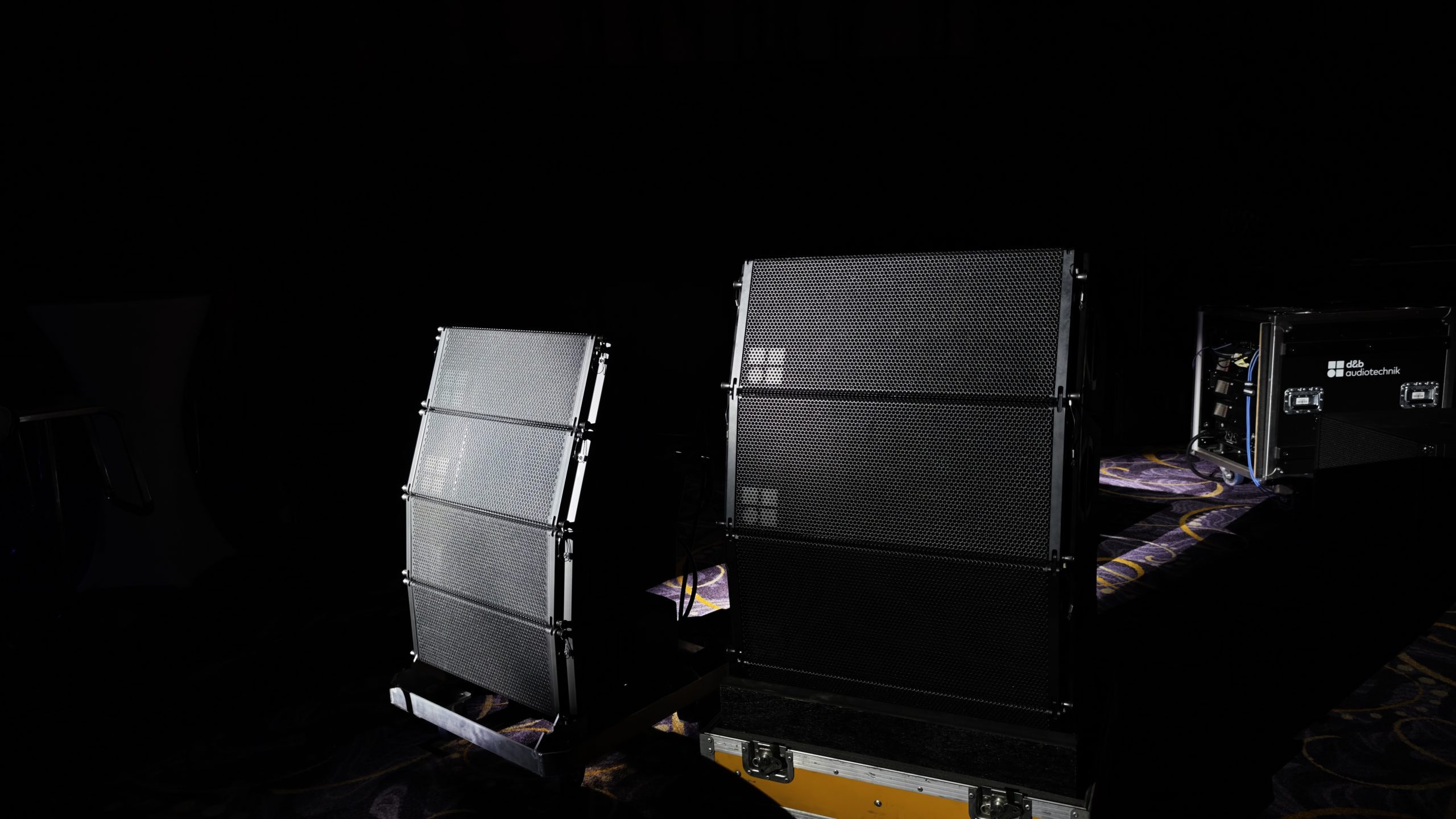
Large venues may require multiple loudspeaker zones.
Instead of relying on one pair of loudspeakers at the front of the room, the system may use:
- Main loudspeakers
- Front fills
- Side fills
- Delay speakers
- Stage monitors
- Subwoofers
Delay speakers can help maintain timing consistency for audiences seated farther from the stage.
The audio system may therefore require digital signal processing to manage delay, equalisation and system tuning.
This is one reason professional audio visual equipment rental should be approached as a system-design exercise rather than an equipment-shopping exercise.
Outdoor Events Create Additional Challenges
Outdoor events introduce another set of technical considerations.
These can include:
- Wind
- Rain
- Humidity
- Temperature
- Ambient noise
- Long cable runs
- Uneven audience distribution
- Power availability
- Weather protection
LED Screens, loudspeakers, control systems and other equipment must be deployed appropriately for the environment.
Cable routes also need to be planned to reduce trip hazards and protect signal and power infrastructure.
For outdoor productions, technical planning should happen well before equipment arrives on site.
Sign 4: Your Event Has No Room for Technical Failure
Some events are more forgiving than others.
If a small internal meeting experiences a five-minute technical delay, the consequences may be manageable.
A major product launch, government ceremony, awards presentation or high-profile corporate event is different.
There may be:
- Senior executives
- VIP guests
- Media
- Sponsors
- Hundreds or thousands of attendees
- Live broadcasts
- Multiple stakeholders
- Strict programme timings
In these situations, technical reliability becomes part of event risk management.
Single Points of Failure
A professional AV system should identify potential single points of failure.
For example:
One laptop → One cable → One display
creates a relatively simple system.
But what happens if the laptop fails?
What happens if the cable fails?
What happens if the display processor stops responding?
A professional production may introduce appropriate backup strategies depending on the event’s risk profile.
Possible approaches include:
- Backup presentation laptops
- Spare signal cables
- Redundant playback systems
- Backup video sources
- Spare microphones
- Additional communication systems
- Backup power strategies
- Spare critical equipment
- Duplicate content
Not every event requires full redundancy.
The appropriate level depends on the importance, scale and technical complexity of the event.
Technical Crew Are Part of the Support System
Equipment redundancy is only one part of reliability.
Technical personnel are equally important.
During a live event, someone may need to:
- Switch presentation sources
- Adjust audio levels
- Monitor wireless microphones
- Trigger videos
- Manage cameras
- Operate lighting cues
- Monitor displays
- Respond to technical faults
- Coordinate with stage management
Professional AV support provides people who understand the system and can respond when conditions change.
That is particularly important because many technical problems cannot be solved by simply restarting equipment.
Sign 5: You Are Adding More Technology Than Your Team Can Confidently Manage
This is perhaps the most practical warning sign.
If the event team is saying:
“We have the equipment, but nobody is completely sure how everything should be connected or operated,”
professional AV support should be considered.
Modern event technology can involve multiple specialised systems.
A single event may combine:
- LED Screens
- Projection
- Video processors
- Media servers
- Digital audio consoles
- Wireless microphones
- Cameras
- Streaming
- Stage monitors
- Lighting control
- Intercom
- Show-control systems
- Presentation systems
- Network infrastructure
These systems have different technical requirements.
Why Equipment Compatibility Matters
One of the biggest risks of assembling AV equipment from different sources is compatibility.
A microphone may operate on the required frequency range but still require proper RF coordination.
A laptop may have an HDMI output, but that does not automatically mean it will work correctly with every processor.
A camera may provide the correct resolution but require a different signal format.
An LED Screen may support a particular input configuration, while the presentation system outputs another.
Professional audio visual equipment rental should therefore account for compatibility across the entire signal chain.
Professional AV Support Starts Before the Event
One of the biggest misconceptions about AV support is that the technical team becomes important only after equipment arrives at the venue.
In reality, much of the most important work happens beforehand.
Pre-Production Planning
A professional AV planning process can include:
1. Event Brief
Understand:
- Event type
- Audience size
- Programme
- Venue
- Stage design
- Content requirements
- Speaker requirements
- Streaming requirements
- Branding requirements
2. Site Survey
Assess:
- Room dimensions
- Ceiling height
- Rigging points
- Power
- Acoustics
- Lighting
- Audience layout
- Cable routes
- Equipment access
3. System Design
Determine:
- Display requirements
- Audio coverage
- Microphone requirements
- Video routing
- Signal distribution
- Control systems
- Technical crew
- Backup requirements
4. Equipment Preparation
All equipment should be checked before deployment.
5. Technical Rehearsal
The complete system should be tested as close as possible to actual show conditions.
The Difference Between Equipment Rental and AV Production Support
There is an important distinction between renting equipment and receiving complete AV support.
Basic equipment rental may involve supplying equipment according to a requested list.
Professional AV production considers:
What does the event need to achieve?
From there, the technical team determines the appropriate system.
For example, instead of asking:
“How many speakers do we need?”
the better technical question is:
“How should sound be distributed so that speech and programme audio remain clear across the entire audience area?”
Instead of:
“What size LED Screen should we rent?”
the better question is:
“What display configuration provides appropriate visibility from the furthest audience position while supporting the required content?”
This shift—from equipment selection to system design—is one of the biggest advantages of professional AV support.
What Should You Ask an AV Equipment Rental Company?
Before confirming an audio visual equipment rental provider, event organisers should ask several practical questions.
Can the provider conduct a site assessment?
A site survey can identify issues before installation.
Does the quotation include technical crew?
Equipment alone may not be sufficient for complex events.
Is technical rehearsal included?
Rehearsals help identify compatibility and operational issues.
How is the system configured?
Ask how audio, video and control systems will be integrated.
What happens if critical equipment fails?
Understand the provider’s contingency and backup approach.
Who operates the equipment during the event?
Clarify whether technicians will remain on site throughout the programme.
Can the provider manage multiple AV systems?
This becomes important when LED Screens, projection, audio, cameras and streaming are integrated.
Why Professional AV Support Should Be Planned Early
One of the most common mistakes is contacting an AV supplier only a few days before an event.
Late planning can create unnecessary limitations.
Equipment availability may be restricted.
Venue access may be limited.
Technical rehearsals may not be possible.
Content may not have enough time for testing.
Rigging requirements may not have been considered.
Power requirements may not have been confirmed.
The earlier professional AV support becomes involved, the more opportunities there are to identify and solve these issues.
For complex productions, AV planning should ideally begin during the event-design stage.
A Practical AV Planning Checklist
Before confirming your event’s AV requirements, consider the following:
Event
- What type of event is it?
- How many people will attend?
- Is it indoor or outdoor?
- Is the event live-streamed?
- Are there VIPs or media?
Video
- Are LED Screens required?
- Is projection required?
- How many presentation sources are expected?
- Are live camera feeds required?
- What resolution and aspect ratio are needed?
Audio
- How many speakers are presenting?
- How many wireless microphones are required?
- Is audience interaction expected?
- Is music playback required?
- Does the venue require distributed sound?
Operations
- Who will operate the AV system?
- Is a technical rehearsal required?
- Are backup systems necessary?
- Is technical crew required throughout the event?
Venue
- What is the room size?
- What are the acoustics like?
- Where are power sources located?
- Are there rigging restrictions?
- What are the cable routes?
The answers to these questions can quickly reveal whether basic equipment rental is sufficient or whether professional AV support is required.
When Professional AV Support Becomes a Necessity
The five warning signs can be summarised simply:
- Multiple AV systems need to communicate with each other.
- The event depends heavily on presentations, video or live content.
- The venue creates acoustic, visual or infrastructure challenges.
- There is little tolerance for technical failure.
- The event team does not have the expertise to design, operate and troubleshoot the complete AV system.
If several of these conditions apply, professional AV support should be considered part of the event plan—not an optional last-minute service.
DOREMi: Integrated Audio Visual Equipment Rental and Event Technology
Professional AV support is ultimately about creating a reliable technical environment in which the event can run as planned.
DOREMi provides audio visual equipment rental and integrated event technology solutions for corporate events, conferences, exhibitions, product launches, concerts, government events and other live productions.
Depending on the event requirements, solutions can integrate LED Screens, professional audio systems, projection, lighting, staging, video systems and technical crew into a coordinated production environment.
With more than 45 years of event industry experience, DOREMi combines equipment, technical expertise and on-site operational support to address the requirements of different venues and event formats.
The objective is not simply to supply AV equipment.
It is to design and operate a system that works when the event needs it most.
Planning an upcoming event? Speak with DOREMi’s event technology specialists to assess your venue, programme and AV requirements before technical issues become show-day problems.
Frequently Asked Questions About Audio Visual Equipment Rental
What is audio visual equipment rental?
Audio visual equipment rental involves hiring professional AV equipment for an event rather than purchasing the equipment. Depending on the provider and event requirements, rental services may include equipment delivery, installation, system configuration, technical operation and dismantling.
What equipment is normally included in AV rental?
Depending on the event, audio visual equipment rental can include LED Screens, projectors, professional sound systems, microphones, video processors, cameras, presentation systems, staging equipment and related technical infrastructure.
Do I need AV technicians for my event?
It depends on the complexity of the event. Small events may be manageable without dedicated technicians, but conferences, product launches, concerts, exhibitions and large corporate events can benefit significantly from professional technical support.
How early should I book AV equipment?
Complex events should begin AV planning as early as possible. Early planning allows time for site surveys, system design, equipment reservations, content testing, technical rehearsals and contingency planning.
Is LED Screen rental part of AV support?
LED Screen rental can form part of an integrated AV solution. However, professional support should also consider processing, signal distribution, content sources, screen configuration, viewing distance and technical operation.
What is the difference between AV rental and AV production?
Equipment rental primarily focuses on supplying equipment. AV production takes a broader approach by designing, integrating, operating and supporting the technical systems required for the event.
Can professional AV support reduce technical problems?
Professional AV planning can identify potential technical risks before the event, including signal compatibility, acoustics, equipment requirements, power, content formats and operational issues. It cannot eliminate every possible failure, but it can significantly improve preparedness and response.
Final Thoughts
Technical problems rarely appear at the most convenient time.
A microphone fails when the CEO is about to speak.
A presentation refuses to display when the next session begins.
A video has no audio.
A camera feed disappears.
An LED Screen shows an unexpected signal.
A speaker at the back of the room cannot clearly understand the presenter.
These situations are rarely caused by one piece of equipment alone.
They are often symptoms of insufficient planning, system integration or technical support.
Professional audio visual equipment rental addresses this by looking at the event as a complete technical system—from the initial site assessment through equipment selection, signal flow, installation, testing, rehearsal and live operation.
The earlier that process begins, the more opportunity there is to identify potential problems before they reach the audience.
For event organisers, the objective is not simply to make the technology work.
It is to make the technology disappear into the experience—so the audience notices the speaker, the presentation, the performance and the event itself, rather than the technical systems supporting it.
Professional AV support is not about waiting for something to go wrong. It is about making sure the event is ready before something does.
Further Reading
For additional insights into AV support, industry practices and the role of professional audiovisual technology in events, visit AVIXA’s “What Is AV Support?”.
Planning a Professional AV System for Your Event?
Planning a conference, exhibition, product launch, corporate event or large-scale production that requires reliable audio visual technology?
DOREMi can develop an integrated AV solution covering professional sound systems, LED Screens, projection, video systems, staging, lighting and technical operations according to the requirements of the venue and event.
Speak with DOREMi’s event technology specialists to plan a reliable AV system that keeps your event running seamlessly from setup to showtime.