A successful conference is more than a well-planned programme and a group of knowledgeable speakers. Attendees need to hear every presentation clearly, see important information from their seats, participate in discussions and move between sessions without unnecessary technical interruptions. When these elements work together, the conference feels organised, professional and engaging.
This is where professional audio visual equipment rental becomes important. The right combination of microphones, speakers, LED screens, projectors, cameras and presentation systems helps organisers communicate their message effectively while creating a better experience for everyone in the room.
Whether you are planning a corporate conference, industry seminar, annual general meeting, product launch or hybrid business event, the quality of your audiovisual setup can influence how attendees perceive the entire programme.
Rather than treating AV equipment as an additional expense, organisers should consider it an essential part of conference planning. Here are seven ways professional AV equipment can improve the conference experience and what to consider when choosing the right setup.
Clear Audio Helps Every Attendee Follow the Conference
Sound is one of the most important elements of a conference. A speaker may deliver valuable insights, but the message loses its impact if attendees struggle to hear the presentation.
In a large ballroom, auditorium or conference hall, the speaker’s natural voice may not reach every seat comfortably. Background conversations, air-conditioning systems, room acoustics and the distance between the stage and audience can also affect speech clarity.
Professional audio visual equipment rental helps organisers select an appropriate sound system for the venue and programme.
Choosing the right microphones
Different conference formats require different microphones.
- Wireless handheld microphones: Useful for keynote speakers, audience questions and panel discussions where microphones need to be passed between participants.
- Lavalier microphones: Small clip-on microphones that allow presenters to move naturally while speaking.
- Headset microphones: Suitable for presenters who move around frequently or need consistent microphone positioning.
- Podium microphones: Useful for formal speeches and presentations delivered from a lectern.
- Conference discussion microphones: Designed for meetings where multiple delegates need to contribute from their seats.
Selecting the right microphone helps presenters communicate naturally without constantly adjusting their position or worrying about whether the audience can hear them.
Balancing sound throughout the room
A powerful sound system does not automatically guarantee good audio. Speaker placement, room acoustics and system configuration determine how evenly sound reaches the audience.
If speakers are positioned incorrectly, some attendees may experience uncomfortable volume levels while others struggle to understand the presenter. Professional audio technicians can assess the room layout, configure the speakers and adjust the sound levels before the conference begins.
For organisers, the goal is simple: attendees should be able to follow the discussion comfortably without being distracted by excessive volume, feedback or unclear speech.
Clear Visual Displays Make Presentations Easier to Understand
 Conferences frequently involve business data, financial reports, product demonstrations, charts, videos and technical information. Presenters need a reliable way to communicate these details to the audience.
A presentation that looks clear on a laptop may become difficult to read when displayed in a large venue. Small text, low contrast and poorly positioned screens can prevent attendees from following important information.
Professional audio visual equipment rental allows organisers to select displays that suit the venue, audience size and presentation content.
LED screens and projection systems
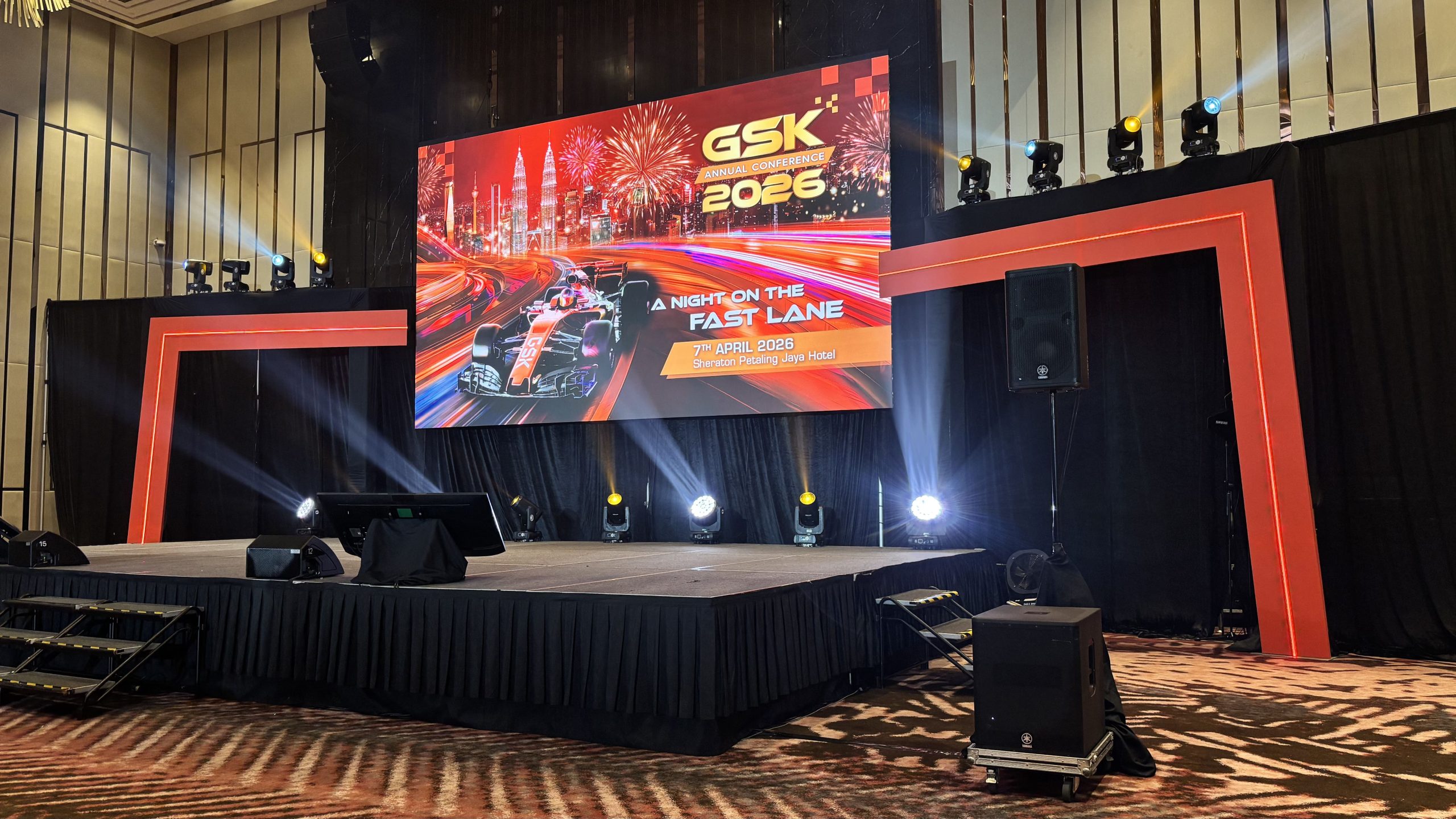
LED screens are useful when organisers need bright visuals, strong colour reproduction and visibility in venues with significant ambient lighting. They can display presentation slides, speaker names, videos, branded graphics and programme information.
Projection systems may be suitable for conferences that require large presentation images, particularly when the venue can be controlled for lighting and the projection surface is appropriate.
The choice depends on several factors:
- Venue brightness and available lighting control.
- Distance between the screen and the furthest attendee.
- Size and layout of the audience.
- Type of content being presented.
- Available installation space and budget.
For example, a corporate conference in a brightly lit ballroom may benefit from LED screens positioned where attendees can see the presentation clearly. A smaller seminar in a controlled meeting room may work well with a suitably sized projector and screen.
Screen placement matters
Even a high-quality display can be ineffective if attendees cannot see it properly. Columns, stage structures, room dimensions and seating arrangements may obstruct the view.
For larger conferences, additional displays can help attendees seated at the sides or rear of the venue follow the programme. The objective is not simply to install the largest screen possible, but to provide comfortable visibility throughout the room.
Professional AV Equipment Creates a More Engaging Experience
A conference should communicate information, but it should also maintain audience attention.
Long presentations, dense slides and repetitive speaking formats can make it difficult for attendees to remain engaged. Well-planned audiovisual elements help presenters vary the format and communicate information in more accessible ways.
For example, a keynote presentation may combine a speaker on stage with supporting graphics and short video segments. A panel discussion may use individual microphones and a display showing each panellist’s name. A product presentation may incorporate demonstration videos or close-up camera feeds.
These elements give attendees different ways to understand the content without distracting them from the main message.
Supporting panel discussions and audience questions
Panel discussions are common at corporate conferences, industry forums and leadership events. However, the experience can quickly become confusing when speakers share microphones, audience questions cannot be heard or attendees are unsure who is speaking.
A suitable AV setup can include individual microphones for panellists, a moderator’s microphone and handheld microphones for audience questions.
For larger events, presentation screens can display speaker names, discussion topics or supporting information. A technician can also monitor microphone levels and coordinate transitions between speakers.
The result is a discussion that feels more structured and easier to follow.
Keeping visual content consistent
Conference visuals should support the event’s identity. Consistent presentation templates, speaker titles, transition graphics and branded content can make a programme feel more cohesive.
Professional displays and playback systems help organisers present these materials consistently across keynote sessions, panel discussions and other programme segments.
The most effective approach is to make the technology support the content rather than compete with it.
Professional AV Equipment Improves Hybrid Conference Participation
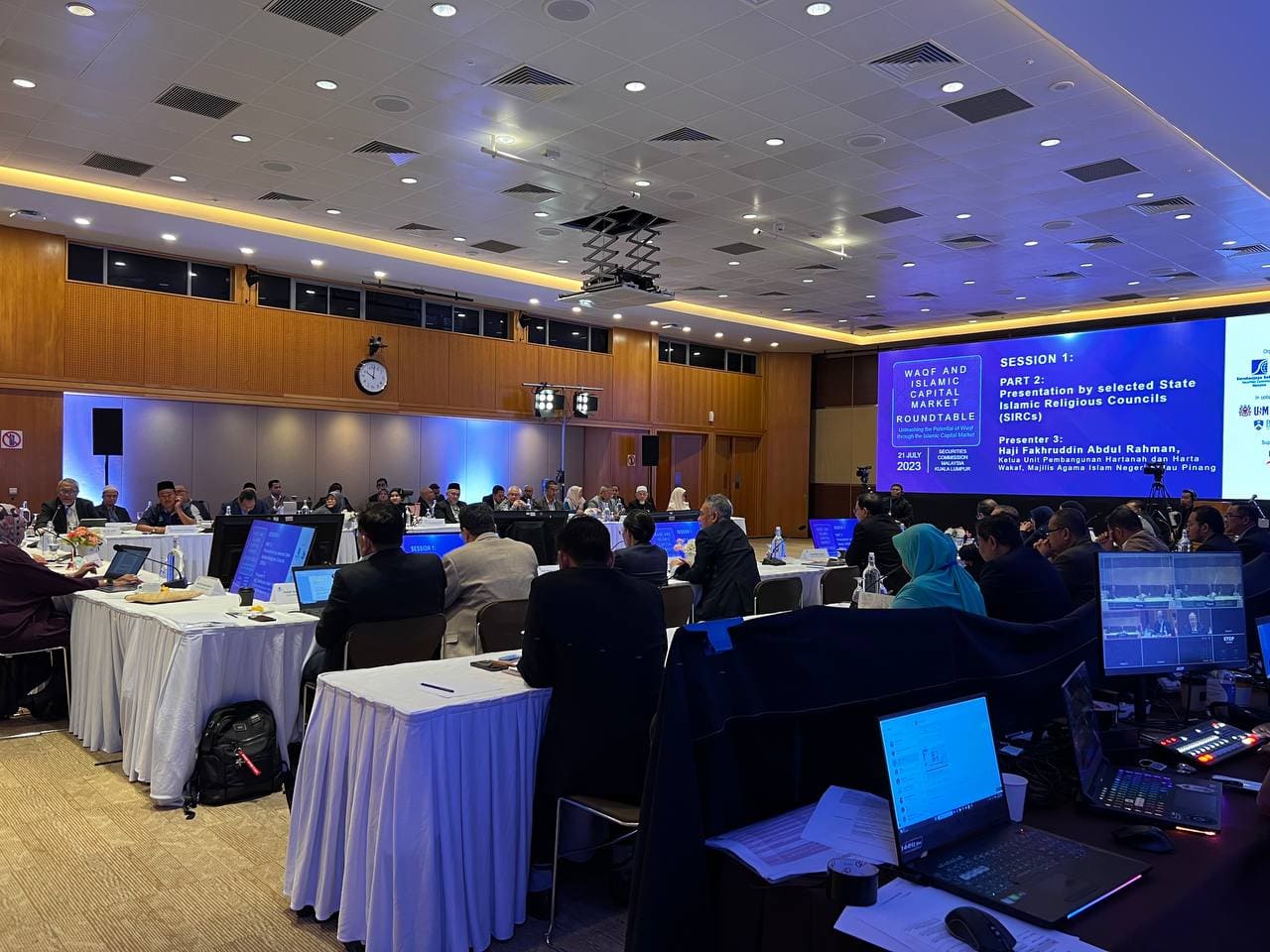 Hybrid conferences combine in-person attendance with online participation. They allow organisations to connect with speakers, delegates and stakeholders who cannot travel to the venue.
However, adding a video meeting link does not automatically create a good hybrid experience.
Remote participants need to hear the discussion clearly, see the presenters and understand what is happening in the room. Meanwhile, in-person attendees need to hear remote speakers without distracting echoes or feedback.
This requires audio and video equipment to work together.
Cameras and video conferencing systems
A suitable camera setup helps remote attendees follow the programme. Depending on the event, organisers may use a fixed camera, a pan-tilt-zoom camera or multiple cameras to capture the stage, speakers and audience.
For a simple presentation, one appropriately positioned camera may be sufficient. A conference with multiple panellists, audience interaction and remote presenters may require several camera views and an operator to manage switching.
Managing audio for remote participants
Hybrid conferences need to consider both the sound heard in the venue and the audio transmitted online.
The microphone system must capture presenters clearly, while the audio configuration should prevent remote participants’ voices from returning through the venue speakers and creating feedback or echo.
A suitable setup may include a digital audio mixer, dedicated microphones, a system for integrating remote participants and separate audio feeds where required.
Making remote attendees feel included
Remote participants should be able to see presentation slides, hear audience questions and understand when they are invited to contribute.
Additional displays can help in-room presenters see remote speakers, while a dedicated technician can monitor the online meeting and coordinate questions.
Microsoft’s guidance on hosting hybrid meetings and events highlights the importance of selecting cameras, displays, microphones and lighting according to the scale and complexity of the event.
For organisers, professional audio visual equipment rental can help provide the equipment and technical support needed to connect both audiences effectively.
Reliable Equipment and Technical Support Reduce Disruptions
Technical problems can interrupt a conference, affect the programme schedule and undermine the audience’s confidence in the organisers.
A microphone may stop working, a laptop may fail to connect to the display, a presentation video may not play correctly or a remote speaker may experience audio problems.
Although not every issue can be eliminated, careful preparation can reduce the likelihood and impact of these disruptions.
Testing before the conference begins
A professional AV setup should be tested against the actual programme rather than only switched on shortly before attendees arrive.
A pre-event technical check should include:
- Testing every microphone and checking for interference or feedback.
- Confirming that presentation laptops connect correctly to the display system.
- Checking video playback, audio levels and presentation transitions.
- Testing cameras, conferencing platforms and remote speaker connections.
- Confirming that cables, adapters and required connections are available.
- Checking the sound and visibility from different audience positions.
Presenters should also have an opportunity to rehearse their presentations, especially when the programme includes videos, live demonstrations or remote contributions.
Planning for unexpected problems
A backup plan is particularly important for conferences where timing and presentation continuity matter.
Depending on the event, preparations may include spare microphones, alternative connection cables, backup presentation files and a secondary laptop. For critical hybrid sessions, organisers may also need contingency arrangements for connectivity or equipment failure.
Professional technicians can identify potential problems, monitor equipment during the programme and respond when adjustments are needed.
This support allows organisers and speakers to focus on the conference rather than troubleshooting technical issues themselves.
Professional AV Equipment Supports a More Professional Brand Image
A conference is also an opportunity for an organisation to demonstrate its professionalism.
Attendees may include clients, business partners, government representatives, senior management, potential investors and industry leaders. The way information is presented can influence their perception of the organisation hosting the event.
Clear audio, readable presentations, well-positioned screens and coordinated stage visuals help create an organised environment.
Creating a consistent stage presentation
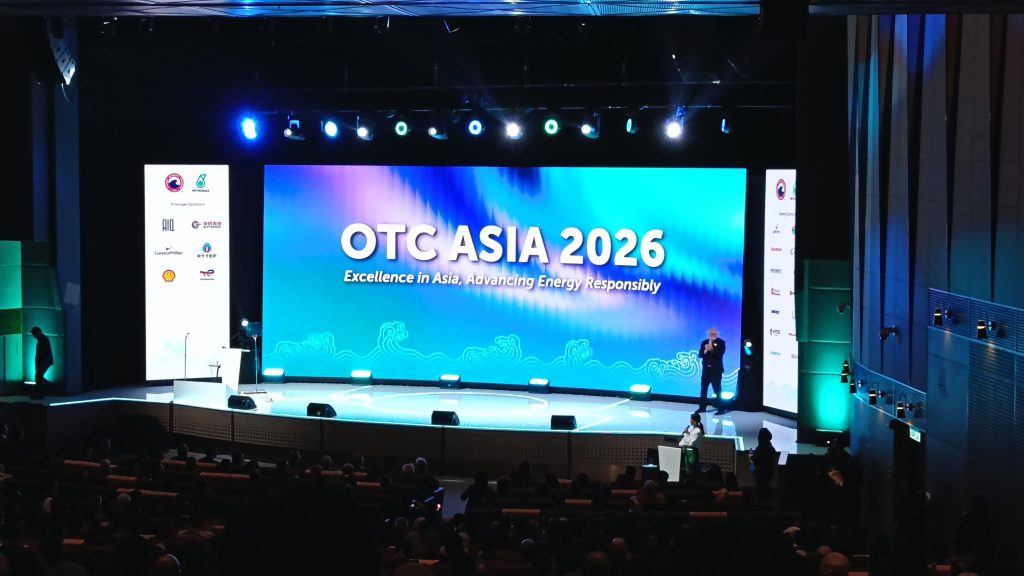
A professional stage setup may combine LED screens or projection, branded graphics, appropriate lighting, microphones and a suitable stage layout.
These elements should work together. For example, a presentation screen should not obstruct the speaker, stage lighting should allow attendees to see presenters clearly, and the display content should remain readable under the venue’s lighting conditions.
For a corporate annual conference, the screen may feature the company logo, presentation slides and key announcements. At an industry forum, the display may show the conference theme, speaker names and session information.
The design should reflect the event’s purpose and audience.
Supporting speakers’ confidence
Technical preparation also improves the presenter’s experience. A speaker who can hear their microphone clearly, see presentation slides and move comfortably around the stage is better positioned to deliver the session confidently.
Where appropriate, confidence monitors can display presentation slides or timing information for presenters. This helps them stay on track without repeatedly turning away from the audience.
Professional audio visual equipment rental therefore contributes to more than the appearance of a conference. It helps create the conditions for presenters to communicate effectively.
Professional AV Equipment Helps Organisers Manage Complex Programmes
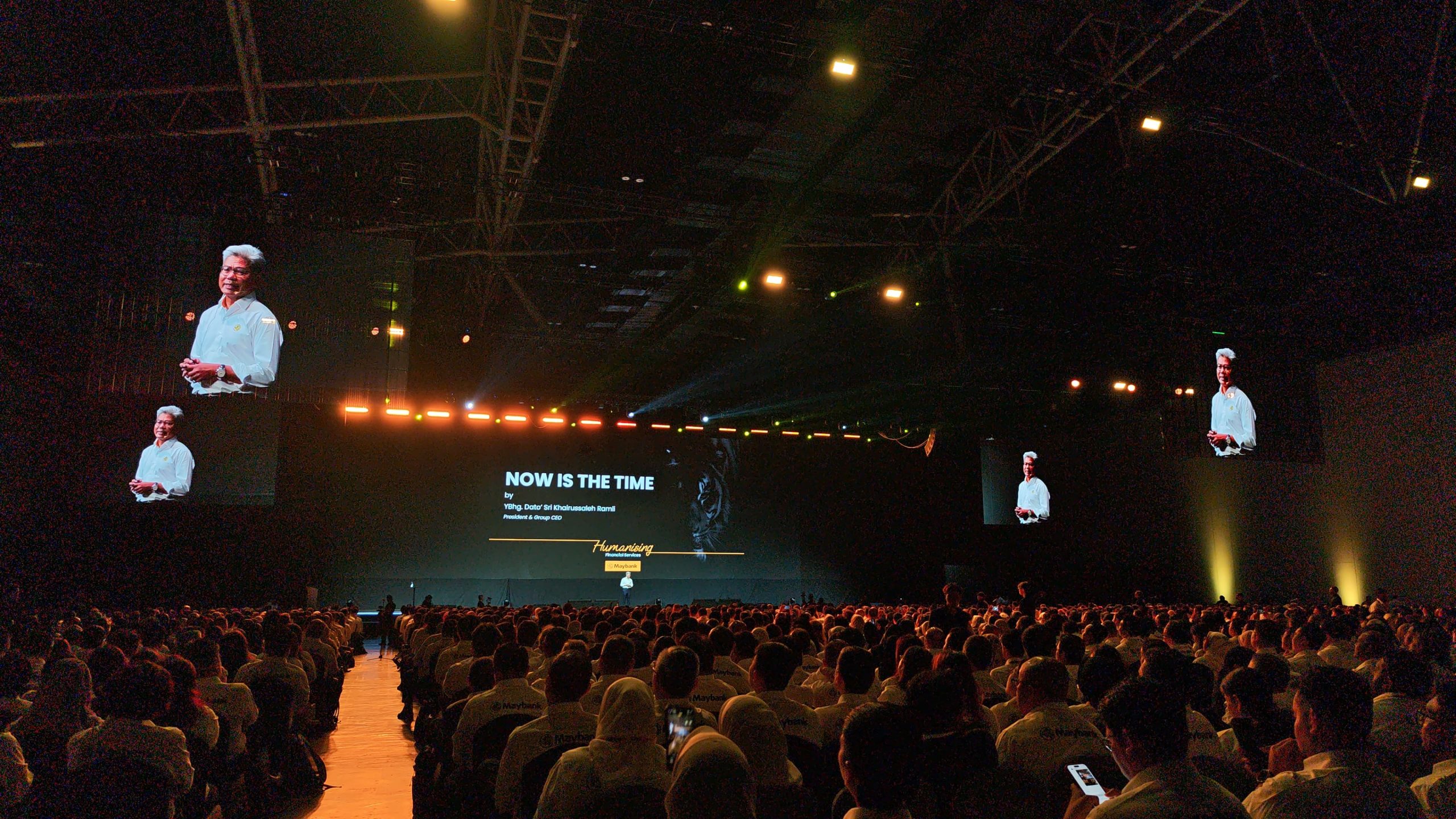 Not every conference follows a single-speaker format. Some programmes include keynote presentations, panel discussions, award ceremonies, live demonstrations, videos, audience questions and remote contributions.
Each segment may have different technical requirements.
Without proper coordination, transitions can become slow and confusing. Organisers may need to pause while microphones are changed, presentation files are loaded or screens are switched between content sources.
A well-planned AV system helps coordinate these changes.
Managing programme transitions
An event may require the technical team to switch from a presentation slide to a video, bring up a panellist’s microphone or display the next speaker’s details.
These actions should be planned in advance and aligned with the event’s run sheet. The production team can prepare the necessary content, check the sequence and coordinate with the stage manager or programme organiser.
This reduces unnecessary delays and helps the event maintain its intended pace.
Coordinating sound, screens and lighting
AV equipment should not be planned as separate items without considering how each component interacts with the others.
For example, playing a video requires the correct display input and audio routing. A panel discussion may require microphone changes and a different screen layout. A hybrid presentation may need the speaker, slides and remote audience displayed in a specific arrangement.
Professional technical coordination helps ensure that these elements operate as one system.
For conferences involving multiple rooms, simultaneous sessions or complex presentations, organisers should also confirm whether each room needs its own AV equipment and technical support.
How to Choose the Right Audio Visual Equipment Rental for Your Conference
Choosing conference equipment begins with understanding the event, not selecting products from a catalogue.
Before requesting a quotation, organisers should prepare a clear overview of their requirements.
1. Identify the conference format
Determine whether the event involves keynote presentations, panel discussions, workshops, audience interaction, product demonstrations or hybrid participation.
The programme will influence the number of microphones, displays, cameras and technical operators required.
2. Assess the venue and audience
Consider the room dimensions, ceiling height, seating layout, existing equipment, lighting conditions and distance between the stage and audience.
A hotel ballroom, university auditorium and corporate meeting room will have different requirements even if the expected audience numbers are similar.
3. Confirm the presentation requirements
Ask presenters whether they will use PowerPoint slides, videos, live demonstrations, remote presentations or other media.
Confirm laptop connections, file formats, aspect ratios and any specialised software requirements before the event.
4. Check technical support and contingency planning
Clarify whether the rental provider will handle delivery, installation, testing, operation and dismantling. For more complex conferences, confirm whether technicians will remain on-site throughout the programme.
It is also worth discussing backup equipment and procedures for dealing with unexpected technical issues.
5. Compare the full scope of the quotation
When comparing audio visual equipment rental quotations, look beyond the equipment list and headline price.
Check whether the quotation covers transport, setup, dismantling, technical labour, operating hours, additional equipment and any venue-related requirements.
A lower equipment price may not represent the best overall value if essential services are excluded. A clearly defined scope makes it easier to compare providers and manage the event budget.
Frequently Asked Questions
What AV equipment is needed for a corporate conference?
A typical corporate conference may require microphones, speakers, a sound mixer, LED screens or a projector, presentation connections and suitable technical support. Hybrid events may also need cameras, video conferencing equipment, additional displays and dedicated audio routing. The exact setup depends on the venue, programme and audience.
Why should I choose professional audio visual equipment rental instead of basic equipment?
Professional audio visual equipment rental helps organisers select equipment suited to the venue and event format. It can also include installation, system testing, technical operation and contingency planning, depending on the provider’s scope. This is especially useful for conferences where clear communication and reliable presentations are important.
How early should I arrange AV equipment for a conference?
It is best to discuss AV requirements during the early planning stage, once the venue, approximate audience size and programme format are known. More complex events may require additional time for site assessments, equipment planning, content preparation and technical rehearsals. Early coordination also allows organisers to identify venue restrictions before the event date approaches.
Is professional AV equipment necessary for a small conference?
Not every small meeting needs a large production setup. However, even a small conference may benefit from a suitable microphone, clear display and reliable connection equipment. The appropriate solution depends on room acoustics, seating arrangements, presentation requirements and whether remote participants will join.
Does audio visual equipment rental include technicians?
This depends on the rental provider and the quotation. Some arrangements cover equipment supply only, while others include delivery, setup, testing, on-site operation and dismantling. Organisers should confirm these details before booking, particularly for conferences with multiple sessions or complex technical requirements.
Further Reading
Importance of Audio Visual Equipment in a Successful Conference – Globibo
Explore how audiovisual technology supports conference communication, visual clarity, audience engagement and technical reliability. This article provides additional context for organisers planning their conference equipment requirements.
Planning Your Next Conference?
A successful conference depends on more than the speakers and programme. Clear audio, effective visual displays and reliable technical coordination help ensure that every presentation reaches the audience as intended.
At DOREMi Services & Rental Sdn Bhd, we provide event production services and audiovisual solutions for conferences, corporate events, exhibitions and other live events across Malaysia. Our services include sound systems, LED screens, lighting, staging, truss and audiovisual equipment, with technical requirements planned around each event’s needs.
Explore our event production services or contact the DOREMi team to discuss your upcoming conference and find the right audio visual equipment rental solution for your venue, programme and audience.